What is the correct way to create two font files out of a single .glyphs app file for Roman and Italic VF’s? Perhaps a tutorial would be helpful.
I have a VF with two axis, Weight (100–400) and Italic (0 and 1). They will be separate files and the Italic axis is only on or off, i.e. not interpolable. The working file is a single .glyphs file:
2 axis: wght (100–400) and ital (1 and 0)
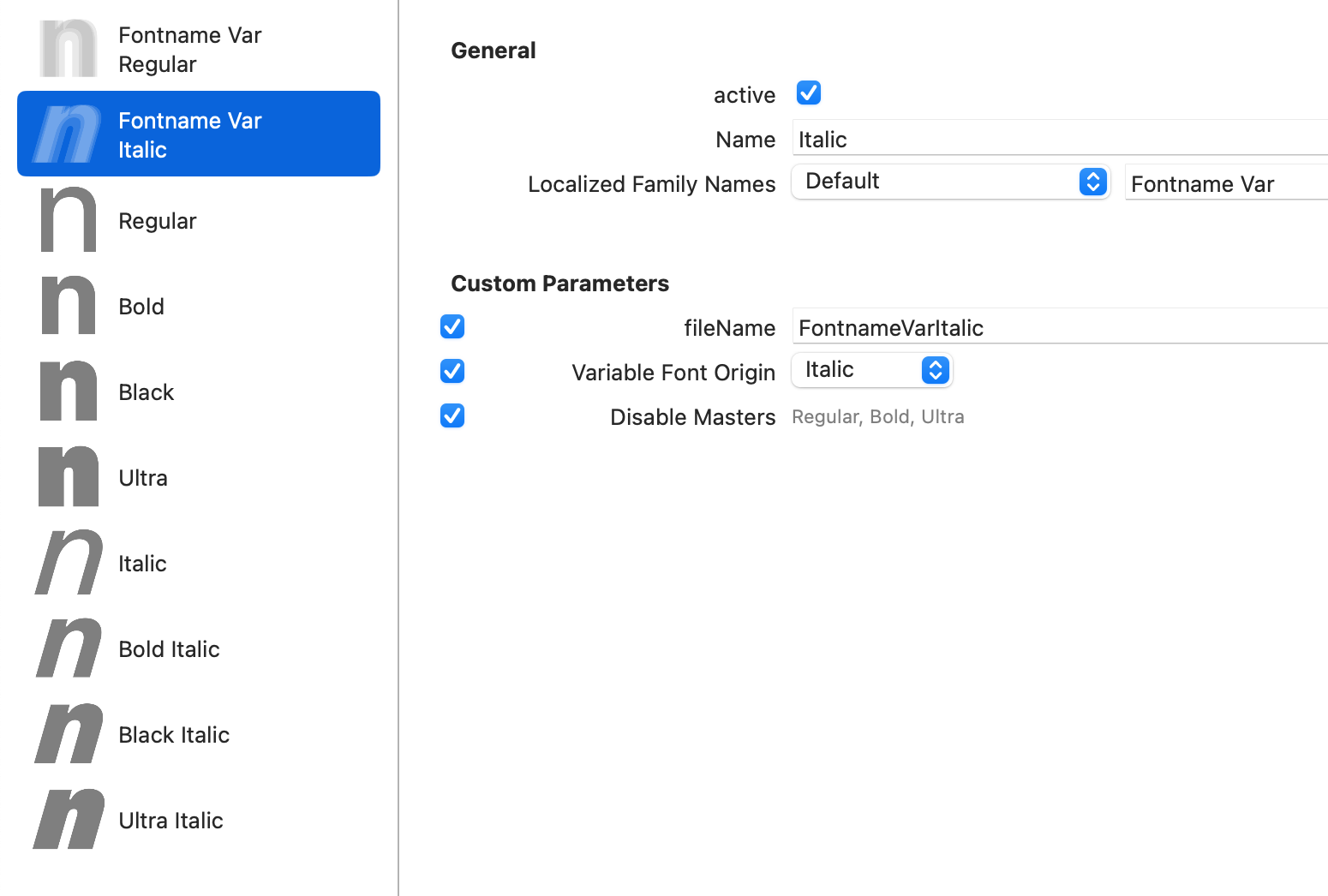
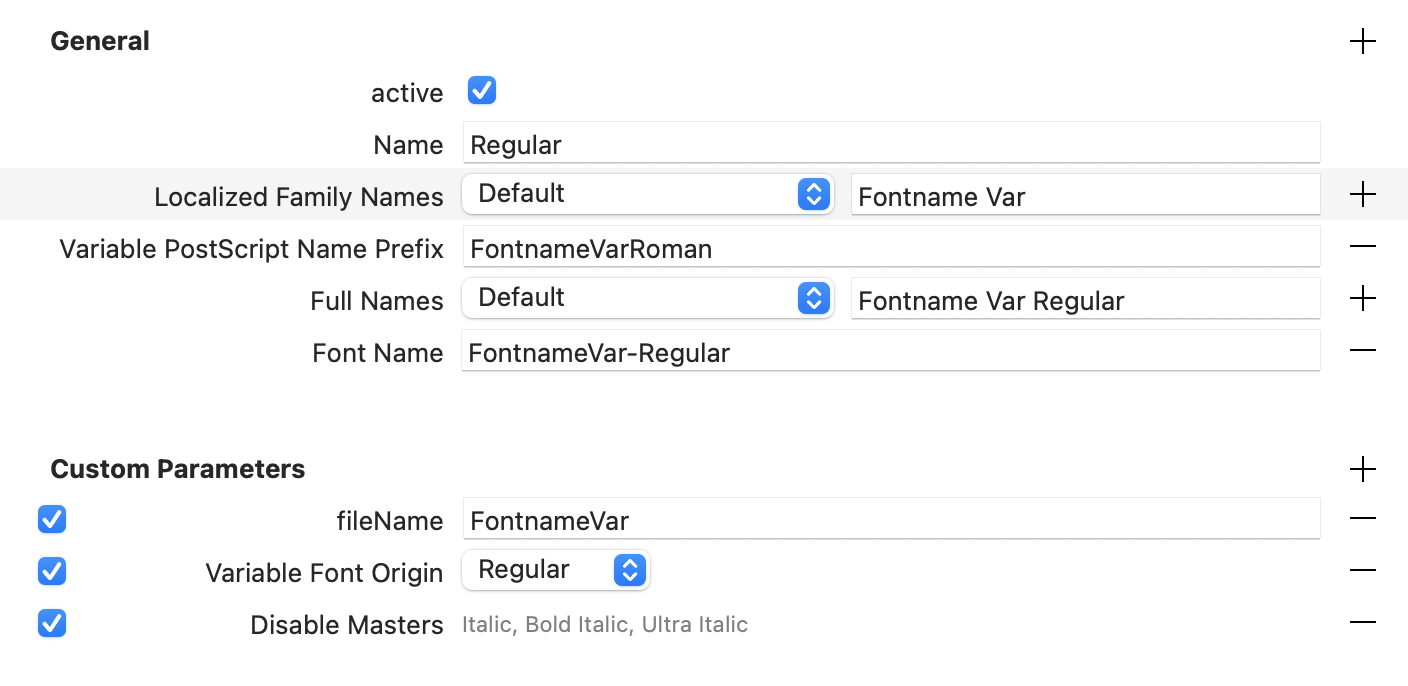
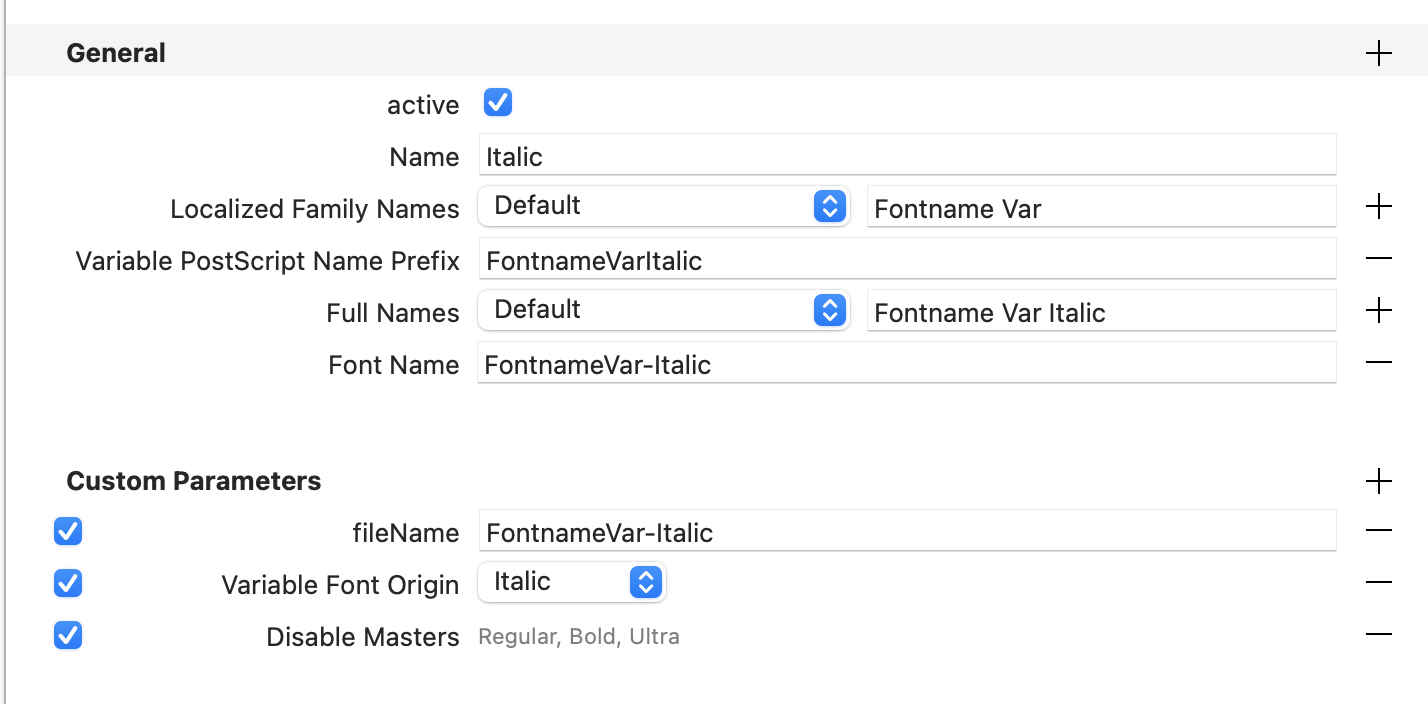
2 VF instances are set up with the family name being the same for the Roman and Italic file.
Different VF origins for both, and different files names.
I’ve set disable masters so that the Italic masters are disabled in the Roman and vice versa.
Now when I export the files and install both of them, only wght axis shows up, and when I try to choose an Italic instance, then move the slider, it switches back into the Roman styles.
If I just create seperate .glyphs files with the unused masters deleted rather than using the ‘Disable Masters’ custom parameter it works better: when I select an Italic instance and move the wght axis slider, it does not revert it to the Roman styles. But the ital axis still doesn’t show up, is that correct behaviour – is it possible to have the ital 0–1 axis show up (as defined in the GF spec), or is that only possible when the VF is a single file?
What I still find annoying is that you have to add the variable postscript name prefix parameter, otherwise the name table will include “Italic” as part of the name prefix, which splits the Italic from the Roman, leading to unexpected behaviours in applications like InDesign (as described in the post).
Is there a specific reason why Glyphs builds the PS prefix as “MyFontVFItalic”? That results in the full PS name being “MyFontVFItalic-Italic”.
I did this, but the font still switches to Roman when I am trying to change the wght axis on an italic font.
I noticed that when I add the ‘Variable Postscript Name Prefix’ for the instances, the name id 25 in the Italic file correctly becomes ‘FontnameVar’, rather than ‘FontnameVarItalic’ (which was what it was when I exported without the custom parameter as separate .glyphs files) but you end up with the above behaviour no matter if I export as a single .glyphs file or seperately. This is contradictory to @SCarewe ’s post though
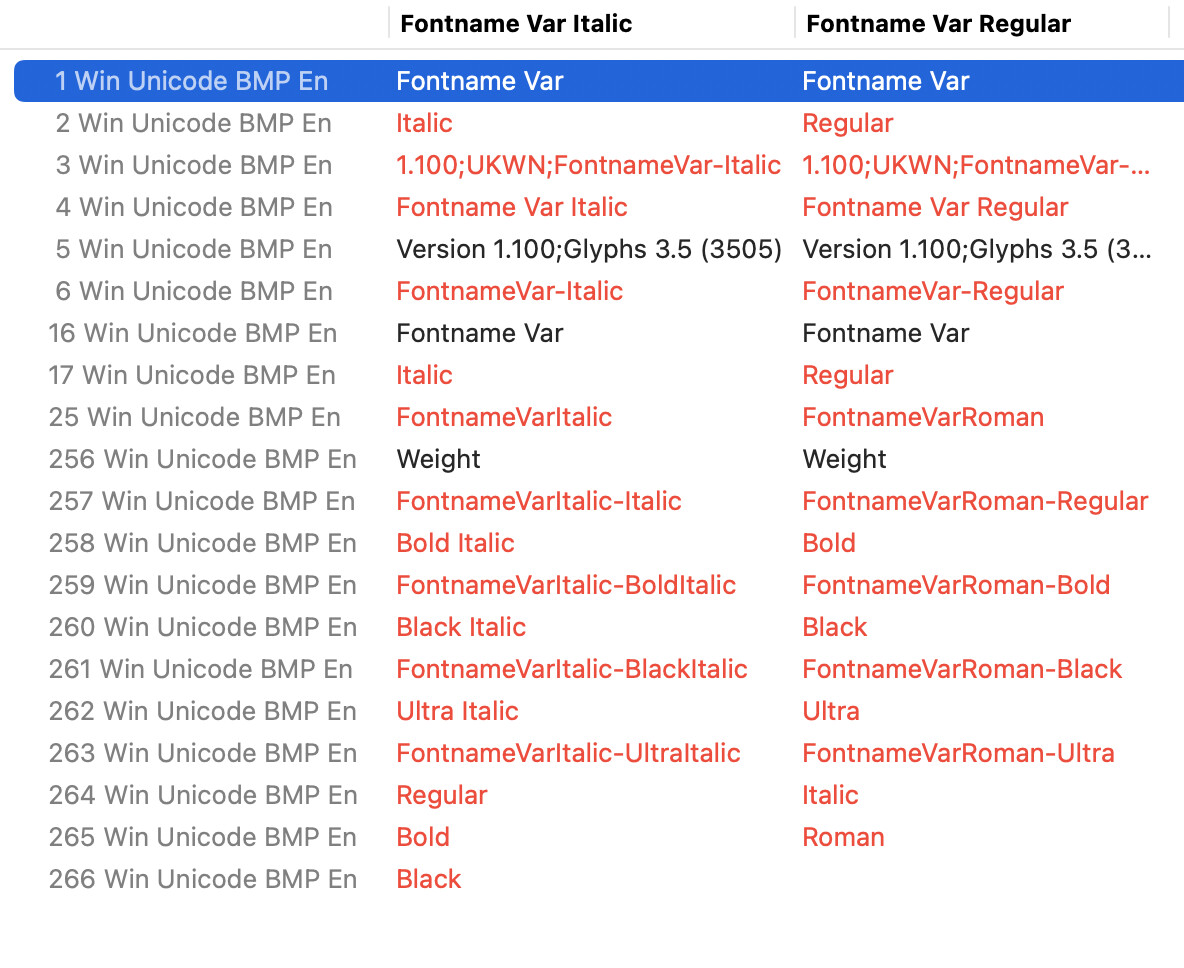
Also I noticed that in the Roman font file exported without ‘Variable Postscript Name Prefix’ as seperate .glyphs files, there was the extra entry in the name table at 264 “Roman”. This crucially seems to be the only difference between exporting without ‘Variable Postscript Name Prefix’ as seperate files vs a single file (which doesn’t have the 264 entry), and what makes the font work correctly.
Here’s what I found in my tests:
Without ‘Variable Postscript Name Prefix’ as seperate .glyphs files (working correctly):
ID6: FontnameVarItalic-Italic
ID25: FontnameVarItalic ID264 Roman present in Roman font file
Without ‘Variable Postscript Name Prefix’ as a single .glyphs files (not working correctly):
ID6: FontnameVarItalic-Italic
ID25: FontnameVarItalic ID264: Not present
With ‘Variable Postscript Name Prefix’ as seperate glyphs file (not working correctly):
ID6: FontnameVar-Italic
ID25: FontnameVar ID264 Roman present in Roman font file
With ‘Variable Postscript Name Prefix’ as a single glyphs file (not working correctly):
ID6: FontnameVar-Italic
ID25: FontnameVar ID264: Not present
So in conclusion: it seems like ID6 and ID25 needs the Italic in the name, i.e. “FontnameVarItalic-Italic” and “FontnameVarItalic” AND also the presence of the ID 264 entry “Roman” for the font to work correctly.
My conclusion based off my next post is that for seperate Roman and Italic variable fonts to work correctly, the ID25 needs to be different in both fonts, and an extra “Roman” entry needs to be present in the Roman font above ID 256.
After much much testing these are the settings that make the font work correctly without the repeat ‘Italic’ in ID6. It’s also how Open Sans organises it’s name tables. I still have to export from seperate .glyphs files too:
Thanks for confirming. I saw your Fix Italic PS Names (OTVAR) script, and perhaps I should raise an issue on github instead but what is the correct way to set up a file to use this script? I tried to run following this page and all it did was change the Italic font to instead show up as the Regular font in the font menu:
✅ Changed ID 3: 1.100;UKWN;FontnameVarItalic-Italic → 1.100;UKWN;FontnameVarItalic-Regular
✅ Changed ID 6: FontnameVarItalic-Italic → FontnameVarItalic-Regular
✅ Changed ID 258: FontnameVarItalic-BoldItalic → FontnameVarItalic-Bold
✅ Changed ID 260: FontnameVarItalic-BlackItalic → FontnameVarItalic-Black
✅ Changed ID 262: FontnameVarItalic-UltraItalic → FontnameVarItalic-Ultra
💾 Saved file.

✅ Done. Processed 1 file.
I recently added a plugin called Better VF Export that does the same as the script. After an export it will automatically go through your fresh TTFs and ‘fix’ the PS names right away. The only difference with the script is that the script requires manual triggering, whereas the plug-in auto-executes at each OTVAR export.
Can someone please address why the inclusion of the ID265 Roman in the Roman font is necessary to correctly link the VF’s in Adobe apps, and why exporting from a single .glyphs file breaks that?
IDs 256 and above are used for all kinds of things. If it looks like a PS name, it is probably a postscriptName entry for the fvar table. Without more details it is hard to answer your question.
The part before the dash must be unique per VF file (in static fonts per family)
The whole postscript name must be unique among all installed fonts. (This is the name stored in the document for referencing the font.)
Also please keep in mind: Third party apps simply have their quirks, work around them or ignore them.