Hello there,
I’m checking the correctness of my variable fonts, and the Adobe check in FontBakery keeps reporting a fail:
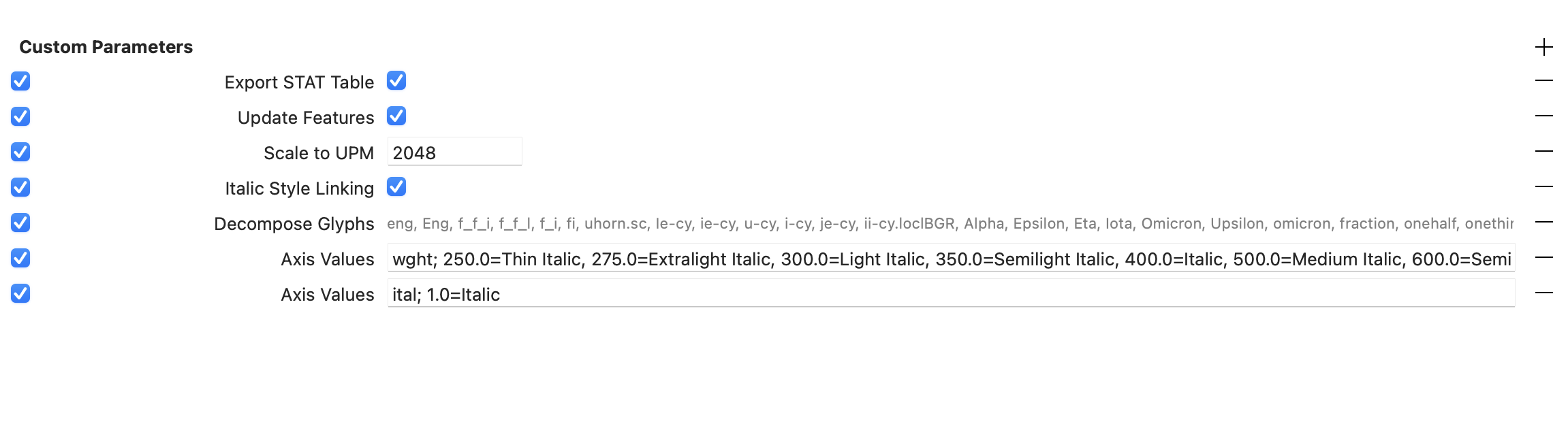
Check correctness of STAT table strings The following AxisValue entries in the STAT table should not contain "Italic": ['nameID 258: Thin Italic', 'nameID 262: Extralight Italic', 'nameID 266: Light Italic', 'nameID 270: Semilight Italic', 'nameID 274: Medium Italic', 'nameID 276: Semibold Italic', 'nameID 278: Bold Italic', 'nameID 280: Extrabold Italic', 'nameID 282: Ultra Italic'] [code: bad-italic]
I’m currently using Better VF Export and the read and write STAT table script, and everything is working very well for all universal checks. The only issue I still have is with this Adobe check.
In the past, I solved it by exporting the name and STAT tables to TTX, adding the corresponding fields to the name table (without “Italic”), and then correcting the affected entries in the STAT table.
Is there a faster and more practical way to handle this process?
I’m also not completely sure that my first method was the best approach .
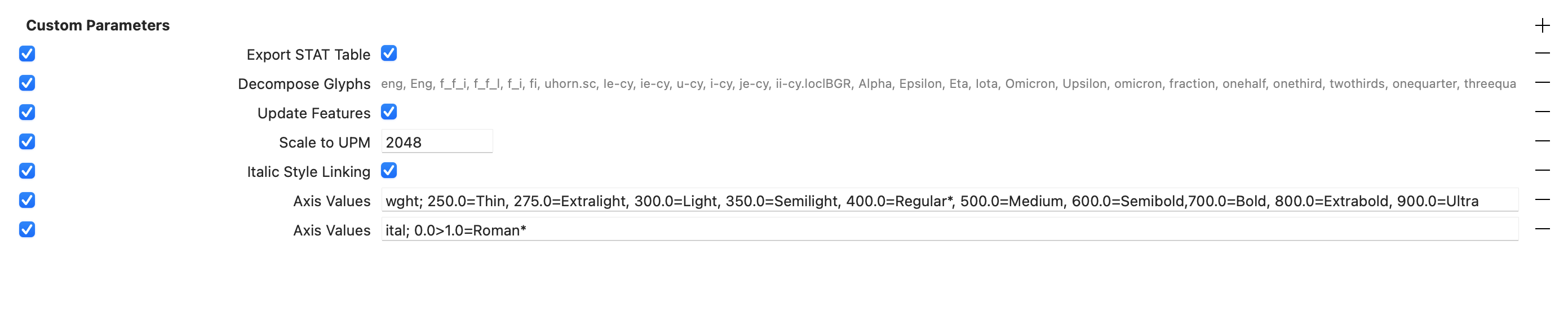
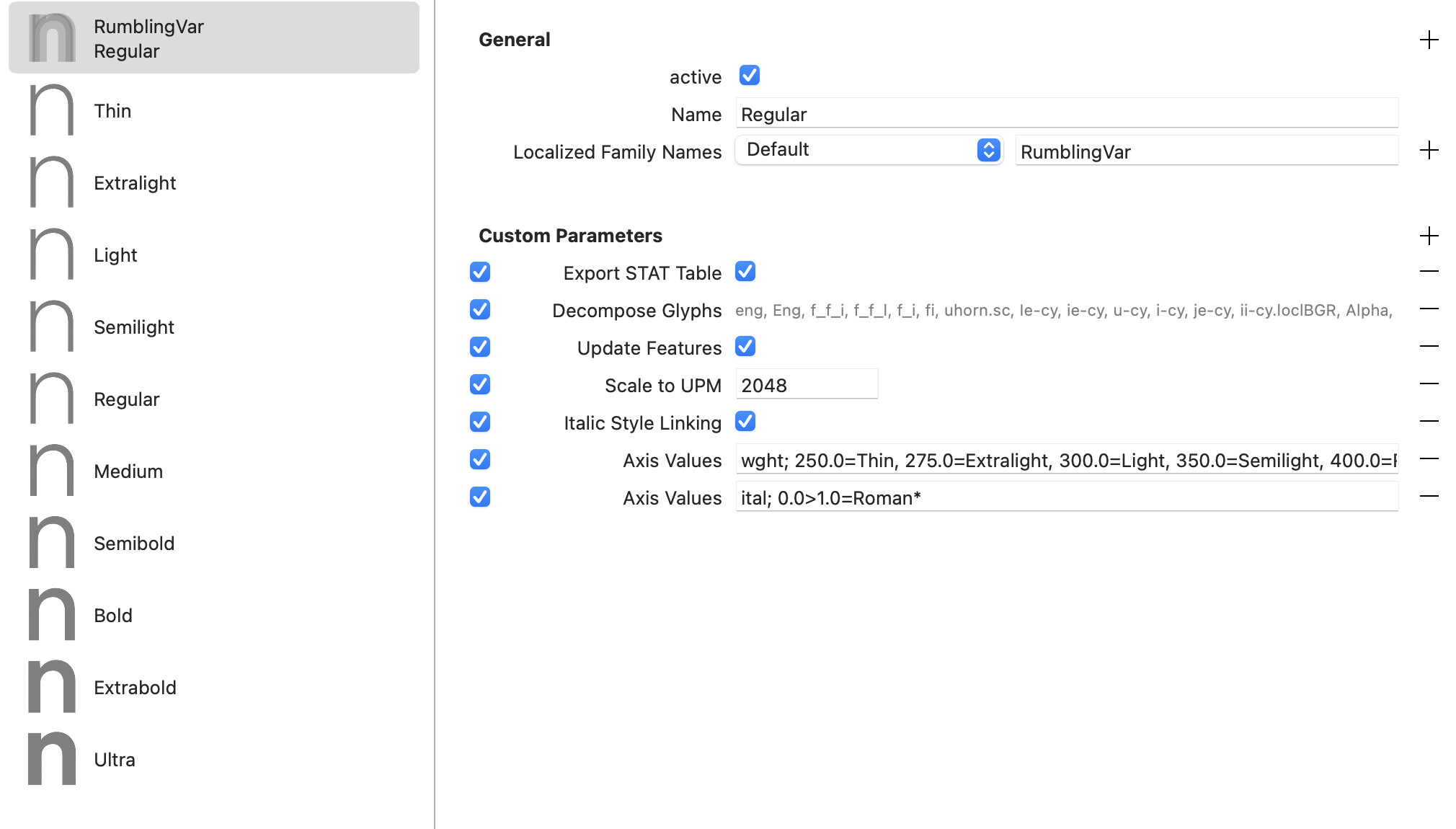
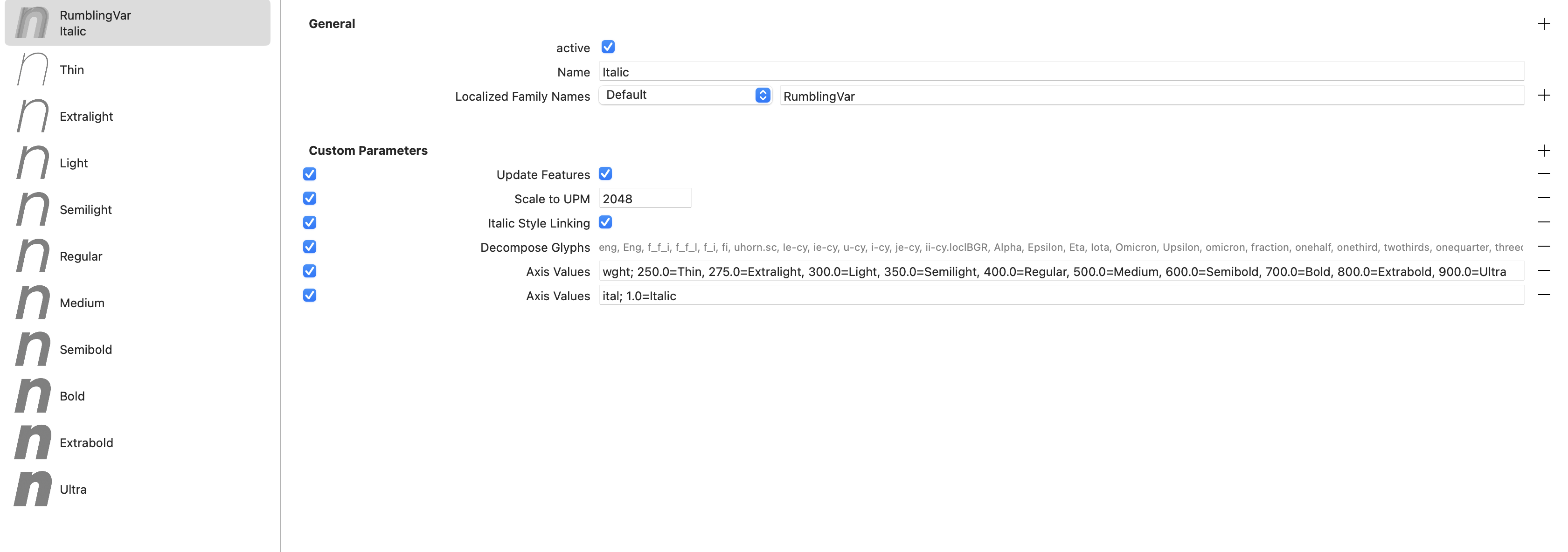
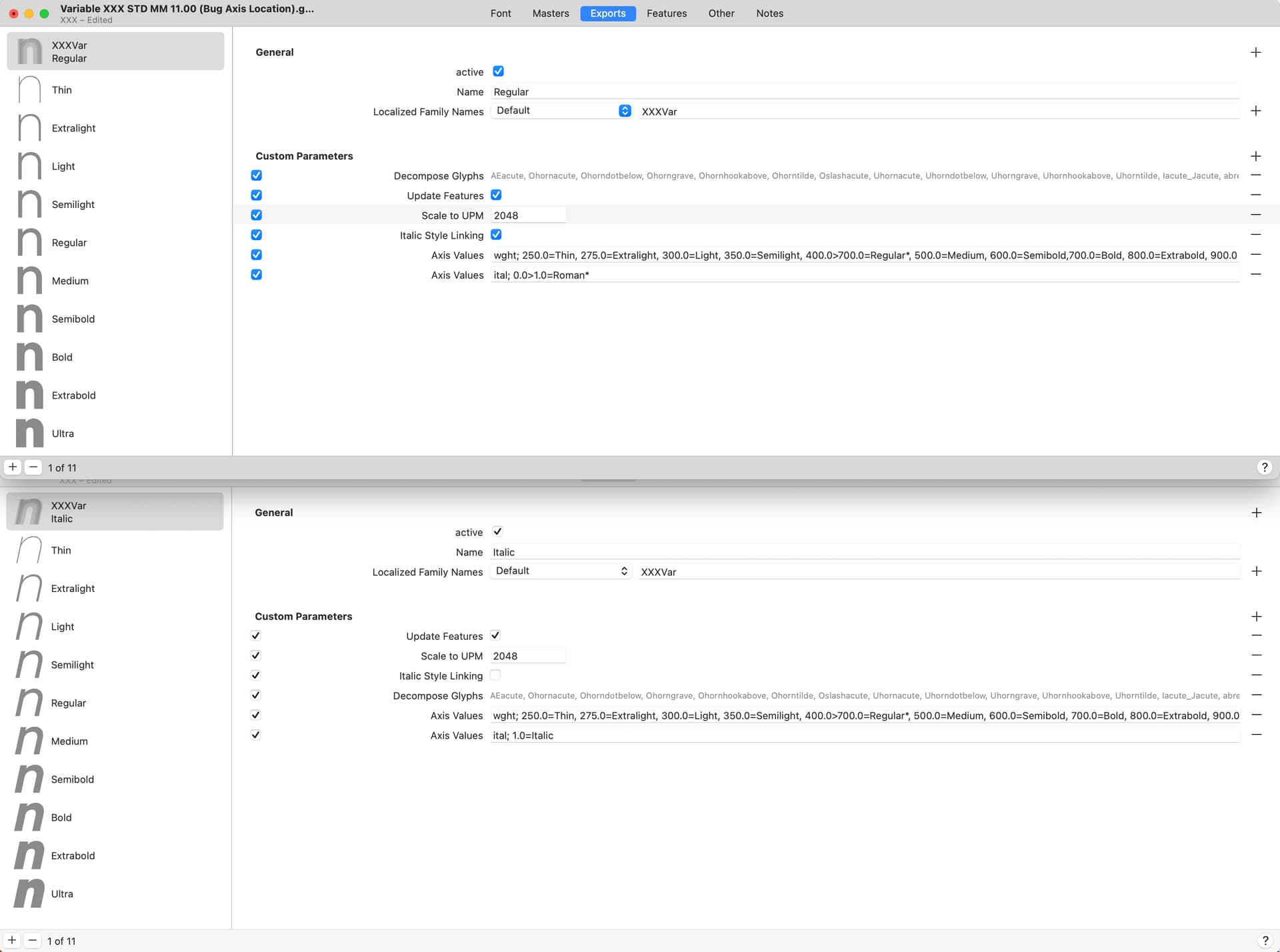
What is your setup? Is this a variable font that contains both upright and italic styles? If not, what is the name of your variable font setting? Can you show the names used in your “Axis Values” parameter(s)?
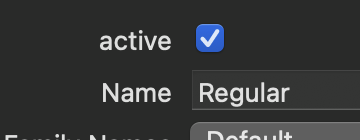
You have set names with “Italic” for your weight axis. Don’t do that. Copy the “wght” Axis Values parameter from your Roman file. And my question was also about what the name of your variable font setting is. In the “Name” field:
The new version looks much better, that should give you a correct STAT table.
You can optionally add a “Variable PostScript Name Prefix” General parameter in your variable font settings, set it to the same (for example, “RumblingVar”).
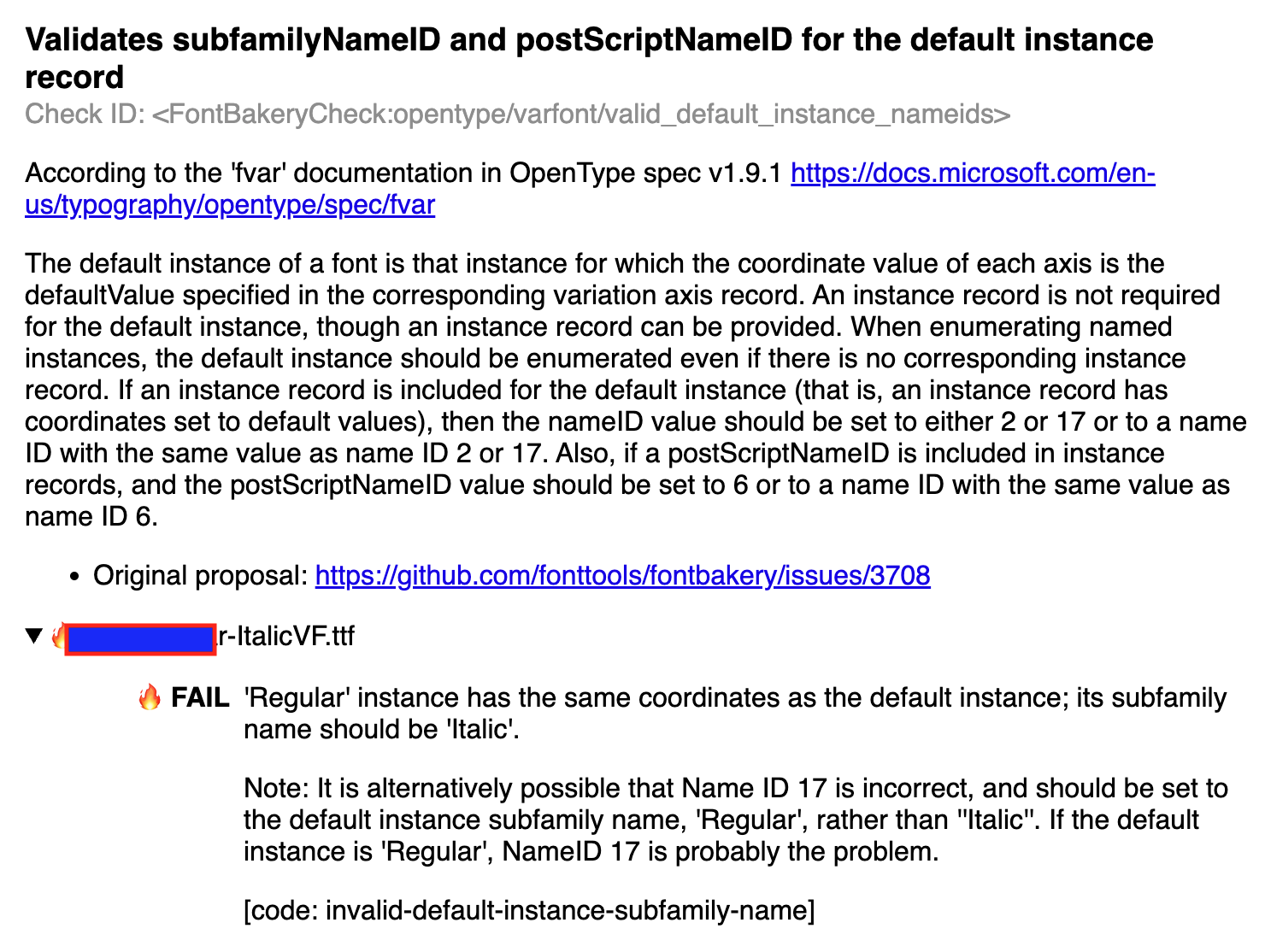
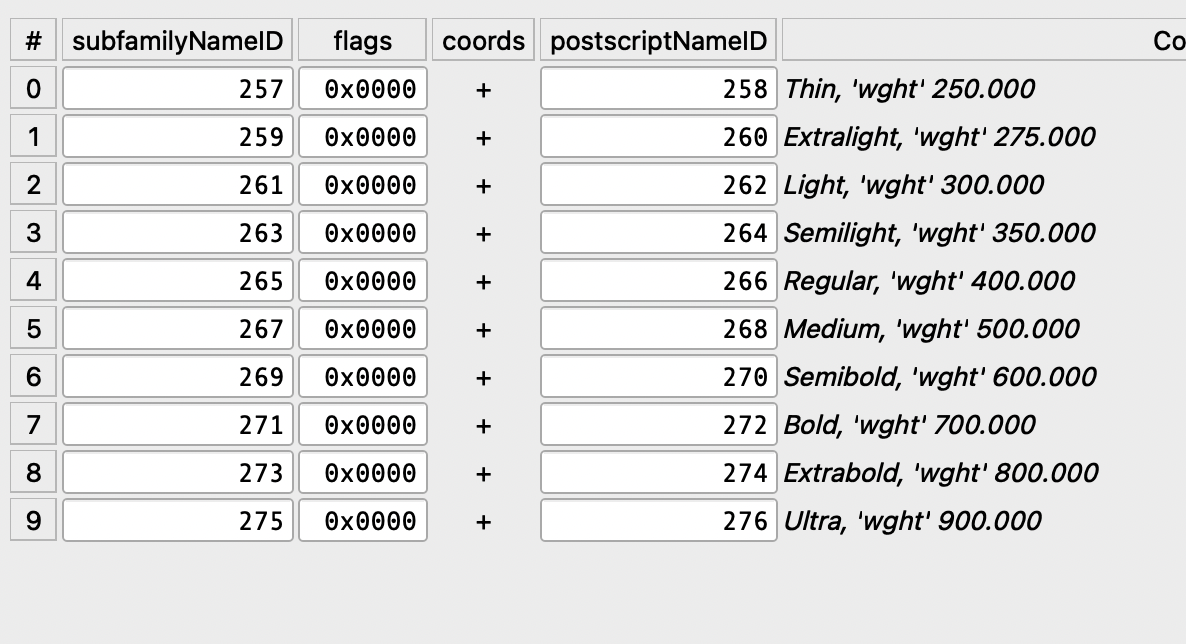
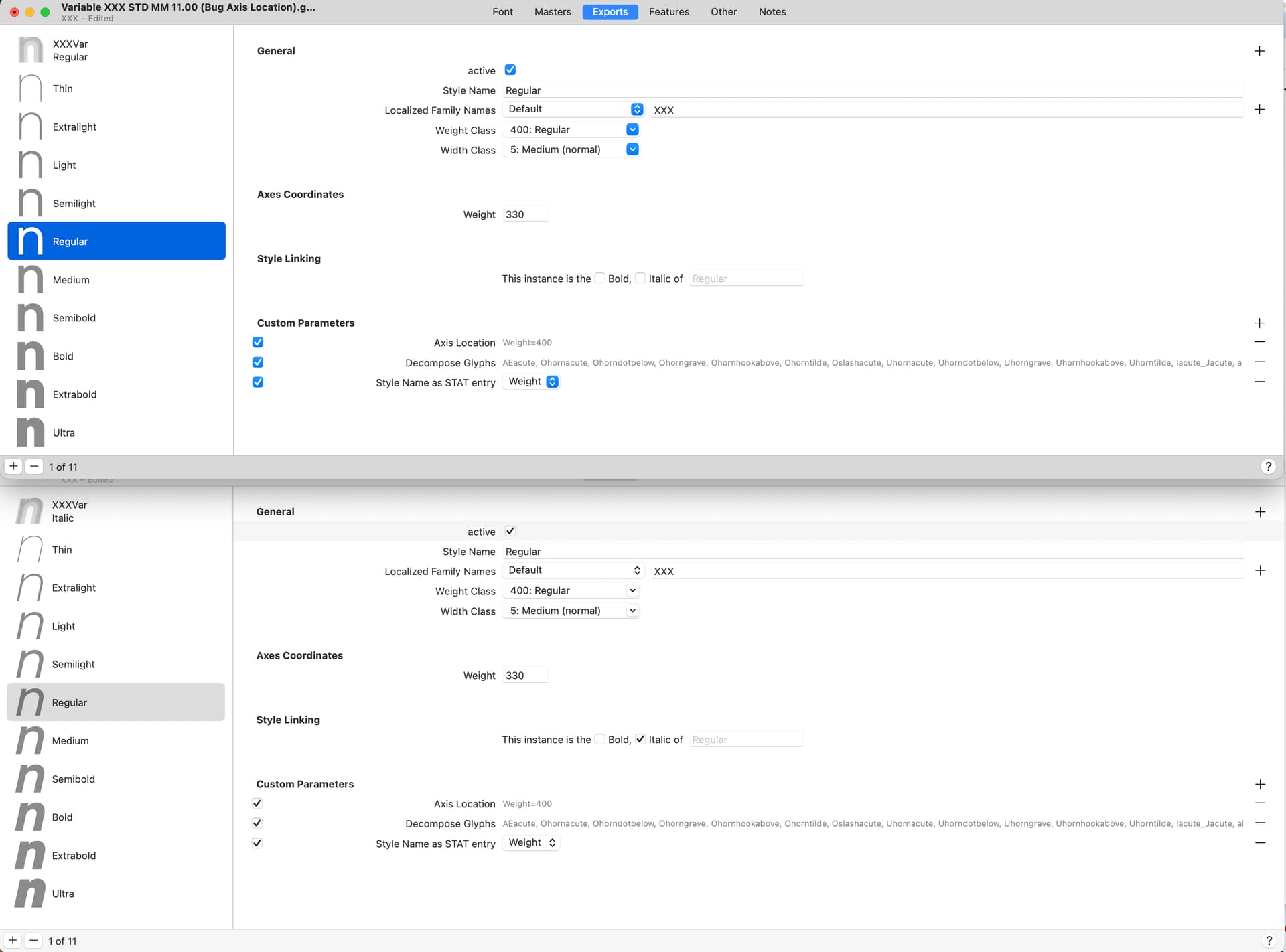
the fvar table has this configuration. I probably can set manually the name of the regular instance, change it to Italic, but is there a way to do this in glyphs files?
Ah, I see you didn’t set your Regular name to be elidable. So set it to 400.0=Regular*.
Also, it looks like you have no style linking set for your weight axis.
I would honestly suggest you remove the Axis Values parameters entirely, they’re causing you more confusion than they help. In such a simple setup, Glyphs should be able to build the STAT table correctly without the need for these parameters.
I’m working with the new version 3.4.
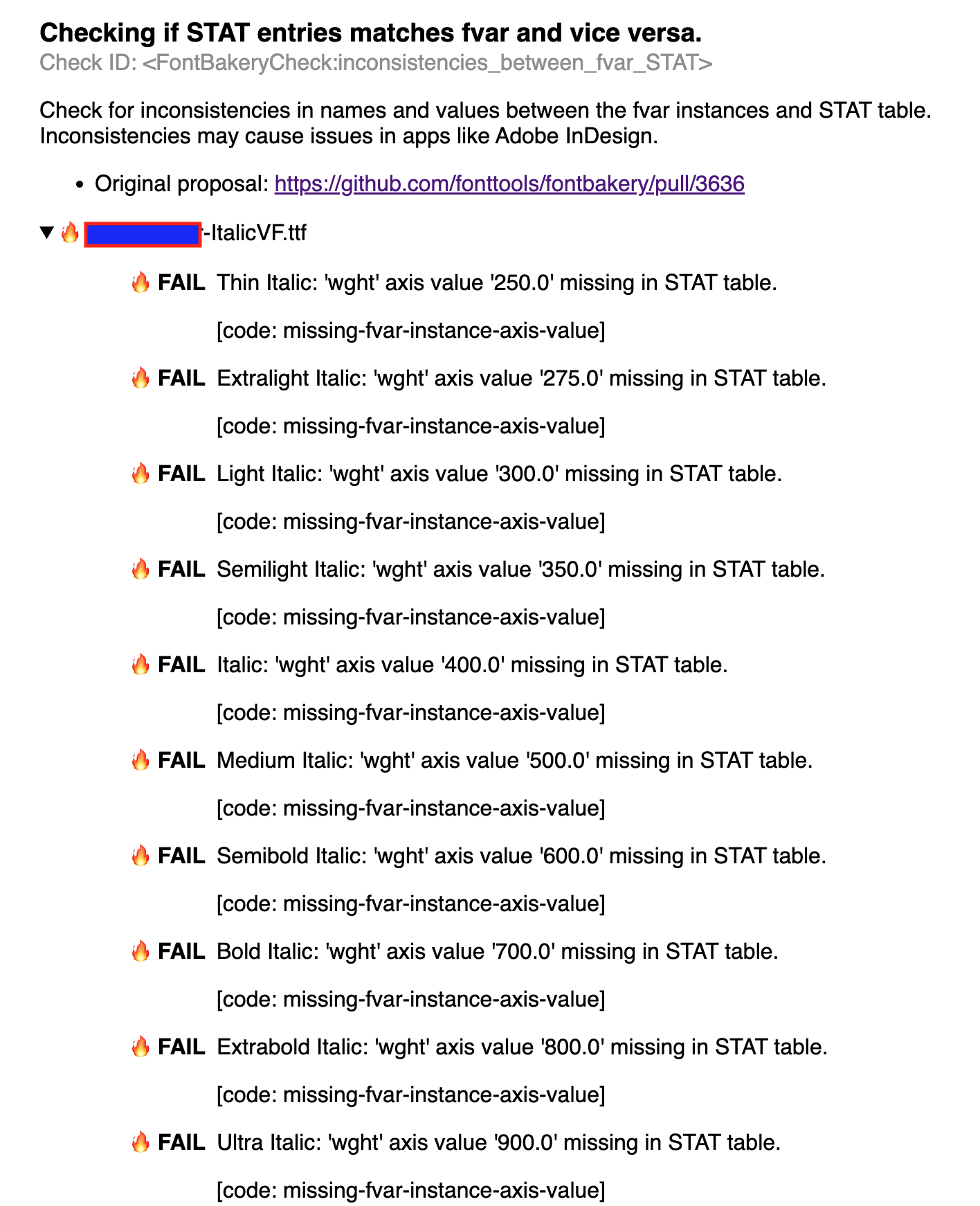
As you suggested I deleted the axisValues and all the other custom parameters and let glyphs do the magic. The roman is working good but the Italic doesn’t pass the fontbakery check cause is missing the STAT table there
If you do use the Axis Values parameter for Better VF Export, Regular should have an asterisk in the axis values parameter plus the style linking, like this: 400>700=Regular*
Your Roman VF should have Italic Style Linking turned off. (This parameter is only intended for italic VFs that Glyphs doesn’t recognize as italics.) That is why you get the wrong fvar entries.
My guess is you don’t need the Italic Style Linking parameters at all. Neither the Export STAT Table parameters.
@SCarewe Don’t worry , those are just placeholder names — I’d just like to understand how to fix the issue and, more importantly, to better understand how the new Glyphs specifications work in general
Many of these parameters are just meant as a last resort in case Glyphs cannot guess the STAT entries right. Only add what you really need. Most common setups (with wght, wdth, opsz and ital axes) should work out of the box.
If it goes completely wrong, you can still use the Axis Values parameter with Better VF Export and take full control.
I understand the problems Andrea is having. Long time ago I went through hell trying to make font naming work in Fontlab. That process made it counter intuitive to let the app solve naming with minimal input from me. In time I’ve learned to trust Glyphs automatic font naming and I cannot express how grateful I am for it. Just set the bare basics and let Glyphs take care of the rest. In most cases I just need to set the Axis Location for the instances.
The only problems I face from time to time is menu sorting in Adobe apps, but I’ve learned to navigate it quite well.
 .
.


 , those are just placeholder names — I’d just like to understand how to fix the issue and, more importantly, to better understand how the new Glyphs specifications work in general