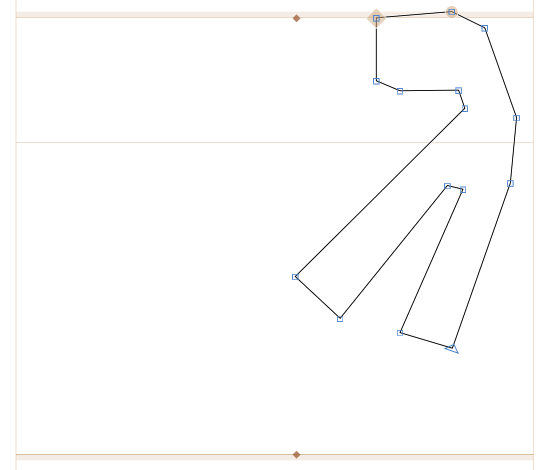
Shape before applying the filter
Round Corners filter
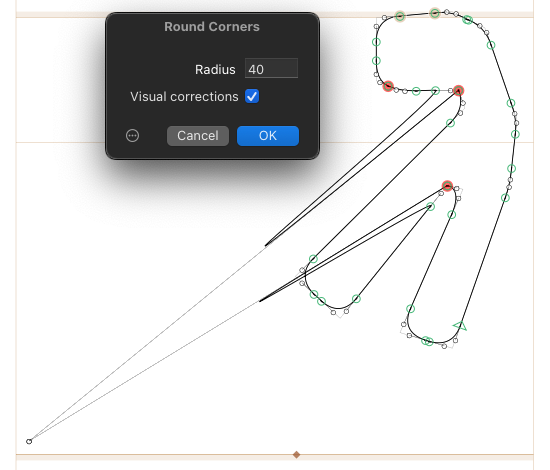
It seems to happen in a following conditions:
- Segment length is shorter than a filter value.
- Segment lies in the inner part of the shape (so the rounding value is negative).
- The angle with adjacent segments matters (if the inner angle is too sharp?).
Is there a way to work around this glitch, or is it a bug?
Glyphs version is 3434
It only happens when the filter value is negative (or when all nodes are selected so the filter value is both positive and negative).
Just checked it on different glyphs, and all handles of problematic segments ended up in the coordinate x:21 y:21.
Is there a way to prevent it? Tidy up Paths doesn’t help.
I just checked the new version and can confirm that it works great now. Thank you!