The Mac has a system called “Quick Look”. Quick Look creates the file thumbnail images in Finder and the preview window when you select a file and press spacebar (or ⌘Y).
The Glyphs app provides extensions to Quick Look so that you get thumbnails and previews for Glyphs source files. However, if you have multiple versions of Glyphs installed, like Glyphs 3 and Glyphs 4, then the old Quick Look extensions might be used instead of the new ones. In that case, Quick Look fails to provide images for format version 4 files since the Glyphs 3 Quick Look extensions cannot read this file format.
You can ensure you are using the latest version of the Glyphs Quick Look extensions, even with multiple Glyphs versions installed. Open System Settings and go into General → Login Items & Extensions → scroll down to Extensions and then to Glyphs:
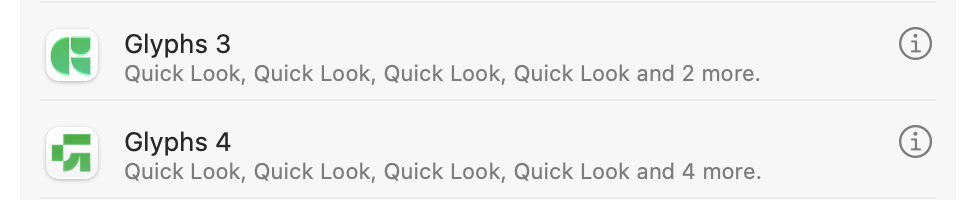
There, click the info button next to older Glyphs versions and unselect all extensions:
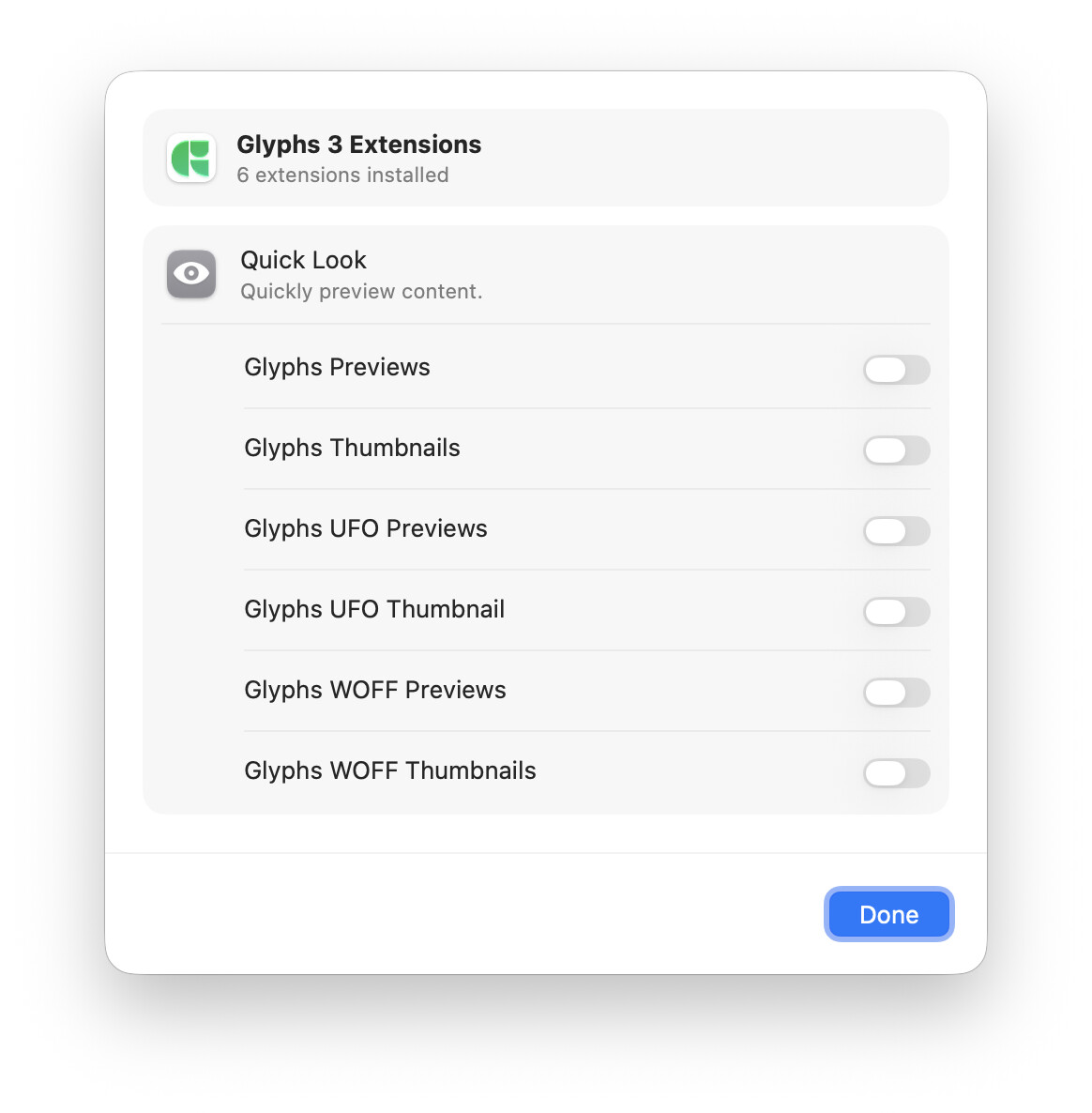
This way, there is no conflict between which version of an extension will be used as only the latest versions are enabled.
The Quick Look system will not notice this change immediately (ask Apple why this can take some time). So, restart your Mac if you want to ensure you are using the latest Quick Look extension version from Glyphs.