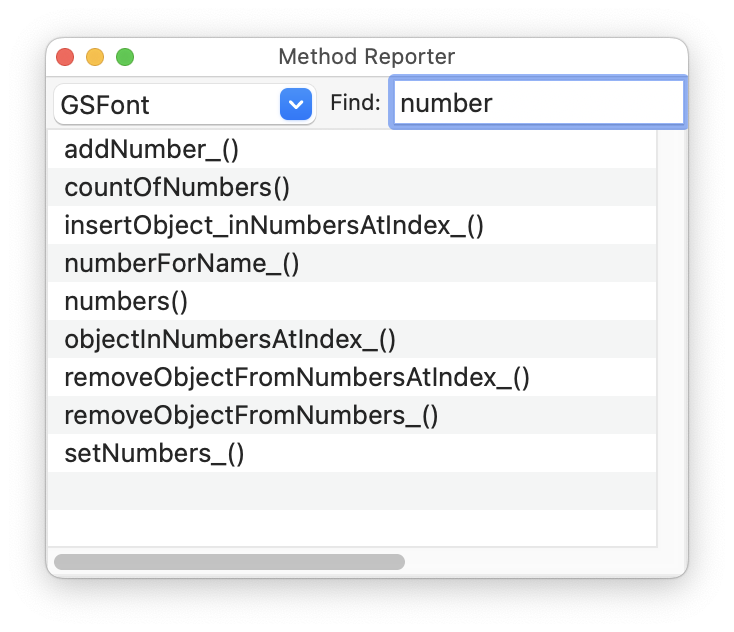
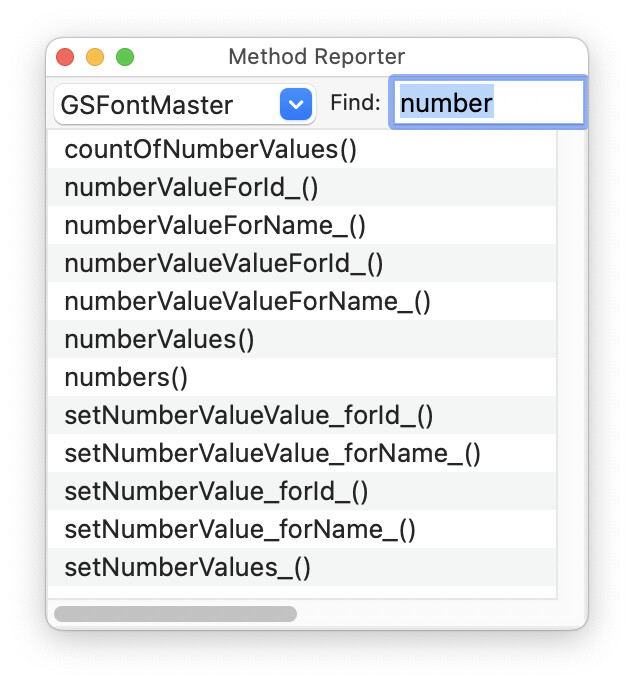
is there a way to access “Number Values” parameter in each master via script?
Thank you.
is there a way to access “Number Values” parameter in each master via script?
Thank you.
I added it to the wrapper and the docu (both will be online soon).
Thank you!
I’m trying to access value with this code :
font = Glyphs.font
master = font.selectedFontMaster
print(master.numberValueForName_("newNumber").value)
It return me
<native-selector value of <GSInfoValue 0x60000467d680> 0>
What I’m doing wrong ?
Add a () after the value, like this: numberValueForName_(“name”).value()
Which is the method to add a Number Value to Font ?
I tried all method with GSFont, but I didn’t succeed.
Number values are set on masters.
I also tried all GSFontMaster Method…
I see, the wrapper code is not yet in the latest shipping version.
Here is what you can do in the meantime:
someMaster.setNumberValueValue_forName_(15, 'SomeName')
Got a couple questions on this same topic.
font = Glyphs.font
master = font.selectedFontMaster
print (master.numbers())
prints out something like this
(
    "<GSInfoValue 0x600005be3120> 70",
    "<GSInfoValue 0x600039b31920> 100",
)
# Access the current font
font = Glyphs.font

font.disableUpdateInterface()
# Iterate through all font masters
for master in font.masters:
    # Check if the master's name is in our predefined dictionary
    if master.name in master_values:
        # Iterate through each name-value pair for this master
        for name, value in master_values[master.name].items():
            # Set the number value for this name
            master.setNumberValueValue_forName_(value, name)
            print(f"Set {name} to {value} for {master.name}")
    else:
        print(f"No predefined values for {master.name}")
font.enableUpdateInterface()
Any update on this? Is there a method to output the name value of the number values?
The names is stored in font.numbers (similar to font.metrics and font.stems). You can either do:
master = Font.masters[0]
for number in Font.numbers:
	print(number.name)  # e.g. "My Number"
	numberValue = master.numbers[number.id]
	print(numberValue)  # e.g. 123
	infoValue = master.numberValueForId_(number.id)
	print(infoValue)  # e.g <GSInfoValue 0x600002d49ad0> 123
or
master = Font.masters[0]
for metricId in master.numberValues():
	infoValue = master.numberValues()[metricId]
	print(infoValue)  # e.g <GSInfoValue 0x600002d49ad0> 123
	number = infoValue.metric()
	print(number)  # e.g. <GSMetric 0x6000029f76c0> My Number (22F234ED-8128-4819-8E02-3BF3766A8140)
	print(number.name)  # e.g. "My Number"
Thanks @GeorgSeifert
Is the value updating method the same as Florian described in his earlier message? I.e.:
someMaster.setNumberValueValue_forName_(15, 'SomeName')
Thanks in advance!
master.numbers["SomeName"] = 15
I just saw that the UI is not properly updating. I’ll need to have a look.
I think this is what @gor.jious was asking in his last post.
Thanks again!
Fixed it.
Is the first approach more recommended?
The first approach works fine.
The second approach – after opening the font – gives an error:
<GSInfoValue 0x600000cdf420> 14
None
Traceback (most recent call last):
  File "<macro panel>", line 7
AttributeError: 'NoneType' object has no attribute 'name'
However, after opening and closing Font Info → Masters, it starts working as expected:
<GSInfoValue 0x600003009740> 14
<GSMetric 0x6000024d3000> myMetric1 (CCF11B2C-B0A8-4E6F-8606-536BE0F5A166)
myMetric1