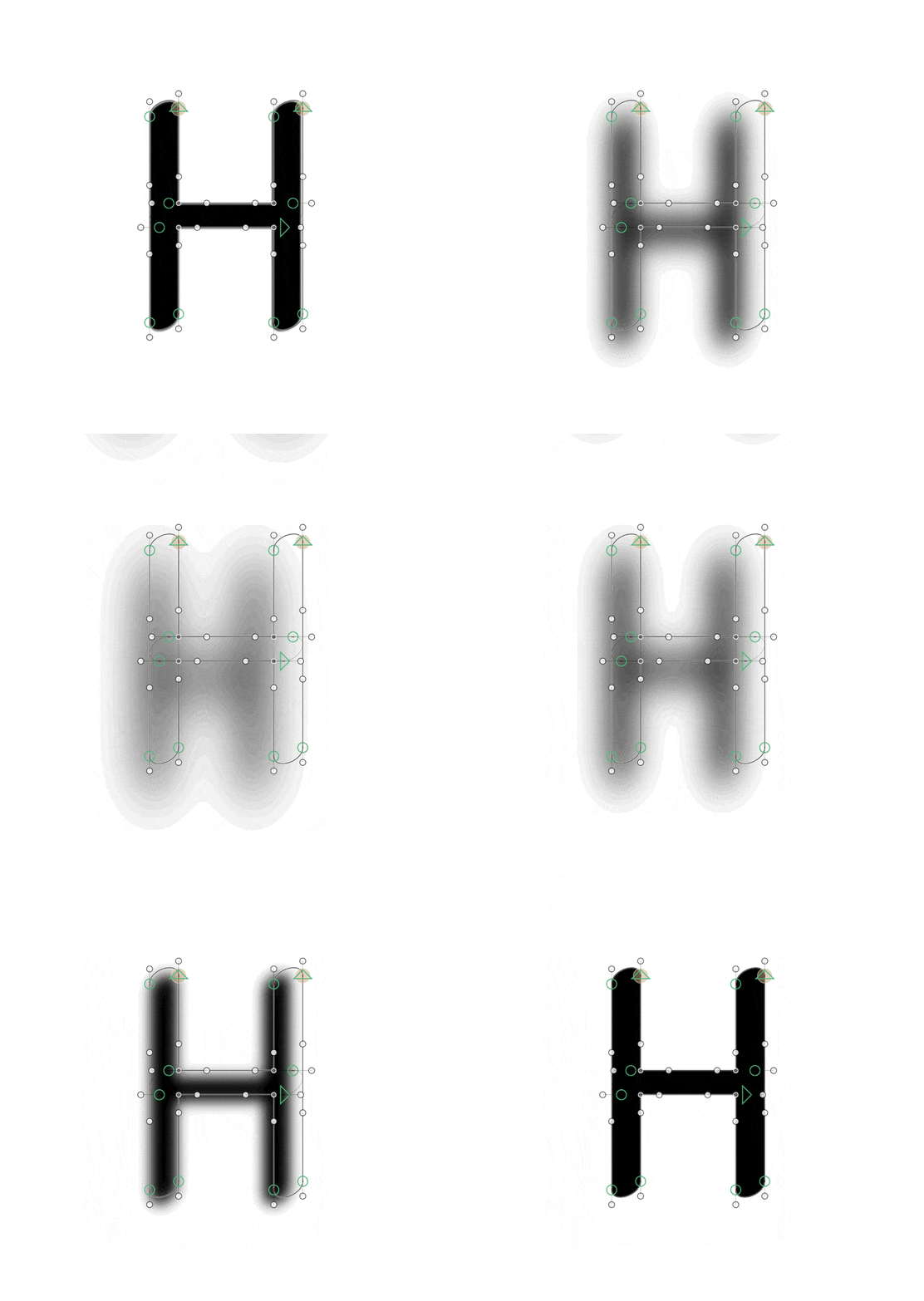
Algorithmic spacing and kerning has been considered since at least 1979 and no one has brought it to market that I know of. I would not use it, especially on kerning, because no computer can outdo the human perception of what looks right.
Of course, things do change and in a future world it might be… different, but not necessarily better.
@xyzajacf What you describe is exactly what Behdad uses for Half Kern. The tool is meant to be used for auditing kerning but it achieves that goal by doing automated kerning and then comparing the results against what was originally in the font.
May I ask how would you deal with the difference between HH and AV? I assume blur will suggest making them the same, as well as overkerning LT. My hot take currently is that spacing is less about the space and more about centering the letters between each other, plus traditions (i.e. we just expect certain pairs to be spaced looser than the math would suggest, LT for instance).
Can’t answer now. It’s still a hypothesis, and I just need to prove it’s either wrong or there is something in it. For now, I suspect that linear diminishing shadow will not work.
I have seen people try this approach, including Siva’s talk at ATypI Copenhagen. I myself have tried this kind of shape with combination of my BubbleKern, without success. What tends to happen is over-kerning; this method does not take into account open counter of each letter (e.g. T-ness of T includes the space below the arms, and you want to keep it somewhat clear). It comes in super handy when super-tight kerning is exactly what’s needed, since manually kerning very tight type facing is very time-consuming.
For this kind of algorithm to work, you need a clever way to maintain open counter, which is where the true difficulty lies in my opinion.
Thanks for the insights @Tosche. The inspiration for the blur/shadow effect came from your BubbleKern. I haven’t seen Siva’s talk at ATypI Copenhagen and can’t find the video.
Currently, the algorithm sums the darkness of intersected areas between letters. However, the results produced too many differences. Then I’ve tried to map the area and find median values, which resulted in more stable numbers, but still not satisfactory.
I have to think more about what exactly to take into consideration. Whether the complete area of the pair, or just some space in between, or a completely blurred intersection area.
Whoops, was drafting a response but pressed “reply” too soon.
this sort of thing is hard not just for technical reasons. in a given style or genre, you can follow conventions to achieve better results (whether optically, or based on a reader’s subconscious familiarity with these conventions), but not every type designer or reader is familiar with (or partial to) the same conventions. so I think adding potentially very many parameters might be necessary, even if you develop a really good general purpose algorithm. and if you start from this position it might change how you think about developing the algorithm.
nick sherman’s revival of franklin gothic is interesting - it prescribes a range of good results to some of the typographer’s needs that deviate from mathematical purity with the “tyght” and “touching” axes, but those are only two parameters. an ideal auto spacing engine would allow for these kinds of adjustments (and many more) to establish the default for the font, IMO
I am trying CIImage with blur, converts to NSImage, and uses drawInRect_() with expanded dimensions.
The blur naturally expands the image bounds (original glyph + blur radius padding), but when drawn, it creates much larger than the original glyph (see attached image) and is shifted to the top right direction.
Question: For blur effects that inherently change image dimensions, should I
a) Counter-scale using the options[“Scale”] parameter to fit within original bounds
b) Apply a different approach for effects that expand beyond original glyph bounds
Edit: I’ve tried to implement the position and scaling of the image, but still can’t find the proper way to calculate the scale and position. This is quite a crucial step, as I am then unable to provide the correct data to the blur analyser to calculate side bearings.


 Thanks