Hi everyone,
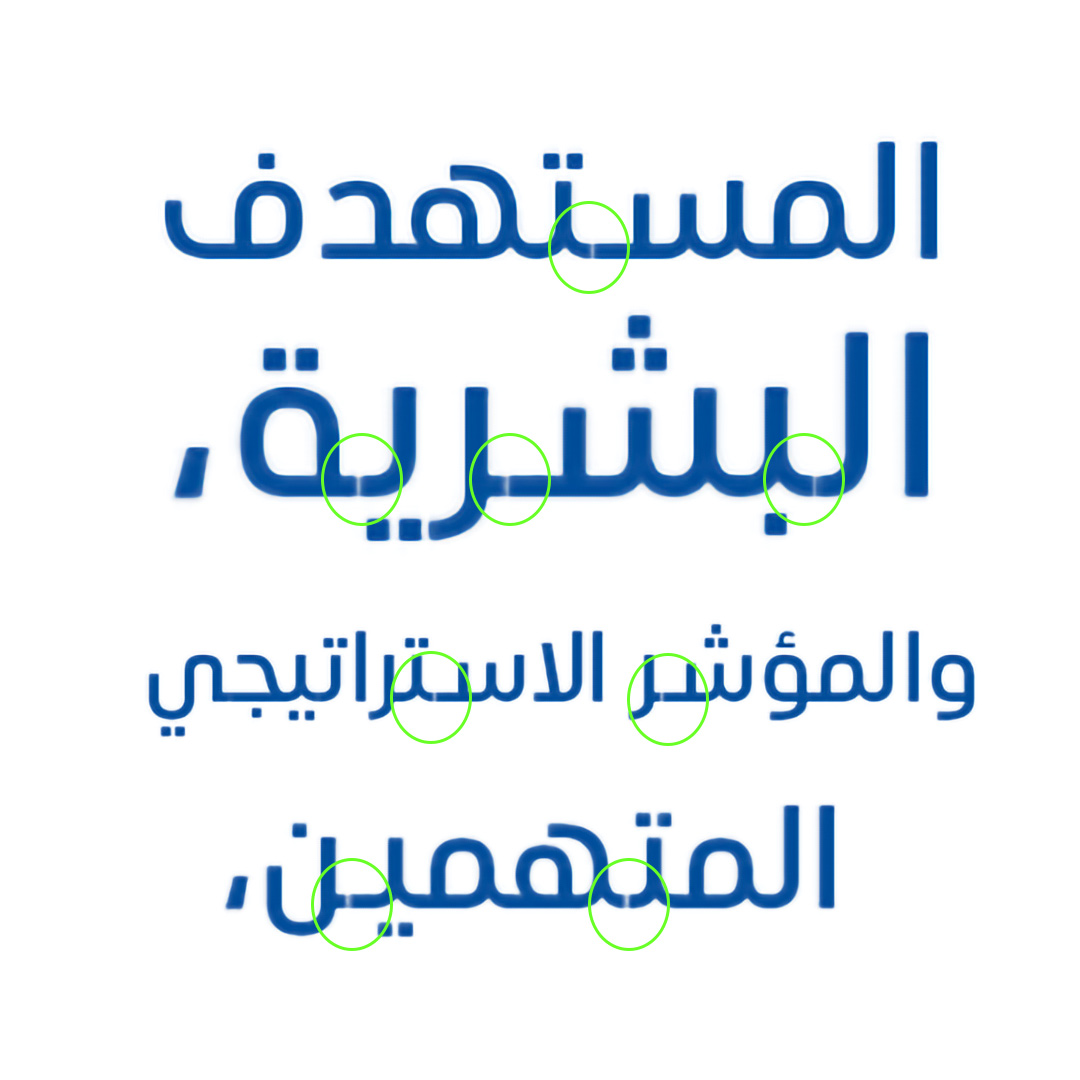
I’m facing an issue with the Arabic script which is when I’m writing in Adobe InDesign, it appears like it is not connected.
Attached.
Hi everyone,
I’m facing an issue with the Arabic script which is when I’m writing in Adobe InDesign, it appears like it is not connected.
Attached.
How did you manage overlaps in your .glyphs file?
command+shift+O
No, that’s not what I meant. What kind of technique are you implementing for the stroke connectors? See the Arabic primer tutorial.
Can you check the path direction in those glyphs?
I checked, I did it, but still the problem is there.
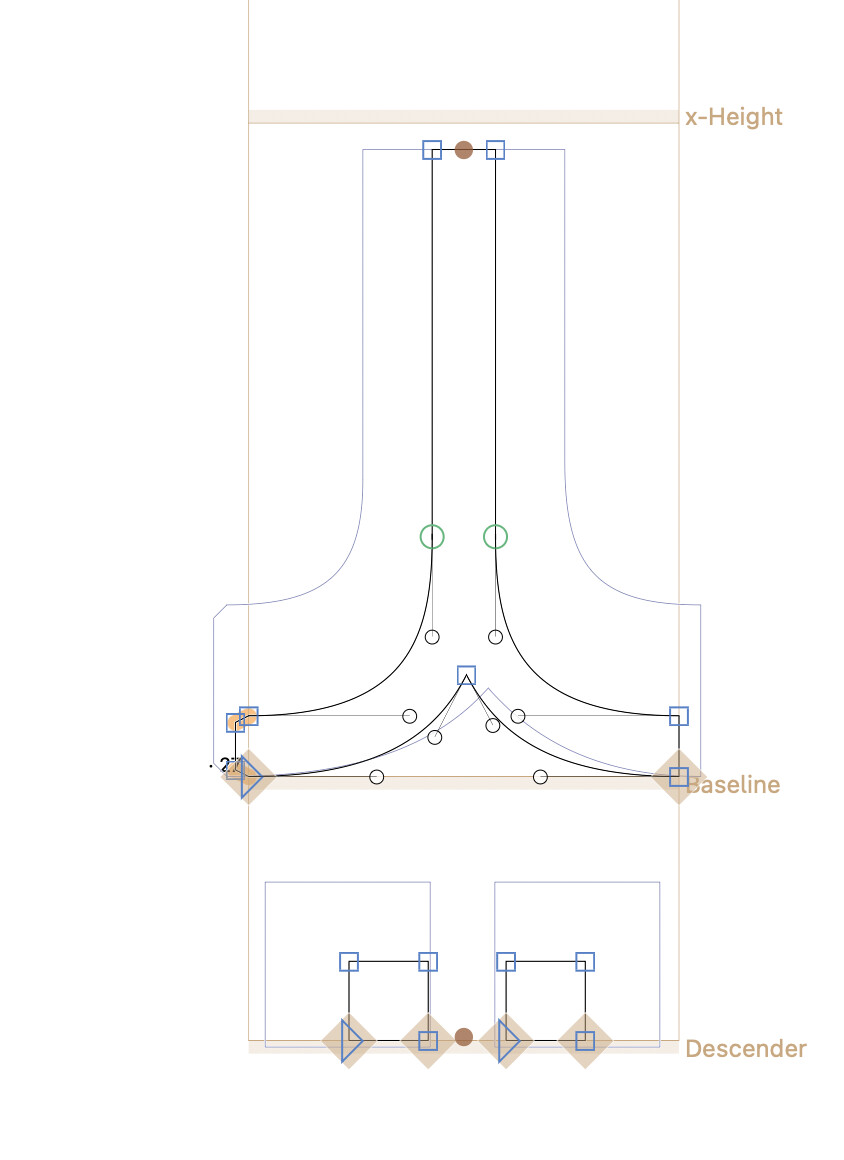
Can you show the outlines of two glyphs that are next to each other in the text string and show the problem?
Any reason you are not composing the glyphs (i.e. using components)? Managing path directions is easier if you only need to manage a quarter of the paths.
Even the overlaps are better done with a segment component.
From the InDesign screenshot, I would still suspect path direction issues (or perhaps an accidental reset of the LSB) if all the involved outstrokes have an extension like this.
It may also be a simple case of low resolution rendering in Adobe apps. Strokes look disconnected when the overlaps are not large enough (and yours looks kind of modest).