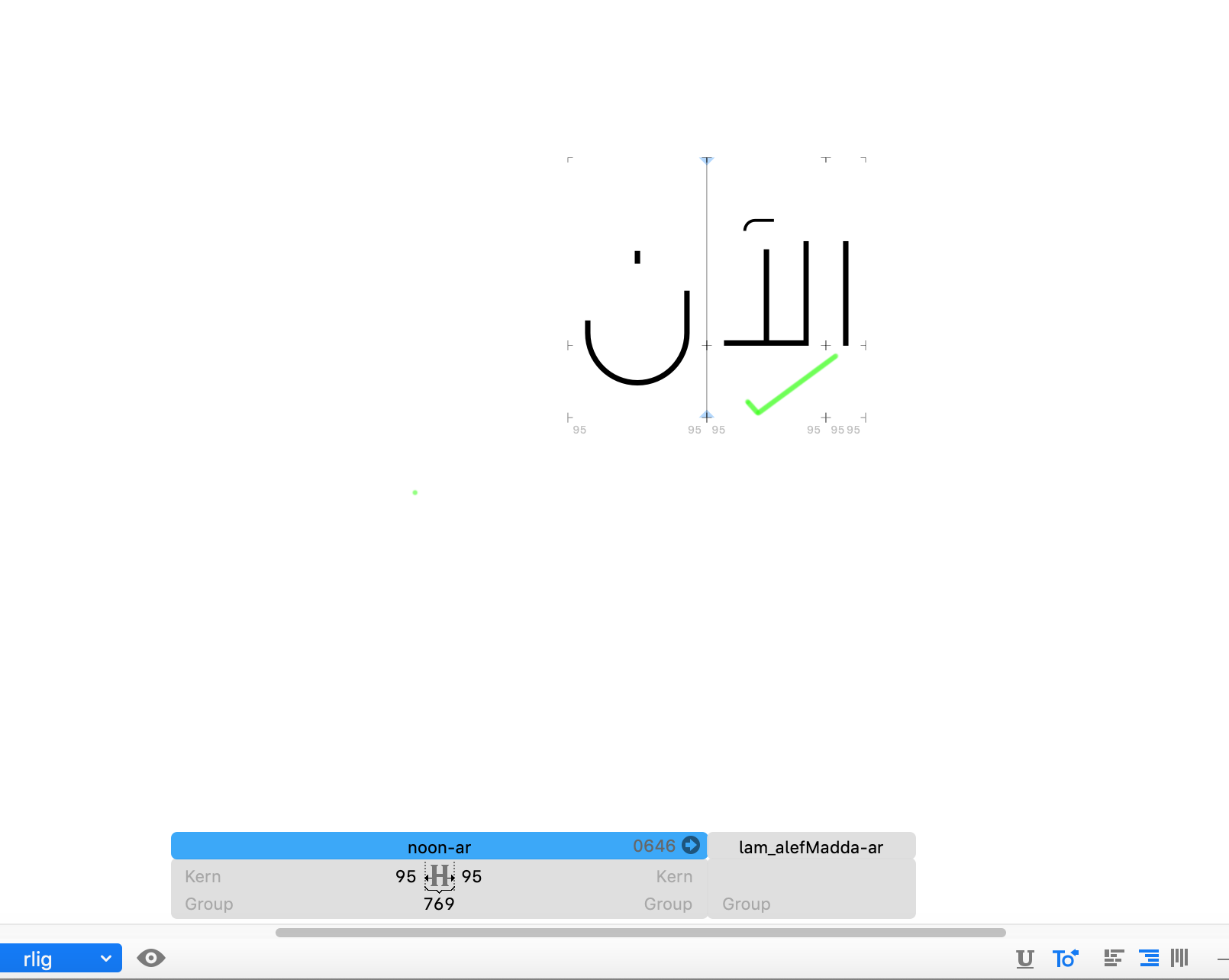
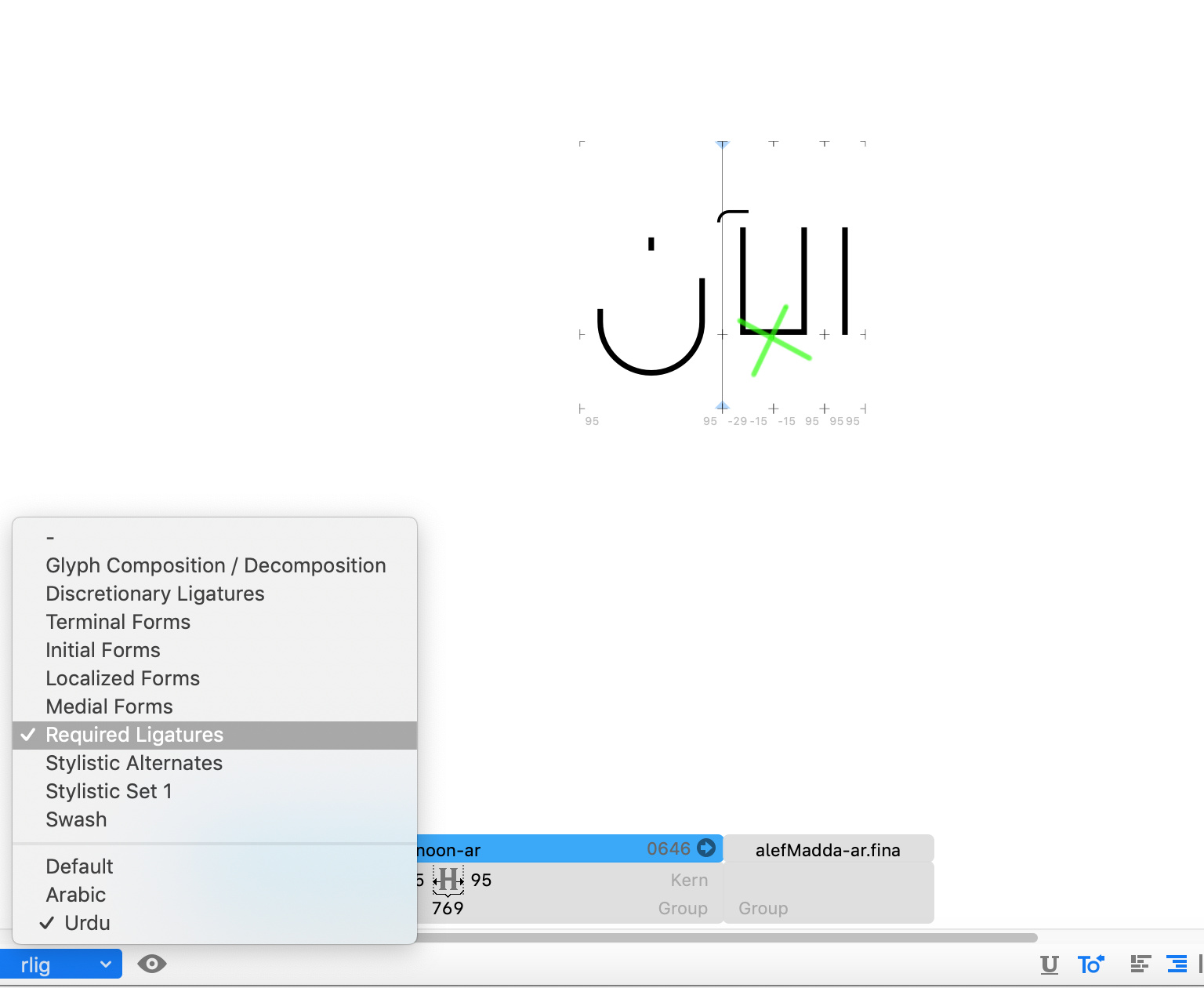
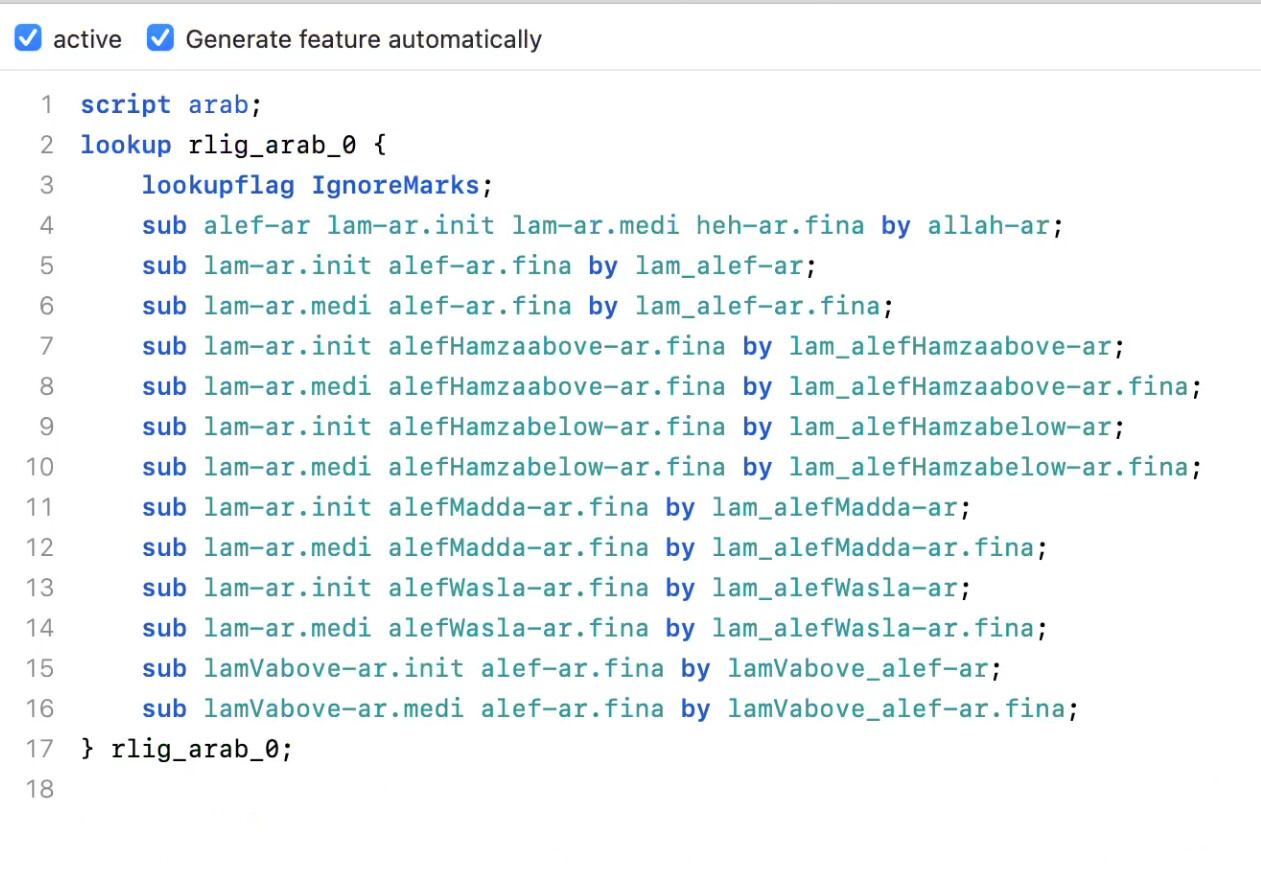
Hi, I’m working on an Arabic font including Arabic, Urdu & Persian letters, Ligatures works fine only with Arabic!
The case is with lam_alef-ar & lam_alef-ar.fina ! It wasn’t like this in previous versions!
This my version 2.6.3 (1270) !
Hi, I’m working on an Arabic font including Arabic, Urdu & Persian letters, Ligatures works fine only with Arabic!
The case is with lam_alef-ar & lam_alef-ar.fina ! It wasn’t like this in previous versions!
This my version 2.6.3 (1270) !
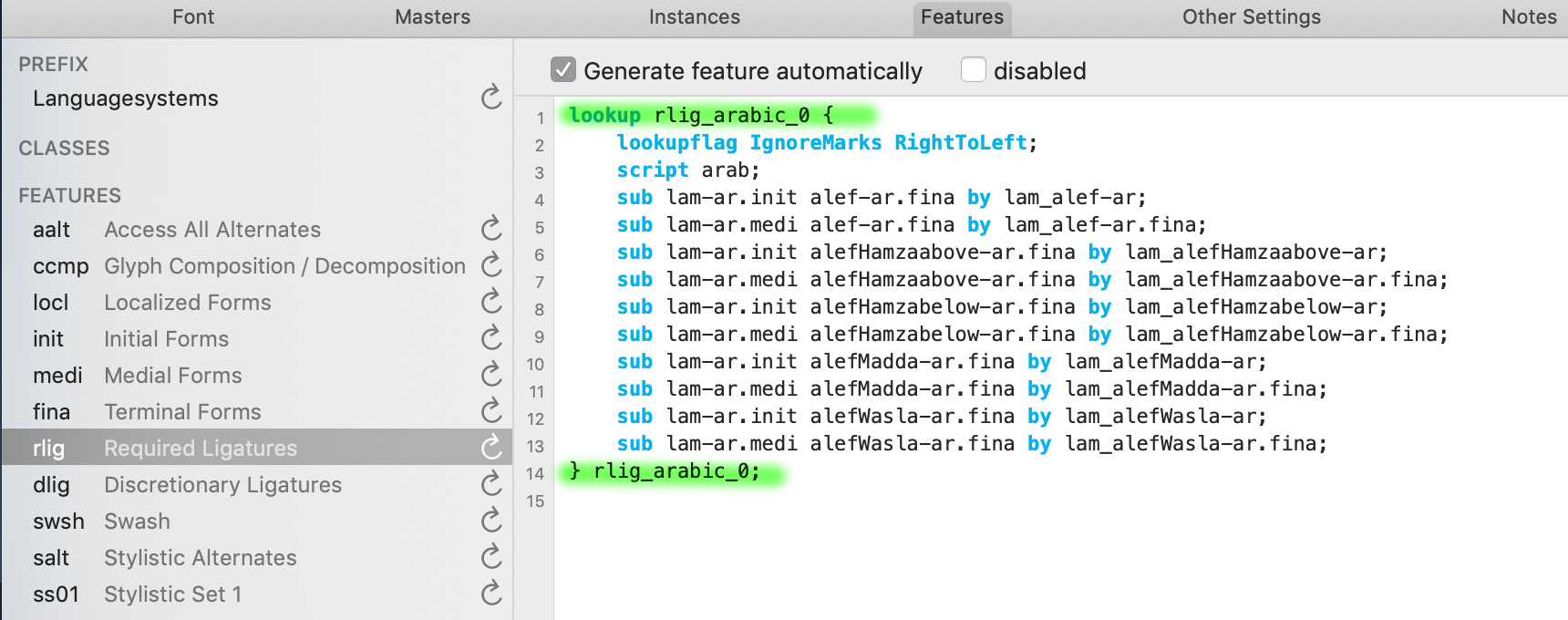
There is a script arab; in your feature code. Either remove that or add
script urdu;
lookup rlig_arabic_0;
below the code.
There is no OpenType script urdu, there is URD language but the script is arab.
Right. Was writing on the go.
Then maybe:
script arab;
language URD;
language FAR;
lookup rlig_arabic_0;
Thanks, Georg & Khaled,
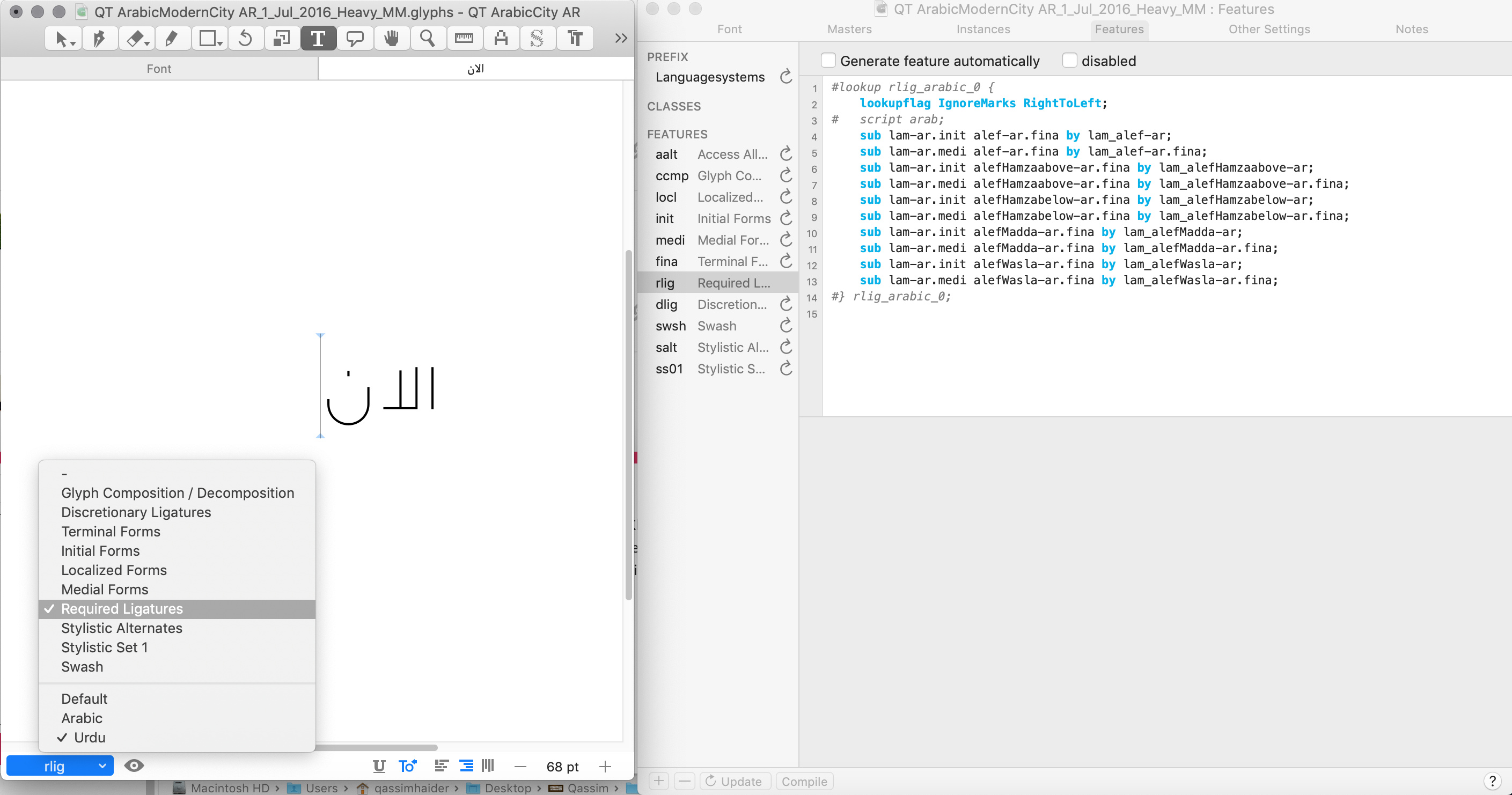
I have no idea where I should place these lines, before or after the brackets, I have tried before and after nothings change, anyhow it is working fine also after I removed lookup brackets & scripts…
Why that not happen automatically?
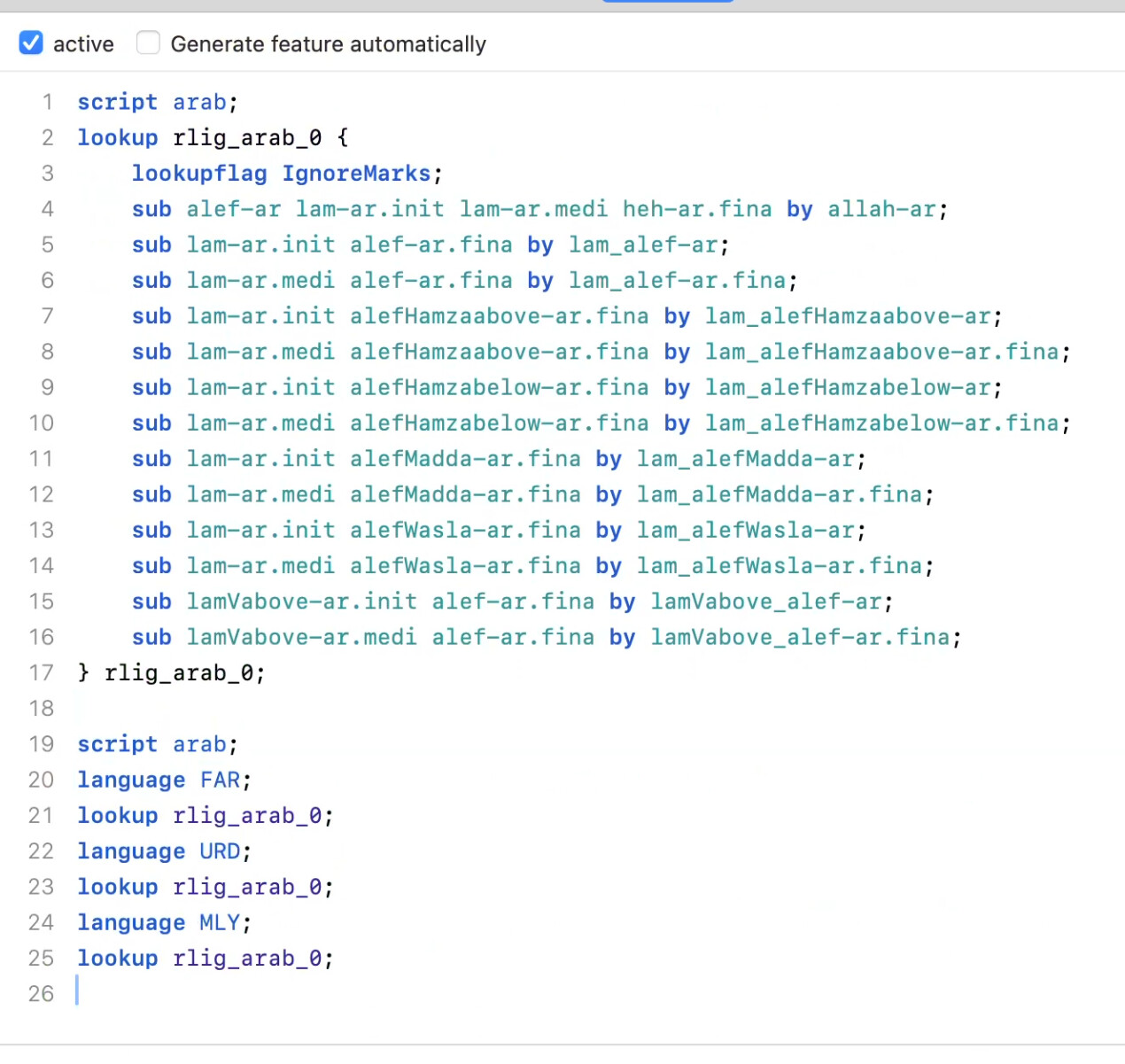
Is this is right?
That should work.
The lookup is there to be able to reference it later if needed. I need to check if I need to add the code I mentioned automatically. Could you send me the file for testing?
This still seems to be an issue. The lamalef rlig feature is only applied to the default script tag for arabic; so Persian, Urdu, any other language isn’t getting the auto rlig applied correctly.
Some samples from a font I’m working on that has script “arabic” with a few additional language tags.
Auto-generated rlig, only applied to dflt so none of the other languages shape correctly:
If I add these few lines at the end to force it to apply to all languages then it works:
For now I can add a second rlig and add the extra lines myself to be able to keep the auto-rlig (unless there’s something else I should be doing?), but the additional code at the end should probably be auto generated with the lamalef feature for all languages with the “arabic” parent script tag.
It is better to remove the script arab. Then It works without the extra language statements. And the script arab is not needed.
Do you mean remove script arab from the top section with the automated code so the bottom section with the languages isn’t needed? If so then I think it should be removed from the automated lamalef rlig code that Glyphs generates, so that the ligature forms correctly for all languages that use the script. I’m not aware of any languages that use the Arabic script that wouldn’t require lamalef ligatures, maybe @khaled or someone else here knows if there are some?
I was looking at what I could do for my current font to keep the auto generated rlig, which currently includes the script arab at the top so all my additional languages don’t form the ligature without some intervention on my part. I can either add those lines to a second rlig that has some additional OT (along with calls for all the additional lookups in rlig), or remove auto generation to delete the script arab line. I would definitely prefer that the script requirement be removed in the auto rlig OT 
I did change the automatic code. Will be in the next cutting edge version.
Looks great, thanks!
No there aren’t, but there are some scripts that the Alef doesn’t occur after Lam or some of them require a special diacritic on the Final Alef which this can lead OT to ignore the ligature in some cases in certain Adobe software like InDesign.
Do you have a string and a font that causes this?