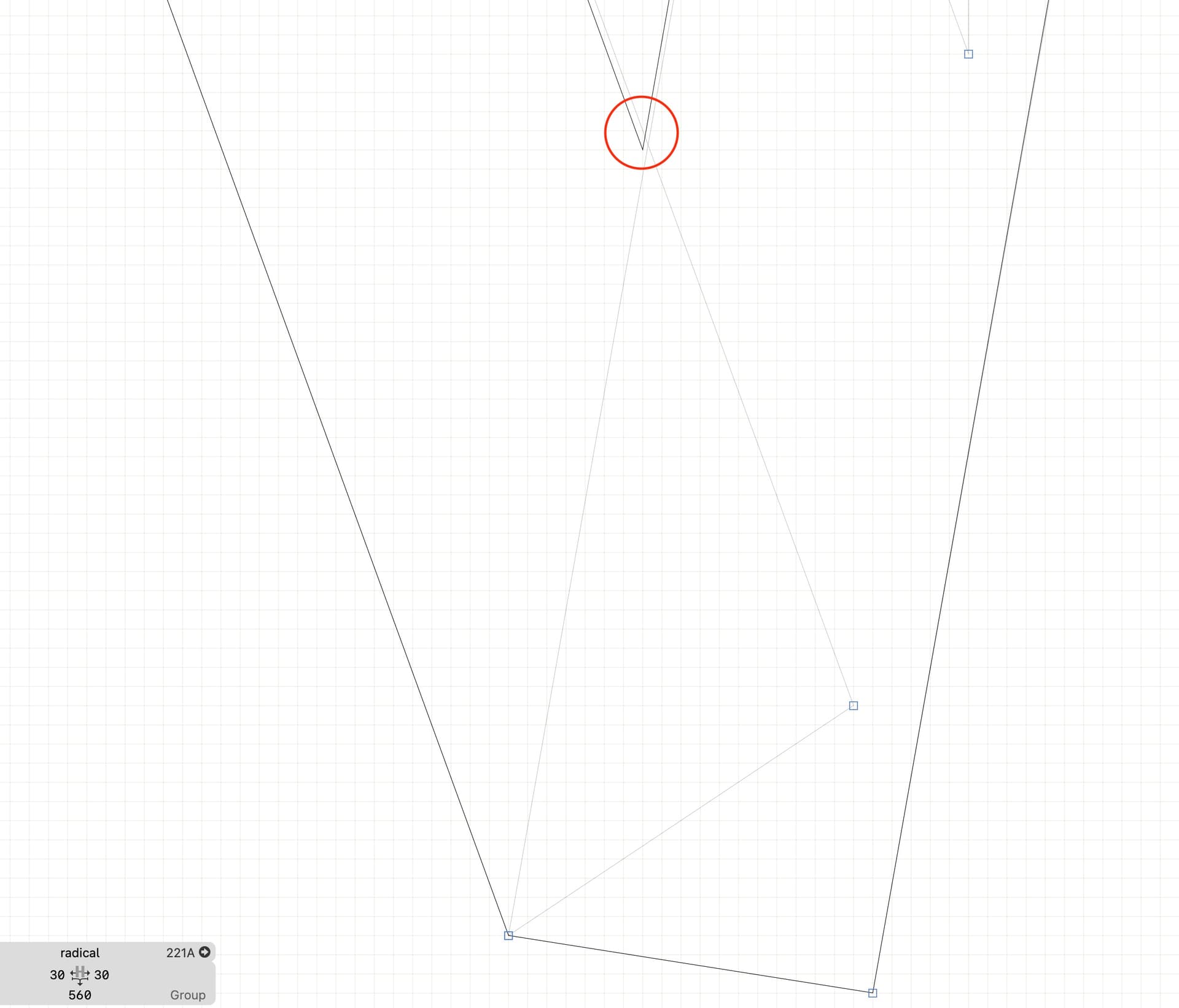
Broken glyphs when exporting

Hello,

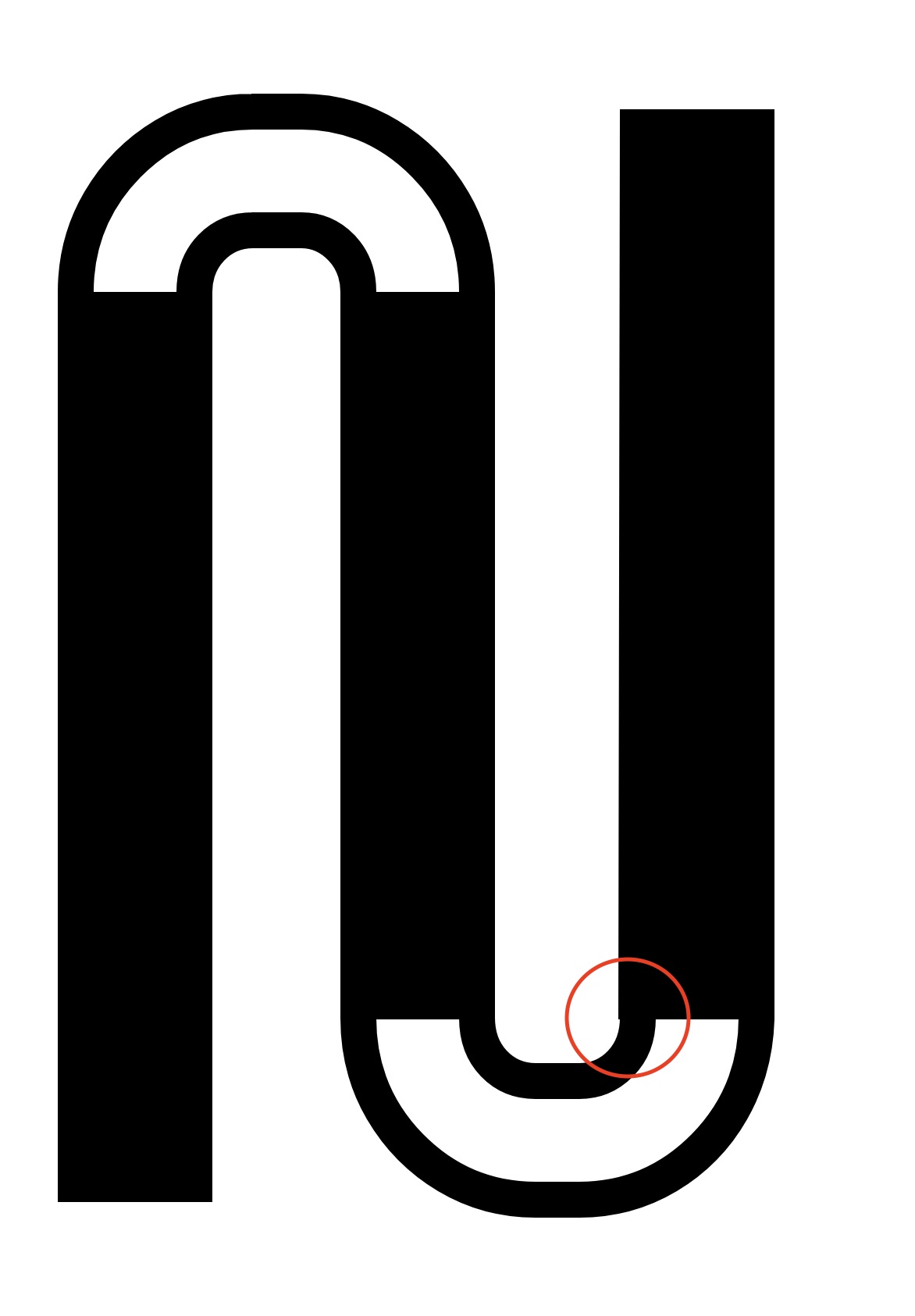
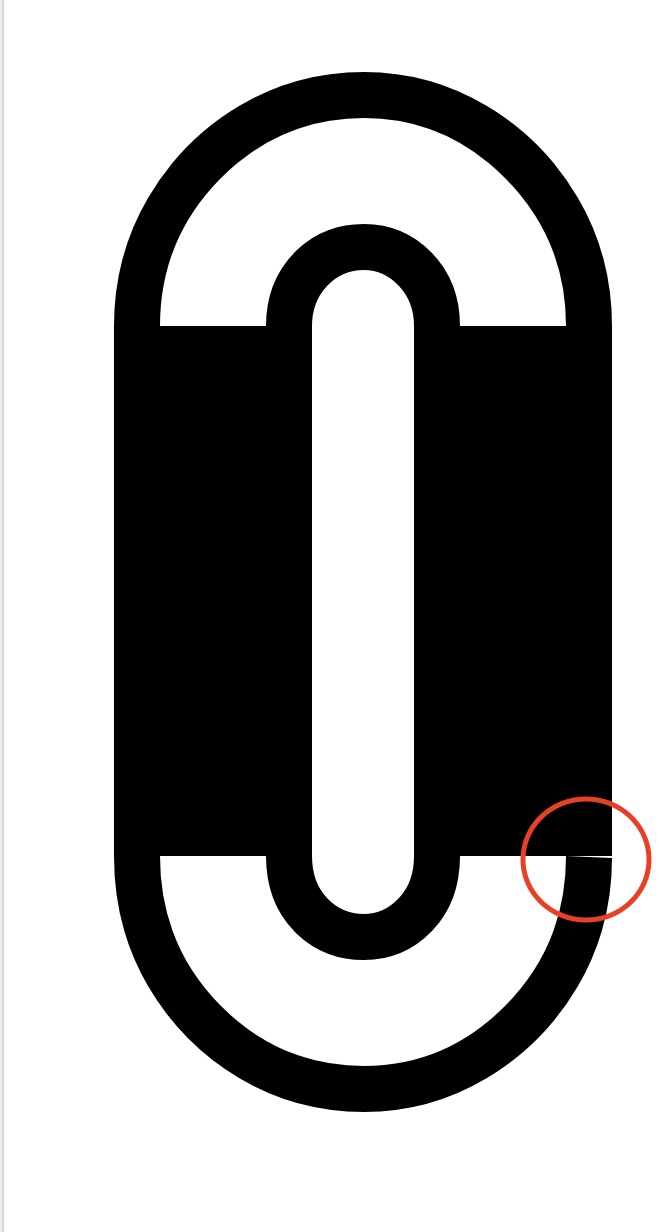
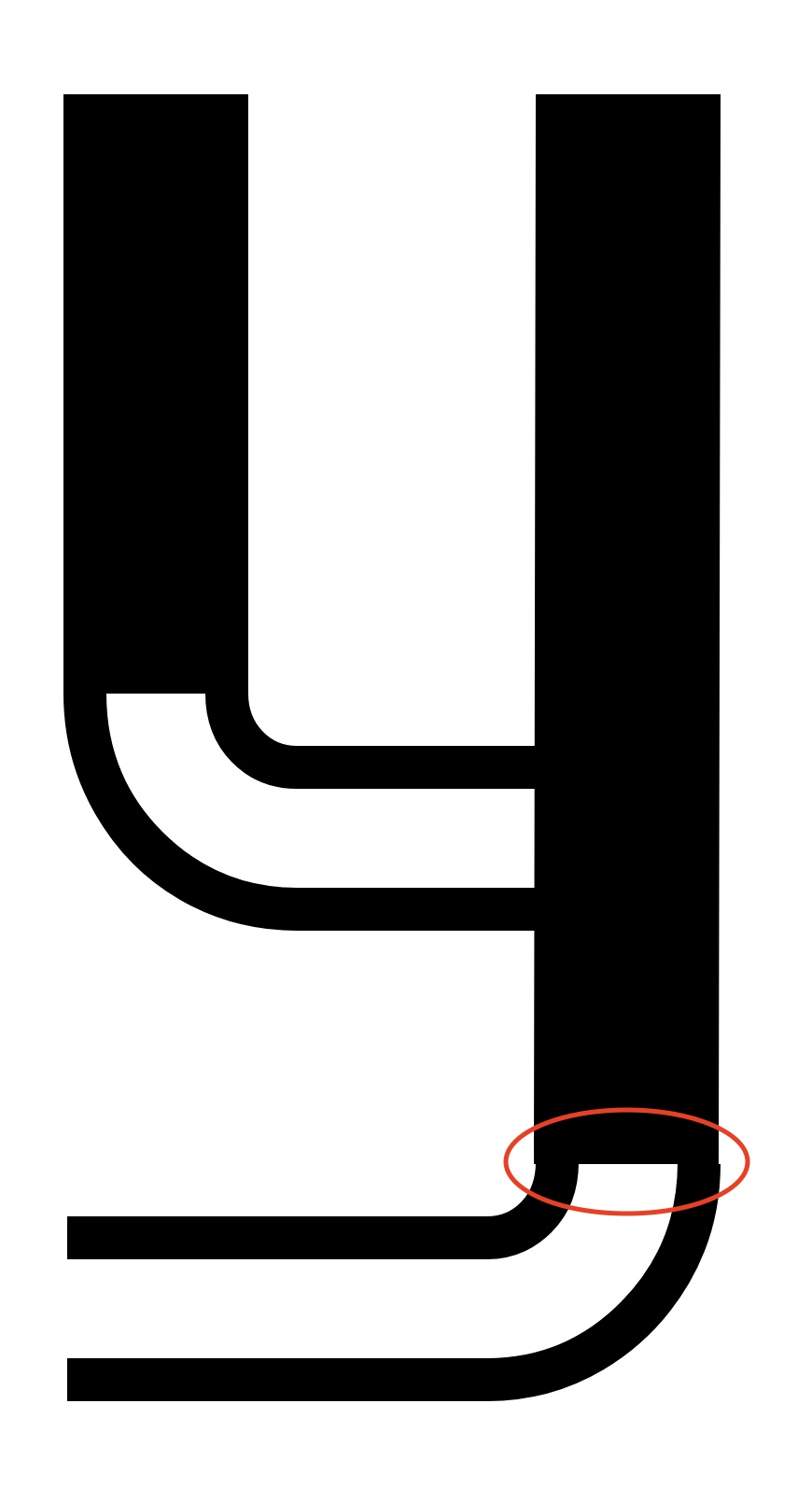
When exporting the font, some glyphs appear “broken” or slightly misaligned, even though this obviously does not show up in Glyphs (I triple-checked) .
For info, I used components.

Does anyone know what could be causing this? And how to fix this?

Thank you!

Roman

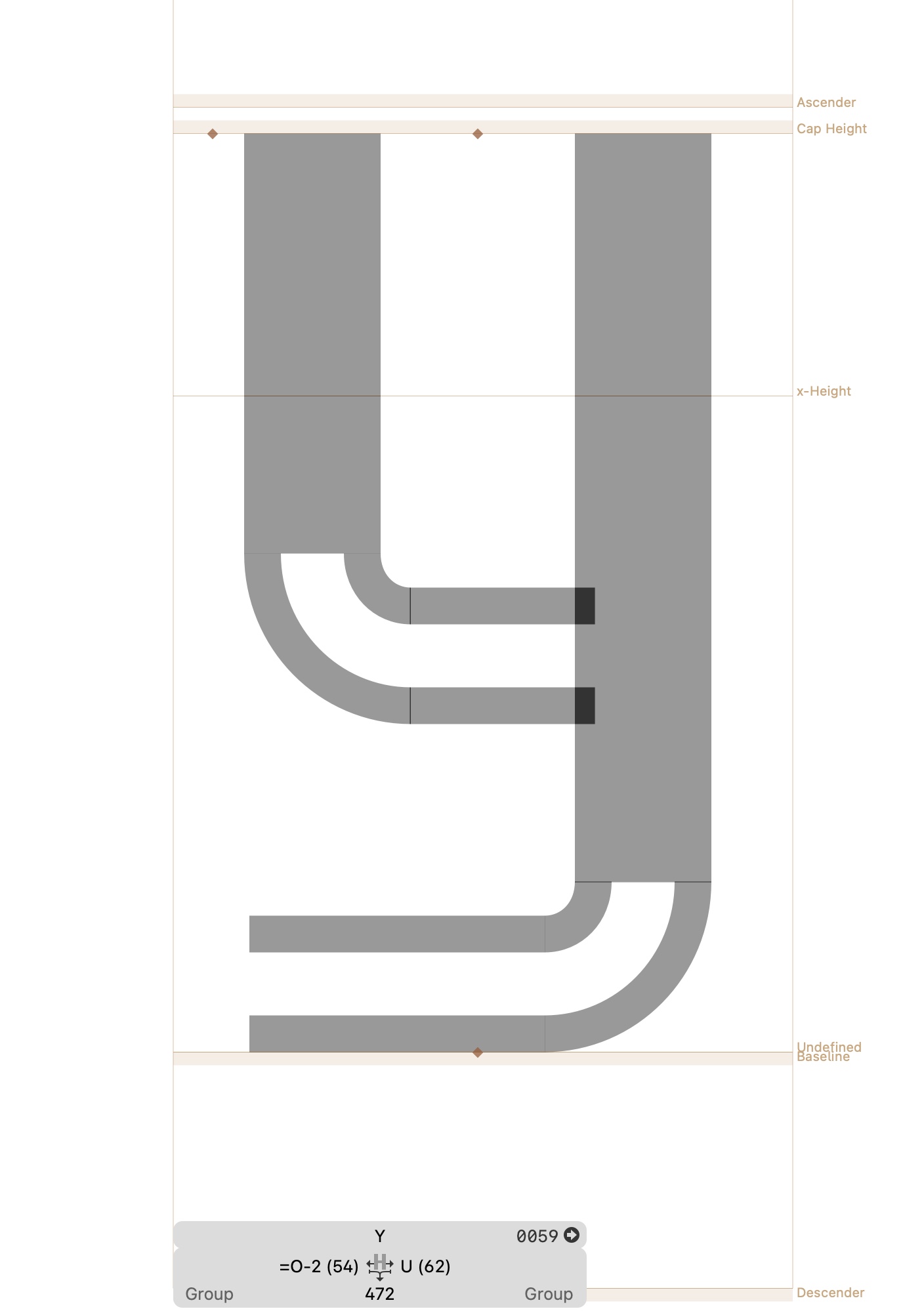
Can you show what the glyphs look like in Glyphs?

Do you interpolate? Meaning do you have more than one master?

What is your grid setting?

Is this TrueType or OpenType?

  • I didn’t interpolate in order to adjust each style manually. I have 9 masters = 9 exports.
  • Grid Spacing 1, Subdivision 8.
  • This is a .ttf font

Okay, when I export to OTF it works—there’s no breaking. Apparently, so far.
Thanks, your question put me on the right track.

TrueType can’t handle fractional coordinates.
But I don’t really see a reason to have a subdivision for shapes like this.

OK
Otherwise, I couldn’t place the shape wherever I want.
Or I didn’t use the right method. Newbie here :person_with_skullcap:

What do you mean by that?

I couldn’t place the component exactly where I wanted; it had to be positioned on the grid, but some junction points with curves lay outside the grid.

Can you show an example?

What has that to do with components?

The preview of the overlap removal is rounded to the grid as it would look like after removing overlap.

I had to decompose some components in order to adjust their placement more precisely.

That should not be needed. Could you send me your file?

I think the problems are caused by the fact that you use odd values for the stroke offsets. Those will produce uneven offsets. You should pick even stoke widths.

And because of the subdivision, you introduced a lot inconsistencies in the point and component placement.