For various reasons, the Universal Type Identifier of a given file type may change. On my machine, I’ve seen “RoboFont.app Document”, “FontraPak.app Document”, etc. (depending on which application I associate with UFO files).
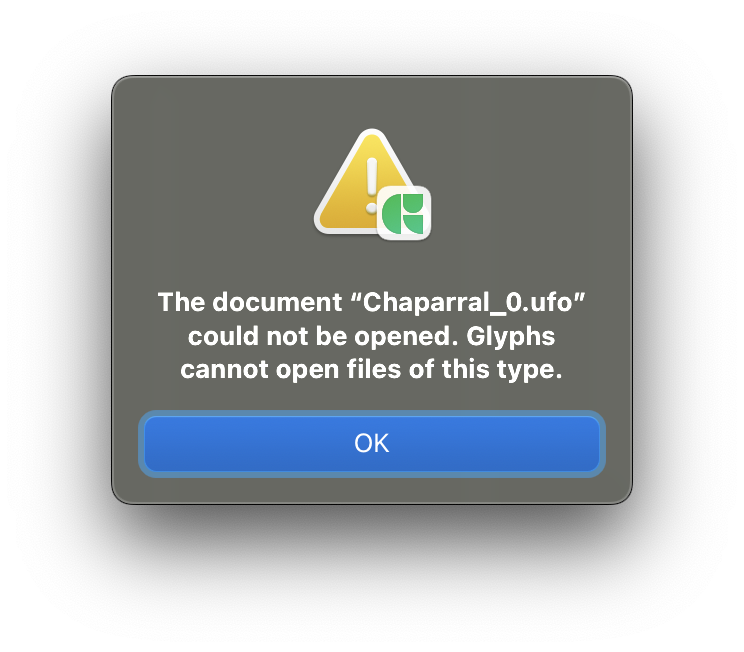
I have observed that Glyphs refuses to read UFOs which don’t have a “Unified Font Object” UTI. Opening the file via the UI just does nothing. Opening it via scripting results in the attached dialog: “The document “x.ufo” could not be opened. Glyphs cannot open files of this type.”
I just updated Glyphs.app to 3.4.1 (3436), where I observe the same behavior (however I can no longer script?? ModuleNotFoundError: No module named ‘objc’).
I’ll have a look regarding the UFO not opening. Which app have you currently set as the standard for opening UFO files? (Not that it should matter to Glyphs when asked directly to open the file, just to help me reproduce the error.)
Which Python do you have selected in Glyphs’ app settings → Addons?
Thanks for the quick reaction! I have UFOs set to be opened with RoboFont, so the current UTI is “Robofont.app Document” (yes, with the .app, which strikes me as odd anyway).
I changed the Python to 3.11.9 (Glyphs), and the script runs again. FWIW, the other available options is 3.12.9 (Homebrew) – I never consciously installed a Homebrew Python, and I don’t seem to have a 3.12 on my machine.
The hombrew python is in /opt/homebrew/Cellar/python@3.12/.
I wonder why that UTI issues didn’t come up in the last 10 years. Glyphs and seemingly Robofont didn’t change in a long time (that said, Robofont is not defining file types correctly as it is not using UTI as mandates my macOS for the last 20 years).
Glyphs expect the UTI to be: org.unifiedfontobject.ufo.
I am confused as well. Something changed, potentially related to the RF beta (but I am not sure). Don’t want to point any fingers here, but I’d ideally revert this. Any suggestions?
The system applies a temporary UTI when an app doesn’t properly defines one.
Could you try what happens when you assign ufo to be opened in Glyphs (just temporarily for testing)?