Hi,
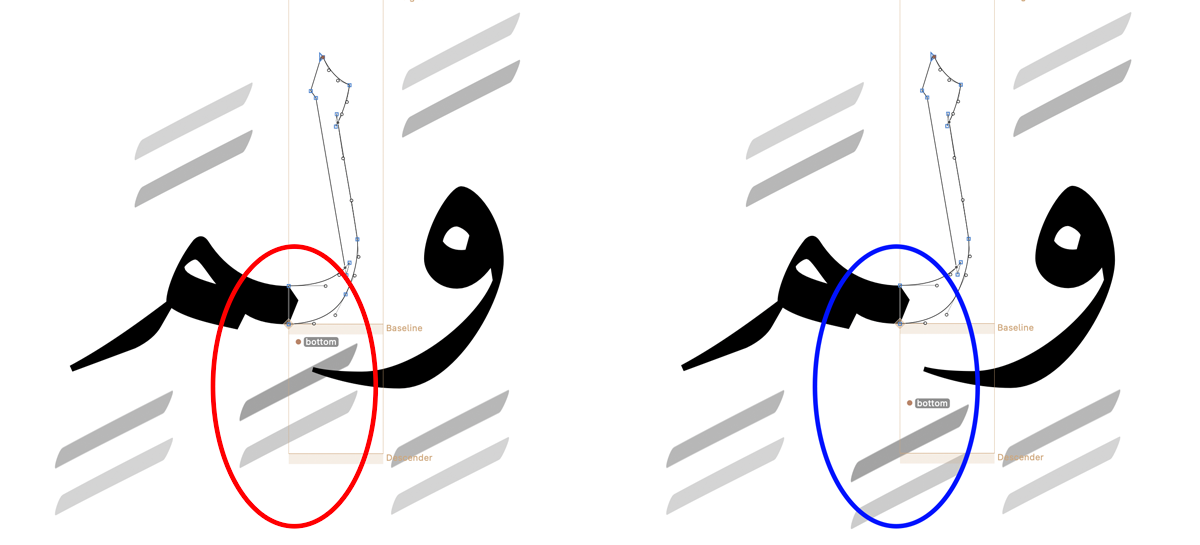
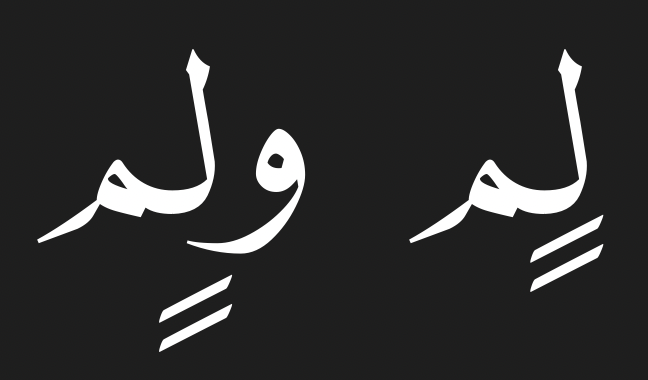
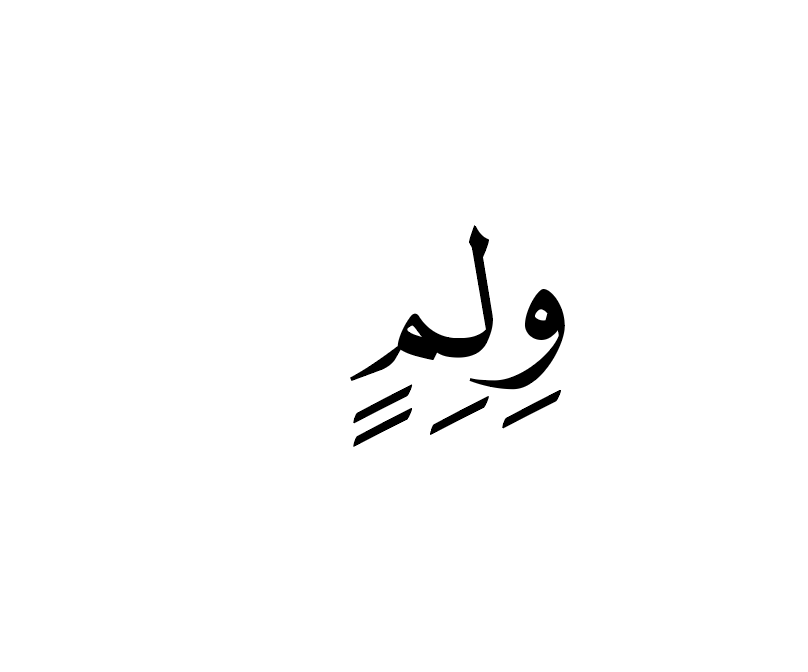
I’m facing a problem when I want to move kasra-ar in lam-ar.init preceded by (waw-ar waw-ar.fina) down and leave it in the other letter **up, as in attached.
How do I name the anchors?
How do I write the code feature?
**
the Glyphs file is attached if neededit.
do you understand what useMarkFilteringSet means in feature code? If not, I recommend reading the spec and other material. Doing stuff like this without a good understanding of OpenType is very difficult.
I agree with you, George. But it’s quite a long process to fully understand everything just from reading other posts.
My file is actually very simple — it only contains three letters.
So if you don’t mind, could you please take a quick look and write the code and classes for it?
I promise this will really help me understand the concept better!
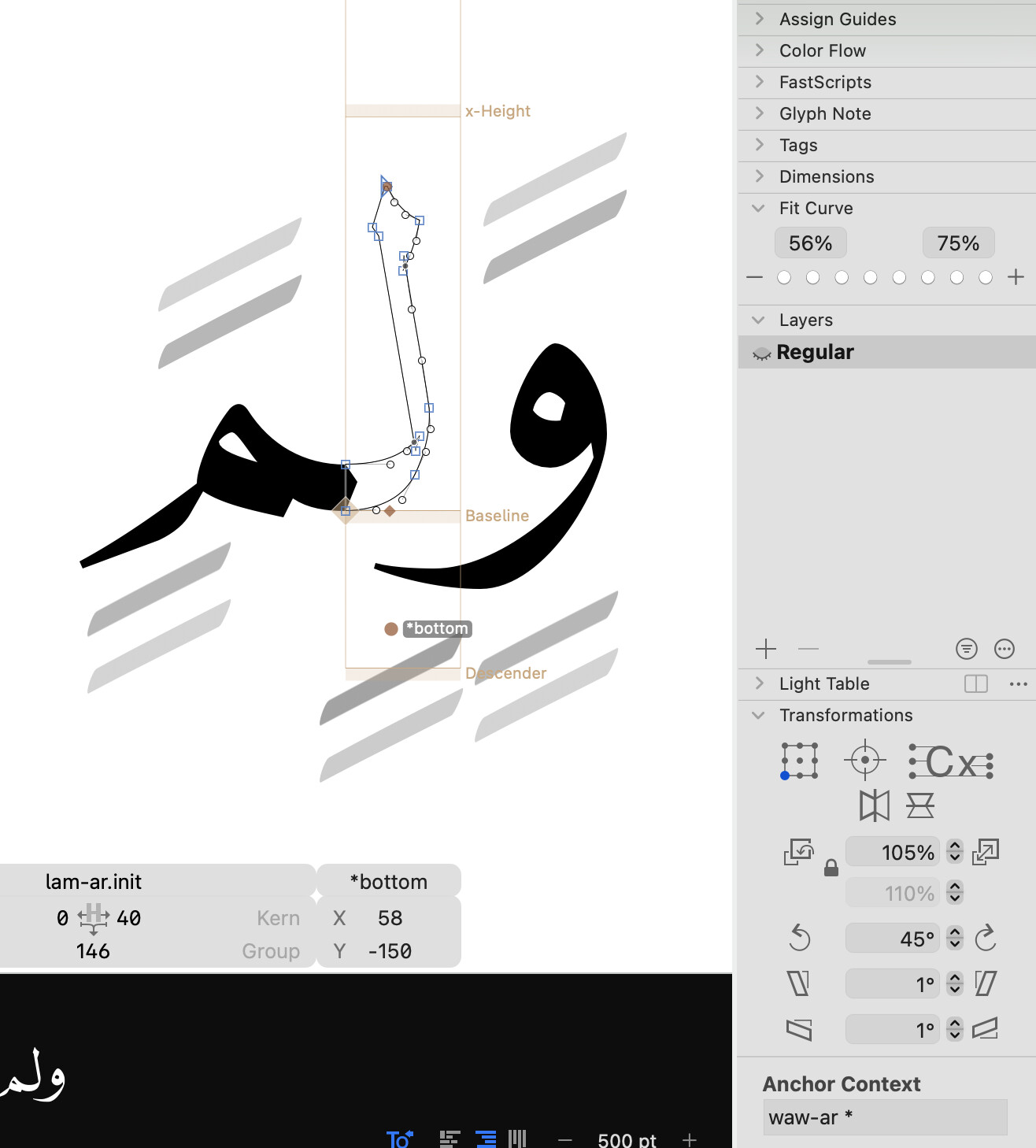
Add another anchor to lam-ar.init named *bottom. The * at the start of the name makes the anchor a context anchor.
With this *bottom anchor selected, go to the Anchor Context text field in the bottom right of the window and enter the following code:
waw-ar *
Now, this *bottom anchor is used instead of the regular bottom anchor when the glyph is preceded by the glyph waw-ar. You can also make it work for waw-ar.fina by using the following context code:
[waw-ar waw-ar.fina] *
Test this code and adapt as needed. For more advanced behaviors, look into writing OpenType layout code in the FEA (feature) language as that is the same language used to write these context codes. There are many tutorials online or you can ask here on this forum when you have a specific question.
Here is your file adapted as in your original screenshot:
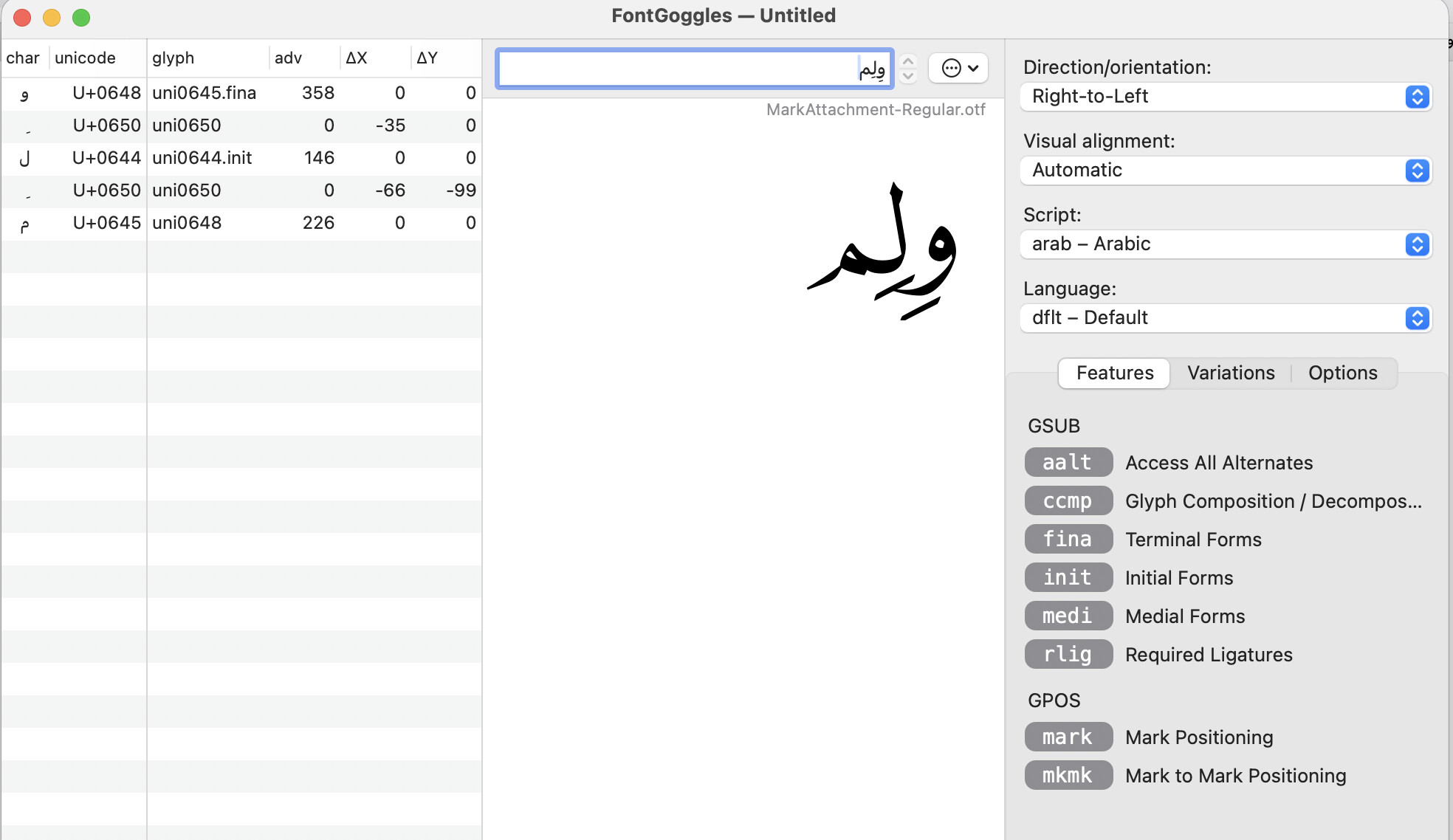
Your example uses an additional mark between the letters, so the pattern does not work. Please have a look at the other topic linked to at the very top and the handbook entry I linked to for details on using mark filtering to make it work.
You will need to keep the anchor your already have (which should work any time the Waw doesn’t have a mark), and then add another that also includes a context for when the Waw before does have marks. The suggestion for using a filtering set is to ensure that only relevant marks are considered when doing the shift. Here you can filter for just below marks, since nothing that happens above affects this shift.
If your font has only a few letters, a simple option for when both letters have marks would be something like: lookupflag UseMarkFilteringSet [kasratan-ar kasra-ar]; [waw-ar waw-ar.fina] [kasratan-ar kasra-ar] *
And the one you currently have would be something like: lookupflag UseMarkFilteringSet [kasratan-ar kasra-ar]; [waw-ar waw-ar.fina] *
In a more fully fledged font you would likely have classes representing most elements of these contexts.