When I decompose a composite glyph that was previously with “auto” sidebearings it suddenly gets funny (and wrong) SB formulas. Have they been stored and then re-activated? This can be somewhat dangerous if I don’t notice this immediately. Things get messed up in the last stages of release production only because I decomposed a composite glyph – and this is a rather unexpected behaviour.
Can I suggest that when decomposing composite glyphs, they
Do not get any (new) sidebearing formulas, or
It would make sense to give them their previous “auto”-ness as SB formulas. In other words, “correct” SB formulas that would not have any immediate effect if triggered. Or, possibly inheriting them, depending on the type of alignment.
As an aside, what bothers me is that Glyphs changes sidebearing formulas on all masters when I change them in a single master. For example, if I use the formula =o-4 for a glyph in the lightest weight, I might want that formula to be =o-16 in the blackest weight. Why is not the default to make masters independent?
To affect only one master, use something like ==o-16. To me, making it for all masters by default makes sense. What bothers me, however, is that scaling the whole font to a different UPM invalidates formulas such as =o-16. It would be a nice service if Glyphs correctly “scaled” the formulas as well. Maybe it’s asking for too much but it would be awesome if they were even interpolated correctly when using “Instance as master”.
The glyph/layer can have a metrics key that is not visible as long as the glyph is auto aligned. They were added on some point.
They shouldn’t be applied when you decompose the glyph. You only get a warning.
Metrics keys can influence the auto alignment (when you use =+XX or =-XX; it will add/remove XX from sides).
And enabling alignment shouldn’t remove unrelated information (e.g. you might need the keys in one master but have automatic alignment in another).
Thanks for the explanation about =+XX! I didn’t know about it, it will be a real time-saver for me.
Still, I don’t think storing the old formula when auto-alignment is activated, hiding the data, and re-activating it, possibly after a few months, is a good idea. It does not seem necessary to facilitate =+XX.
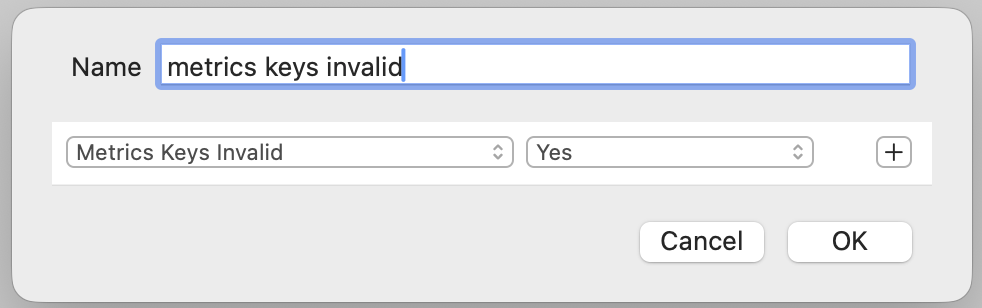
In the sidebar, this filter sometimes shows that there are glyphs with invalid metrics keys (i.e. the number is not zero). However, when I activate the filter, no glyphs are shown. (The bottom bar still says something like 5/635 glyphs.) Isn’t this strange?
I tired that filter and it is not always updating when the state of the metrics key changes. It is tricky to fix. As a workaround you can close and reopening the file.
Closing and reopening changes the number of supposed invalid metrics keys but it does not fix things. I have a file which shows 53 glyphs with invalid metrics keys, none of them show up when the filter is active. After decomposing all composites for all masters, closing and reopening, it shows 41 glyphs with invalid metrics keys, and two of them actually show up, and yes, they were hidden sidebearing formulas. After removing these invalid keys, saving and re-opening, it shows 84 glyphs with invalid metrics keys, none of them show up. Mysterious.
Oh, wait, I just did the same thing again, saved as a separate file, and now it shows zero glyphs with invalid metrics keys.
Which means, I have two identical files (as confirmed by opening in BBEdit), and one of them shows 78 glyphs with invalid metrics keys (instead of 84, it’s changed its mind), and the other one shows zero. Even more mysterious. Does Glyphs try to remember something based on the file name? Metadata?
I tried zipping and un-zipping the files (so as to strip metadata), and renaming them. Now they show completely random numbers of glyphs with invalid metrics keys each time I open them (without saving). It is practically non-deterministic.