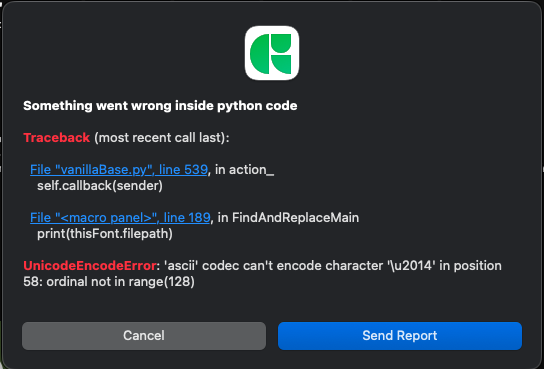
mekkablue’s script Find and Replace Components doesn’t work. It worked three days ago.
The result in macro panel keep saying that it replaced 0 components, even though I correctly specified the name of the component that should be replaced.
I downgraded Glyphs3 Version 3.2(3234) to 3.1.2(3151) but still not working. macOS 12.5.1.
We made some major changes in the code base and a few scripts are malfunctioning. However, this script works fine for me. Consider uninstalling and reinstalling the mekkablue scripts in Window > Plugin Manager > Scripts, then reloading scripts.
Can you post the error message you get in the Macro window?
It works for me. I did however make some small changes so the window can be more compact.
Make sure you have the latest version of the scripts, and the correct version of Python selected in Glyphs > Settings > Addons. If it occurs again, let me know what the script reports in Macro Window.
Did you try the steps described above?
How exactly are you running the script?
Which exact error do you get?
Which is your selected Python in Glyphs > Settings > Addons?