FontLab>Glyphs duplicate kern bug

Something to look out for:

Exporting from FontLab using “Export to Glyphs” can produce a new “kern” feature in the “features” section.

This is read as a double-kern in apps when the .otf is exported.

Deleting this new feature, rebuilding the features, then exporting again fixes the issue.

Screengrabs for clarity:

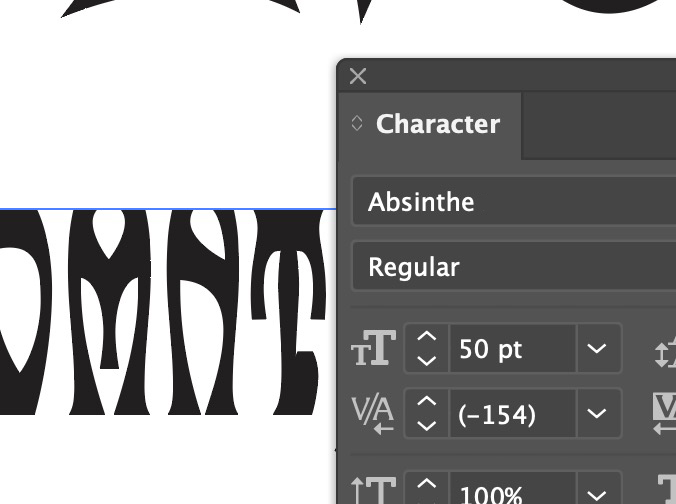
Overkern (x2 value) for the ‘T.’ kern in Illustrator is -154:

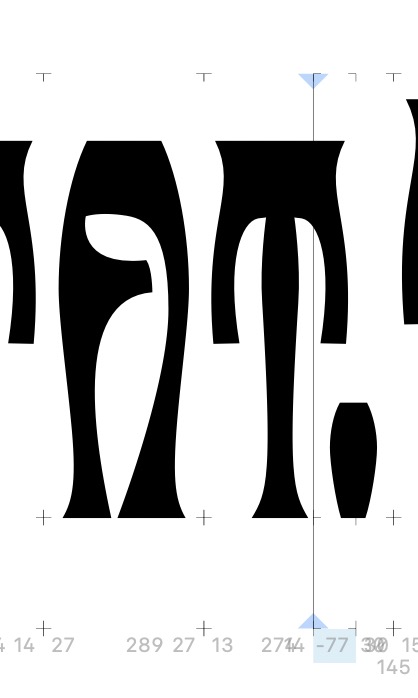
Actual value in Glyphs is -77:

I deleted this feature that had been added in the FontLab>Glyphs export:

Screenshot 2026-09-09 at 3.45.50 pm.jpg

Rebuilt features, re-exported, rebooted Illustrator, and it is now fixed:

Screenshot 2026-09-09 at 3.49.55 pm.jpg

Then this doesn’t sound like a Glyphs issue, but a FontLab issue, or am I misunderstanding?

You mean our old script for fontlab or the .glyph file export from newer FL versions?

Hi Georg – the Glyphs file exported from the most recent FontLab using their “Export to Glyphs” option. (I’m using Glyphs 3.5, though I’m not sure that has a bearing.)

Is there a kern feature in the file in FL? If so, that would be redundant but I think FL has a way to deal with this (skipping either the kern data or the feature).

So when you export the data into a glyphs file, it copies both, the kern data and the feature and glyphs will use both when exporting. You should be able to remove the kern feature in Glyphs.

Thanks, Georg – yes, that’s what worked for me. I deleted the feature, and the kerning is still there but not doubled. Unfortunately now I have to go back and check a whole bunch of fonts…