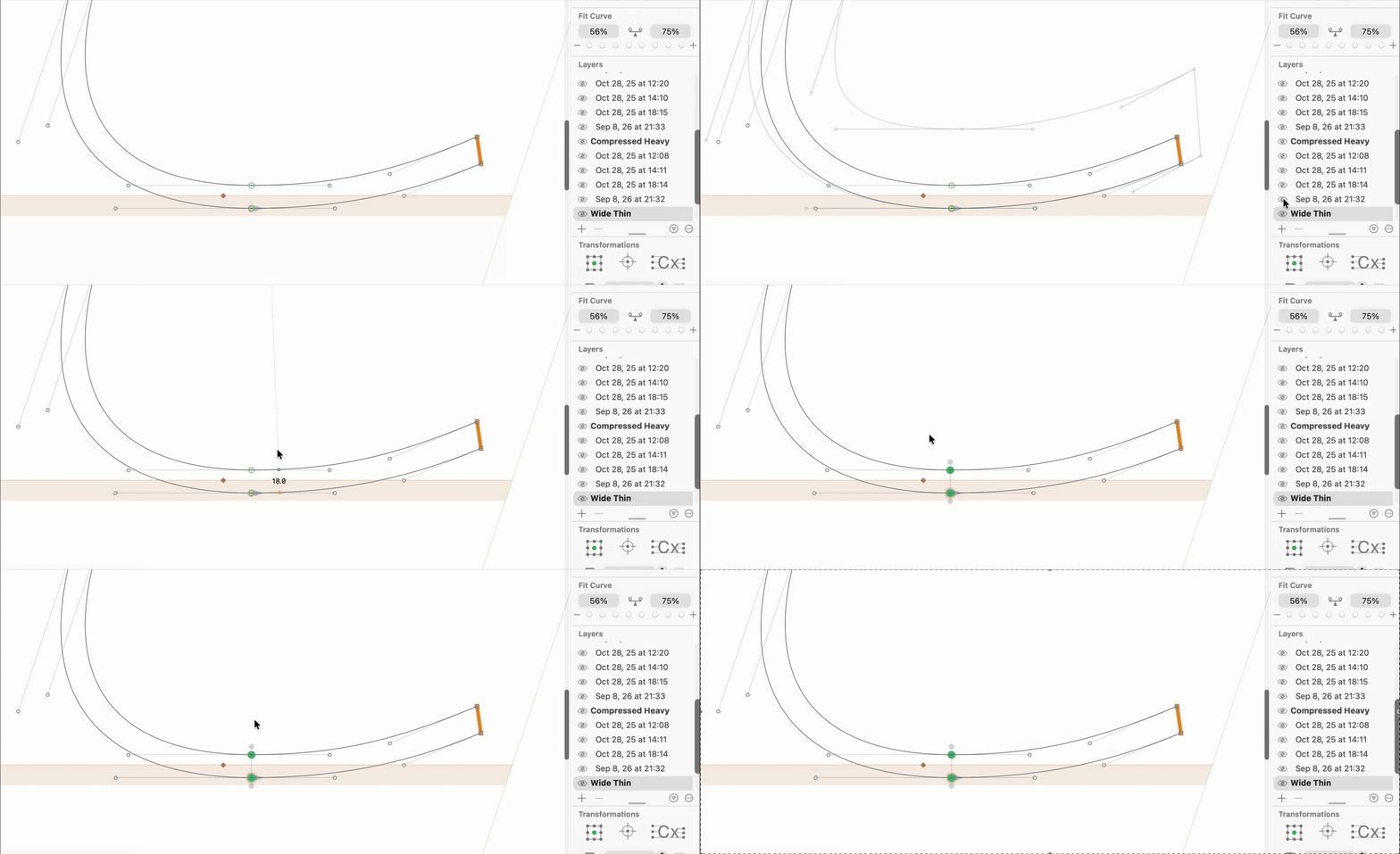
Hi everyone,
I find it annoying that the Layers palette does not keep the scrolled position. I work on a file that has 6 masters and some glyphs have many version layers so the palette is long and I have to scroll to use it. The problem is, when I’m working on e.g. Thin and I scroll down the palette to make the Regular visible in the background by toggling the little eye, as soon as I select the eye the palette auto-scrolls up a little bit.