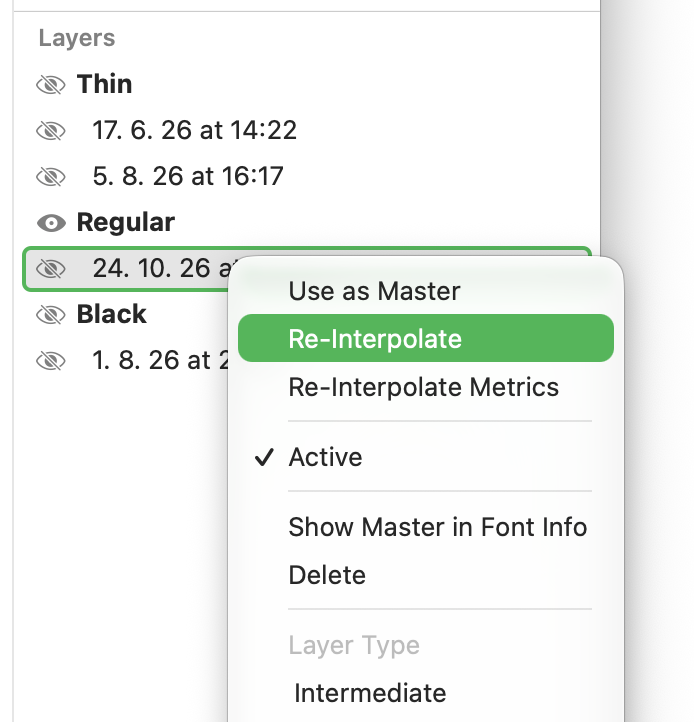
In Glyphs 3 I could right-click any layer and choose Re-Interpolate to get a reference interpolation next to the master, without touching the master. In Glyphs 4 (version 4.1.1, build 4108, MacOS Golden Gate) the menu item is still offered (screenshot attached), but nothing happens. It only works on the master layer itself.
Is this an intentional change in logic from G3 to G4, or is it a bug?
Thanks for the quick reply. Could you please have a look at the video above? It shows Re-Interpolate working on a backup layer in Glyphs 3.4.1 (3436), so we seem to see different behavior on the same version.
A few questions:
Is there a setting or file condition under which Re-Interpolate is supposed to work on a backup layer (e.g. master setup, layer type)?
If it is not supposed to work, why is the menu item enabled for backup layers in both G3 and G4?
In G4 the same action does nothing at all. Is that intended?