Sorry if this has been covered. I couldn’t find anything on the subject, or anything in Settings.
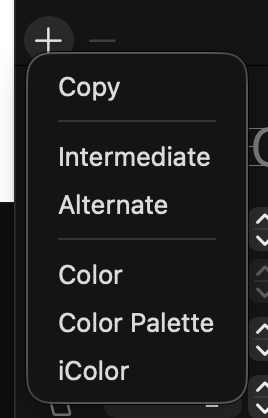
I find myself thinking I copied a layer, when all I did was to open the Copy Layer menu. Then I go on making changes to the character, without having made a back-up.
Can I somehow revert to how it was in Glyphs 3? Clicking the plus just made a copy of the layer with one click.
I know this issue is partly due to muscle memory, but I am also interested in reducing the number of clicks. I use the normal copy function 100 times before I use something like “intermediate”.
In the menu, click the “Copy” item.
Making a simple copy became a tiny bit slower, but creating any of the other layer types became much faster. So I think it is worth it.
I agree it was easier in Glyphs 3. I also created a shortcut for it, but many user won’t.
Why wouldn’t the menu only show up on right click? It would be as fast for the other layer types and as fast for the basic one.
That might be the best solution. Put the far less used options behind a right click, or hover, or two buttons. Anything but opening up a menu every time I want to copy a layer. I was quite puzzled how this was supposed to be an improvement tbh.
 Thank you!