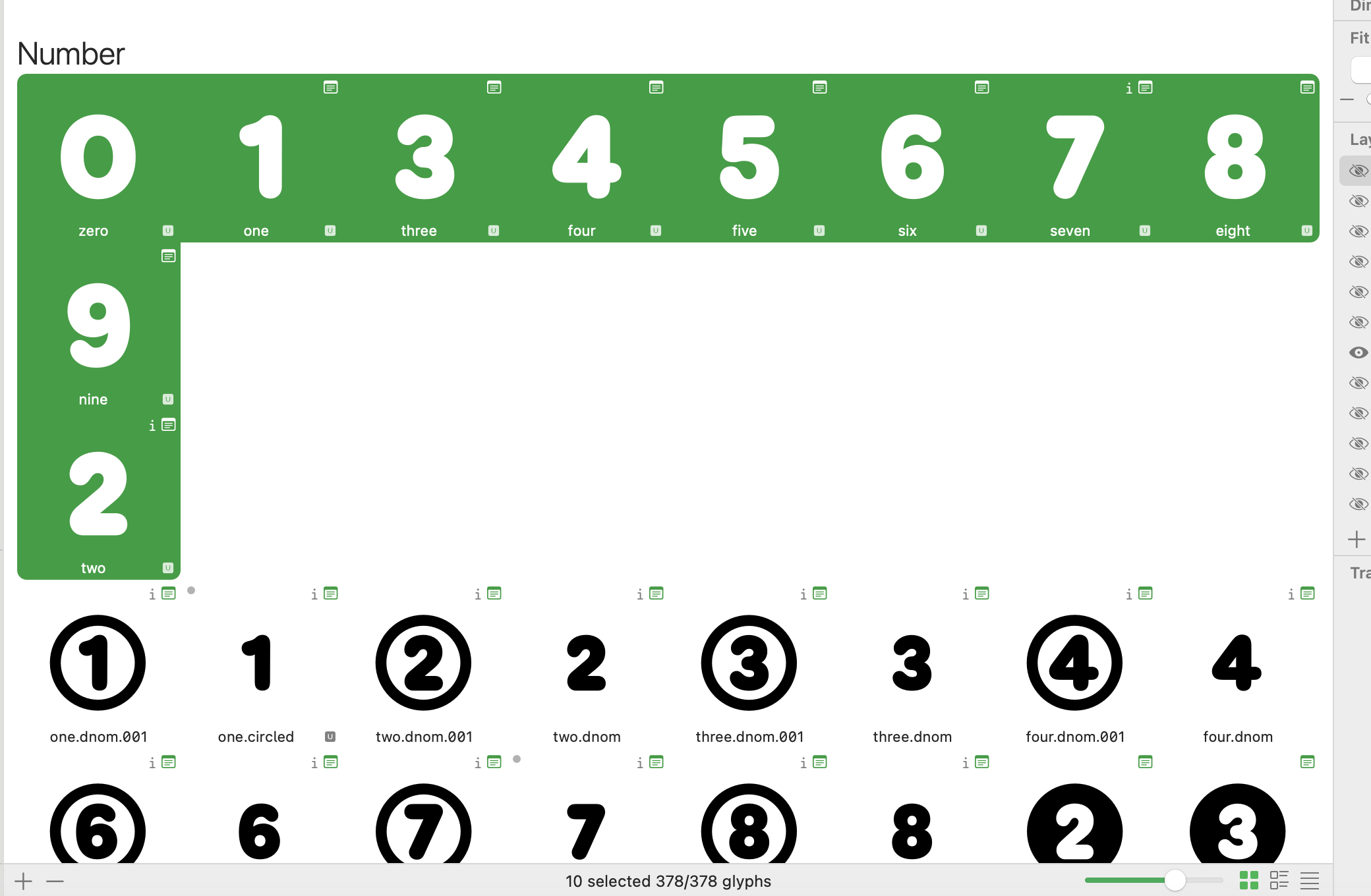
I’ve noticed in glyphs 4 that when viewing numerals the arrangment isn’t lining up, for example “2” is not lined up numerically. Some of the other numerals are scrambled. Maybe something to do with the font view ordering differently, but I haven’t found an answer. Any suggestions?
Have you tried selecting the glyph/glyphs and then going to Top Menu - Glyph - Update Glyph Info?
I didn’t know about that but unfortunately that didn’t have an effect.
Are you sure that your “2" isn’t assigned a different category/subcategory than other numerals?
Not aware of categories. I just entered “two” and thoughts glyphs could take care of it.
Is there a setting I can toggle for that? I am new to type design, so I could be overlooking something obvious. Here is the info when I click on the glyph:
Select the two and Cmd+Option+i. And send a screenshot of the dialog that comes up.
There are some custom definitions as indicated by the “i” in the font view.
I forgot to come back and thank you all for replying and helping out, the custom definitions were off and they were an easy fix once I opened the dialogue.


