I have a very strange problem that I have just noticed. I was working on a font, and then all of a sudden a large number of glyphs disappeared from the window—most of the small caps, lowercase letters, and all the numbers. I was trying to work out what happened and pressed the plus button to add a new glyph, and all the missing glyphs returned. If I then click a filter, all the glyphs disappear again and return if I press the plus button. What can cause this
Do they reappear when you click the “All” item in the top of the sidebar?
And what filter did you use?
When you add a new glyph, the filters are disabled so that the new glyph can show up.
No, they don’t reappear when I click “All“ item in the top sidebar.
The filter was one I created to show all SMCP glyphs
If I click the CATEGORIES Uppercase, Lowercase etc. the glyphs are removed, it looks like its removing the base glyphs but showing the euro glyphs etc. like the image added
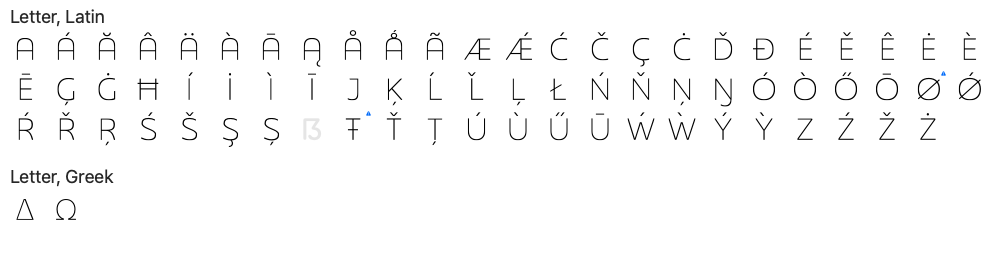
What do you mean be “the glyphs are removed”. can you give a specific example what you are doing and what happens and what do you expect?
The question is “disappeared” (hidden by filter) or “removed”.
What the number of glyphs you see at the bottom of the Font tab — does it count the full set of glyphs you can expect normally?
Sorry this was my mistake. I had something in the search box so when I clicked a category or filter it changed what was returned. When I cleared the search box it was normal
1 Like