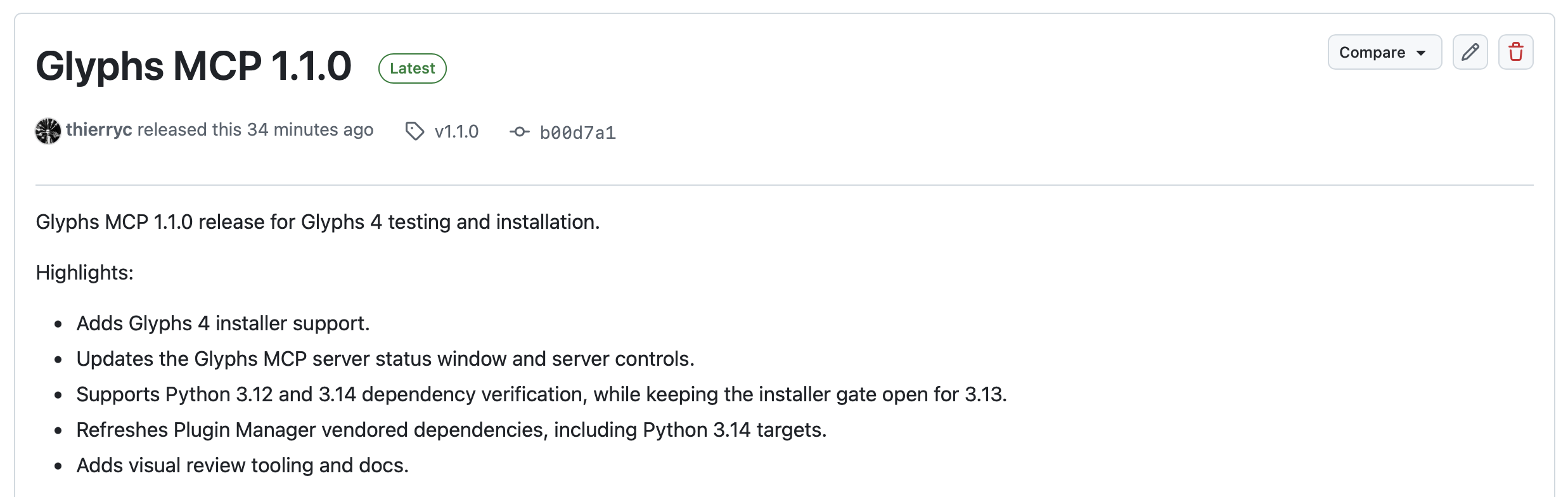
I just released Glyphs MCP Server 1.1.0 Plugin, mainly to support the new Glyphs 4 preview and make testing/installation easier.
This version adds:
Glyphs 4 installer support
Updated MCP server status window and server controls
Python 3.12 and 3.14 dependency verification
Refreshed Plugin Manager vendored dependencies, including Python 3.14 targets
New visual review tooling and docs
The interface has also been simplified: instead of two separate entries in the Edit menu, there is now one place to manage the server and its settings.
Important installation note:
Please use the macOS installer or the provided Python install/build command from the repository. The plugin needs to build/install its Python dependencies for the Python version used by Glyphs.
The main dependencies handled by the installer are:
MCP server runtime
Python dependency checker
Plugin Manager vendored dependencies
Python 3.12 / 3.14 compatibility targets
Required support packages for the local server and visual review tools
Manual copying of the plugin may not be enough, because the server dependencies need to be prepared correctly.
I’m still testing everything with Glyphs 4, so please let me know if you run into any issue. You can DM me here, or open an issue on GitHub.
Thanks!
P.S. You may ask Claude or Codex for help with the install, too…
Quick update: I’ve created a dedicated glyphs4 branch for the Glyphs 4 beta work:
The current Glyphs 4 beta release is also available here:
This branch targets Glyphs 4 by default and includes the Python 3.14 compatibility work. I’m also running tests to make sure this newer version can still be used with Glyphs 3 where possible, so Glyphs 3 support is not being forgotten.
Feedback would be very welcome, especially from anyone testing on different macOS versions, Glyphs 4 beta builds, or custom Python setups. If something fails, please share the Glyphs version, macOS version, install method, and any console/error output you see.
The latest Glyphs4 branch version is now v1.2.24. It runs with Glyphs 4 and Python 3.14, and the code has also been checked for backward compatibility with Glyphs 3 using Python 3.12.
A lot of the recent work was focused on reliability:
font discovery now uses public Glyphs APIs
the server reports clearer version/health information
Glyphs 3 limitations are documented
the release gate now has broad unit coverage
Current local test gate:
303 tests passing on Python 3.12
303 tests passing on Python 3.14
Docusaurus docs build passing
live smoke tests done in both Glyphs 4 and Glyphs 3
The repository is also cleaner now, with generated/vendor noise removed from the branch diff.
Still experimental, but it is getting much more solid.
Thanks for reporting this and for sharing the screenshots. I’m working on it.
Could you please share your exact configuration—macOS version, Glyphs 4 build, selected Python version, MCP plugin version, and installation method? Any console output would also be helpful.
It may be easier to continue the debugging privately, so I’ll send you a DM to follow up and work through it with you.
Meanwhile, you can open Glyphs MCP in Claude Code or Codex and use this prompt:
Install the latest Glyphs MCP from the main branch for Glyphs 4. Run python3 install.py, use the default options without sudo, report any errors, and verify that the MCP server works after installation.
Thanks for reporting this. There are actually two separate issues here.
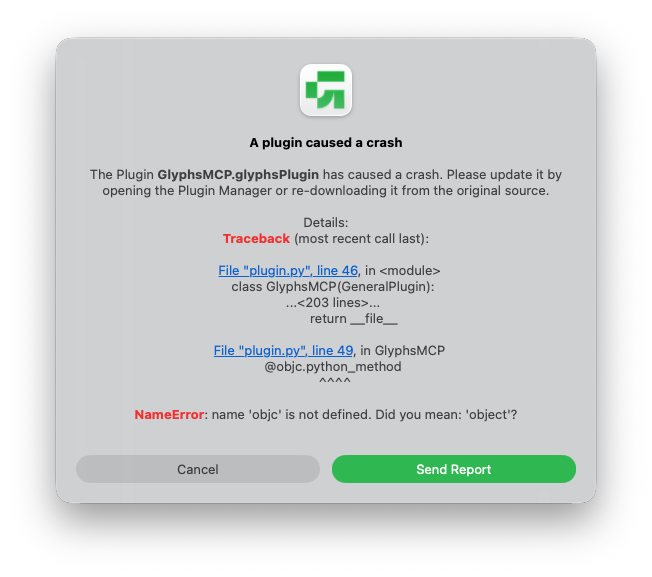
The Plugin Manager item named GlyphsMCP is another project, not this Glyphs MCP Server. Its plug-in is currently crashing because it uses @objc.python_method without importing objc. Please remove that plug-in and use the installer from my GitHub release instead.
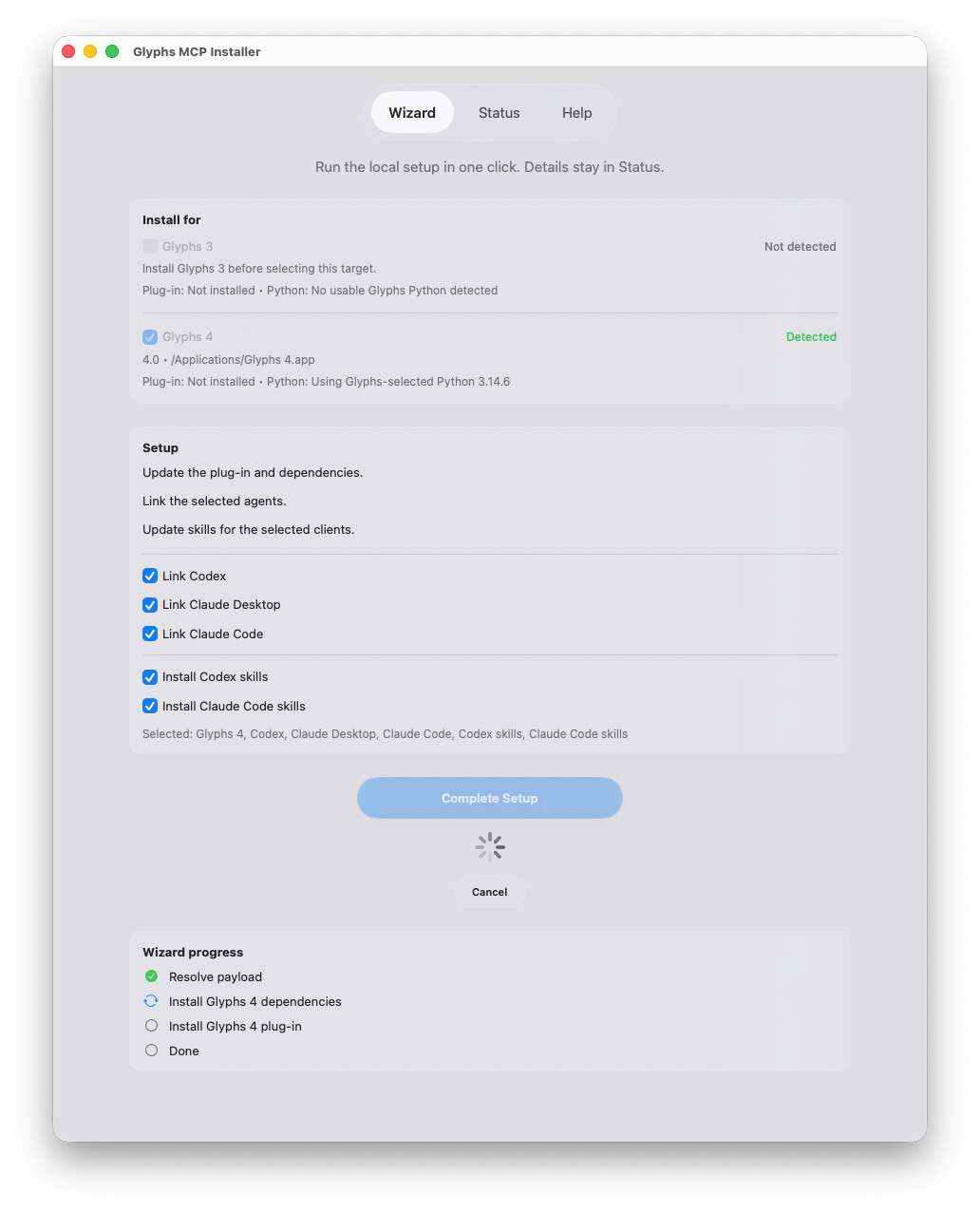
For my installer, I reproduced the dependency resolution with the same Python 3.14.6 version. The current configuration expands to more than 230 packages, largely because the full PyObjC package installs every macOS framework binding. The installer also force-reinstalls those packages, so this step can take a long time and looks stuck because the Wizard only shows one spinner.
I’m going to reduce the PyObjC installation to the components actually required, avoid unnecessary reinstalls, and improve progress and timeout handling.
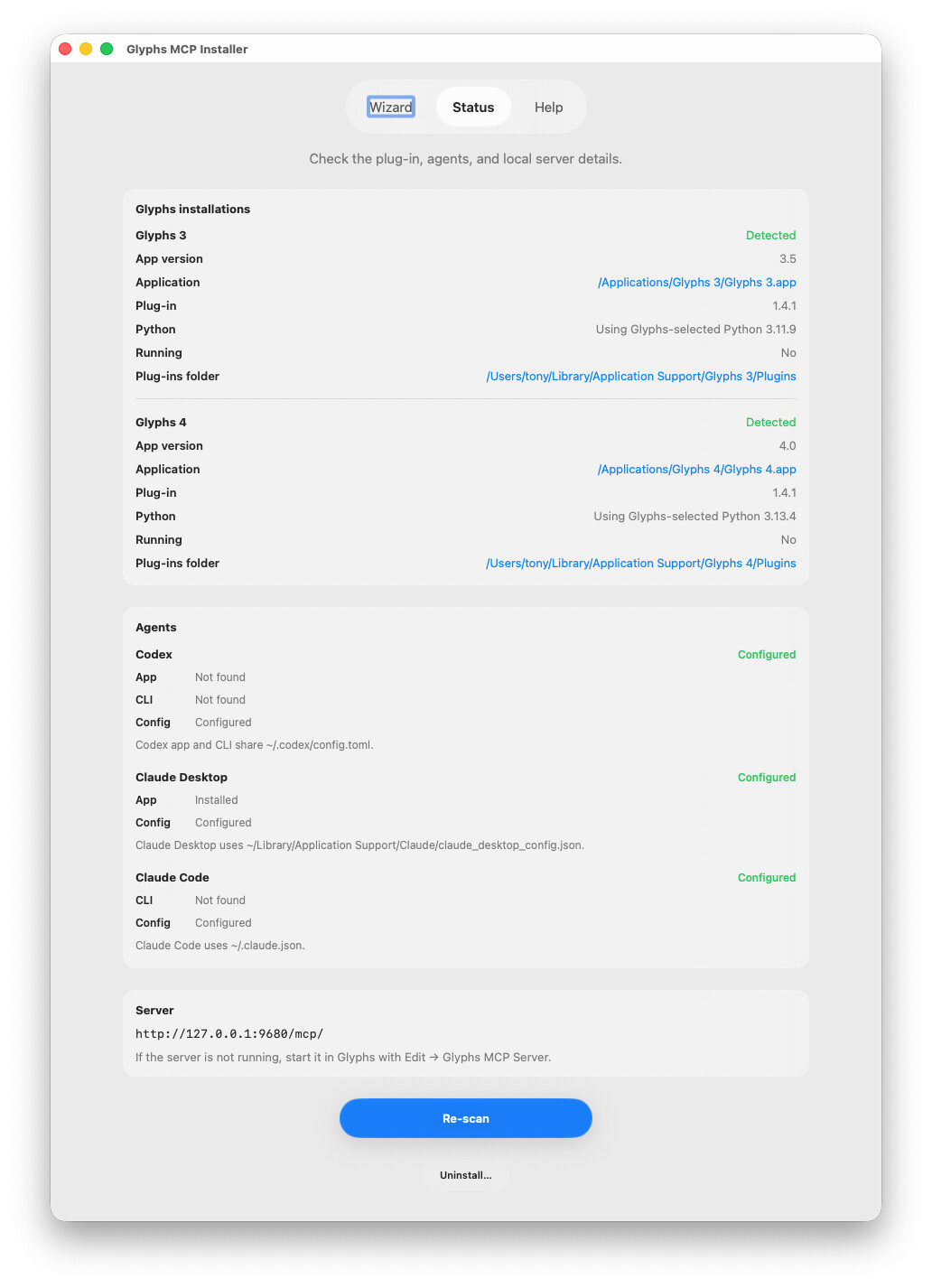
Could you open the Status tab and send me the last few log lines? That will confirm whether pip is still downloading packages or has stalled.
Thanks for reporting this. I found why the Wizard could spend so long installing the Glyphs 4 dependencies.
The installer was invoking pip again on every run, requesting forced reinstalls, and installing the complete PyObjC package—even though Glyphs MCP only requires the core Objective-C bridge and Cocoa frameworks.
I’ve published Glyphs MCP 1.4.1 with the fix:
installs only pyobjc-core and pyobjc-framework-Cocoa
checks the installed package versions and runtime imports first
skips pip completely when the environment is already healthy
no longer forces package reinstalls or upgrades pip automatically
shows clearer Wizard progress
adds bounded network and process timeouts, with cleaner cancellation
The updated installer is signed, notarized by Apple, stapled, and verified with Gatekeeper:
The full release gate passed with 401 Python tests and 82 macOS installer tests. In a clean Python 3.14 environment, the new dependency set uses only 2 PyObjC distributions instead of the previous 159.
Please try the new installer. A second run should recognize the completed environment and skip dependency installation. If it still gets stuck, please share the last lines shown in the Status tab.
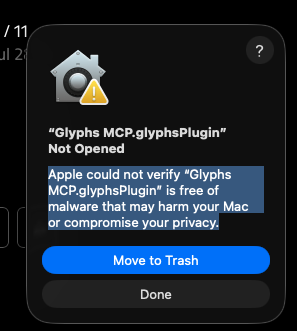
Thanks for flagging this! It’s a notarization issue on my end.
Could you confirm exactly how this plug-in copy was installed?
Did you clone/download the main branch and run python3 install.py, as shown here?
Or did you install it using the signed release DMG?
Which macOS, Glyphs, and Mac processor versions are you using?
Did the warning appear during installation or only when Glyphs started?
The plug-in contains a native executable, so macOS can check it independently. A plug-in installed directly from the repository is not necessarily the same signed and notarized copy embedded in the release installer.
Once I know which installation method and plug-in copy produced it, I can determine whether this is a release-signing issue or quarantine applied to the source checkout.
DM me the result. You do not need to share it publicly.
Thank you again for reporting the issue and for sharing the detailed diagnostic information. It helped me identify that the installed plug-in itself was losing its Developer ID signature, even though the installer was notarized.
The problem is now resolved (I hope), and a new signed and notarized version is available:
The new installer preserves and verifies the plug-in’s signature and notarization ticket after installation. Please let me know how it goes on your Glyphs 3.5 setup.
Could you please confirm whether it is working correctly for you now with Glyphs 3.5?
You can use the same installer as last time, it will automatically update your existing installation.
As a solo developer, I can’t test every possible configuration, so your feedback is incredibly valuable. Please let me know if you run into any issues!
Plugins installed manually rather than through the Plugin Manager don’t appear in the Plugin Manager window. Since Glyphs MCP is installed directly in your Plugins folder, this is expected.
You may also need to restart your AI app—Claude, ChatGPT, Cursor, or whichever one you use. Then try a simple request such as:
Using the Glyphs MCP server, list the fonts currently open in Glyphs.
CODEX:
The server port isn’t listening, so I’m checking whether Glyphs itself is running and whether the plugin is disabled again before I try anything heavier.
I couldn’t reach the MCP endpoint at 127.0.0.1:9680, so I used Glyphs’ live window list to confirm the open font.
I would suggest discussing more technical problem solving on the GitHub page or here on the forum via direct messages. That way, the topic remains of wider general interest.
Feel free to open a discussion here on the topic but then prefer to continue it on other channels.