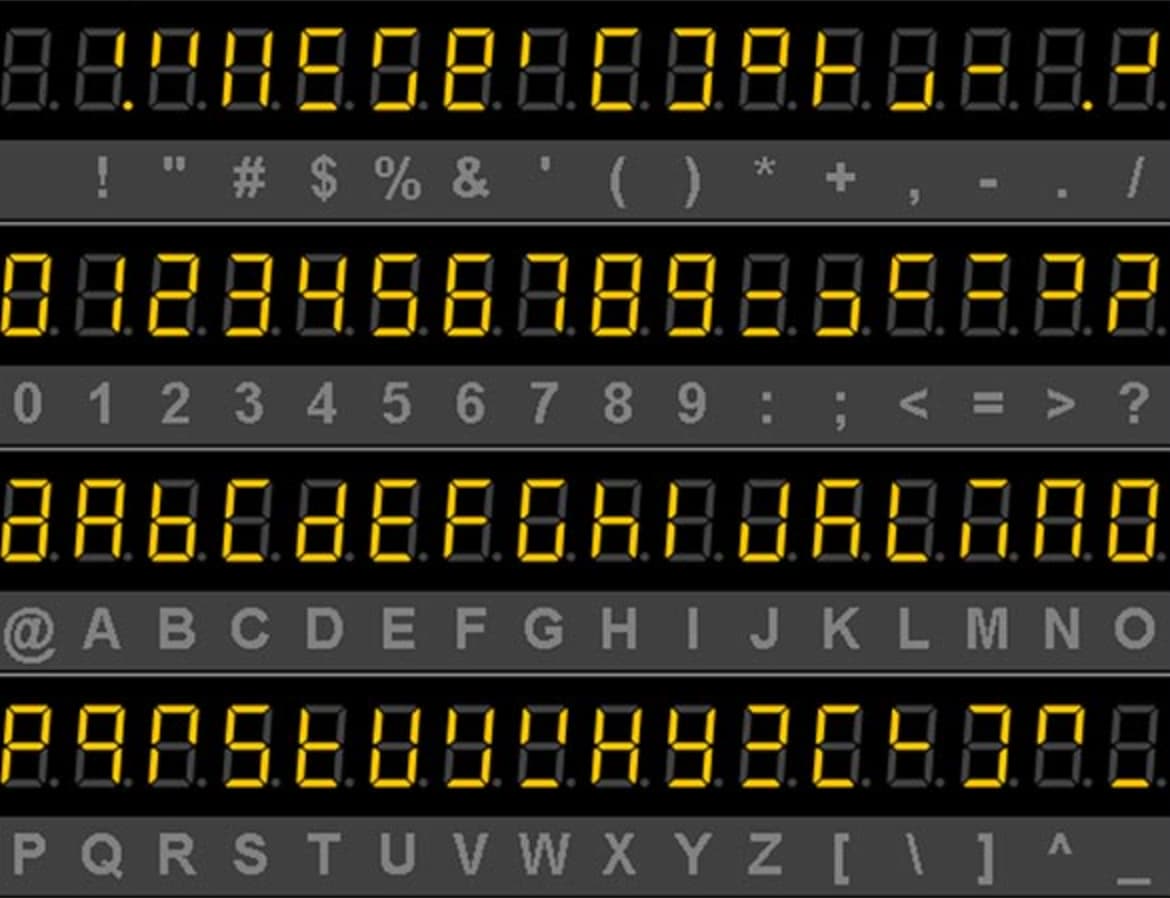
Hi everyone, I wonder if anyone has any idea how to create a segment typeface that utilises some sort of component driven workflow. In an ideal world I want to be able to create a ‘master matrix’ glyph, that contains all of the segments, then for each letter be able to hide/remove each segment that isn’t being used. Without decomposting if possible.
If it would be possible to then ‘edit’ the ‘master matrix’ component (e.g. the spacing around a segment, or an angle of a specific segment) and the edits cascade down the whole typeface that would be literally epic. Any help or ideas would be wonderful to hear!
Build one glyph called _master with all elements, I imagine that would be something like 8. in this context.
One path at a time, double click to select it, then right click and choose Component from Selection from the context menu, name it _part.topleft, _part.bottomleft, etc.
in the end, you have a glyph that is completely comprised of components (a composite).*
In the font view, select _master, copy, select all letters, and paste special (Cmd-Opt-V), choose to paste contents.
Now, in each glyph, just select and delete the components you don’t want.
*Pro tip: in order to use automatic alignment, add two anchors #exit and #entry in all _part glyphs, always at 0x, 0y. Then select all components in _master, right click and choose Enable Automatic Alignment from the context menu.
Recommended reading: tutorials about component tricks and about creating an all-caps font.
Make seven letters that all have one segment. Then you can place them as components to build you glyphs. To make them all align properly, you can use use “#exit/#entry” anchors. I have set up a small dummy file: SevenSegment.glyphs (7.0 KB)
(the #exit/#entry anchors in the segments are offset by 20 units to make it a bit easier to see. Move them on top of each other to