the repo contains a very detailed readme. You need to add the plugins.py to Xcode (File > Add File…).
And the .py code needs to contain the “IBOutlet” annotations. Then the line dragging should work.
The loadNib method is provided by Glyphs. You don’t need to implement it yourself.
But you don’t even need the IBOutlet. Just add the binding in Xcode. You need an IBAction to get notified when the slider changes. Or you add an observation to the UserDefaults key. But the action is probably easier.
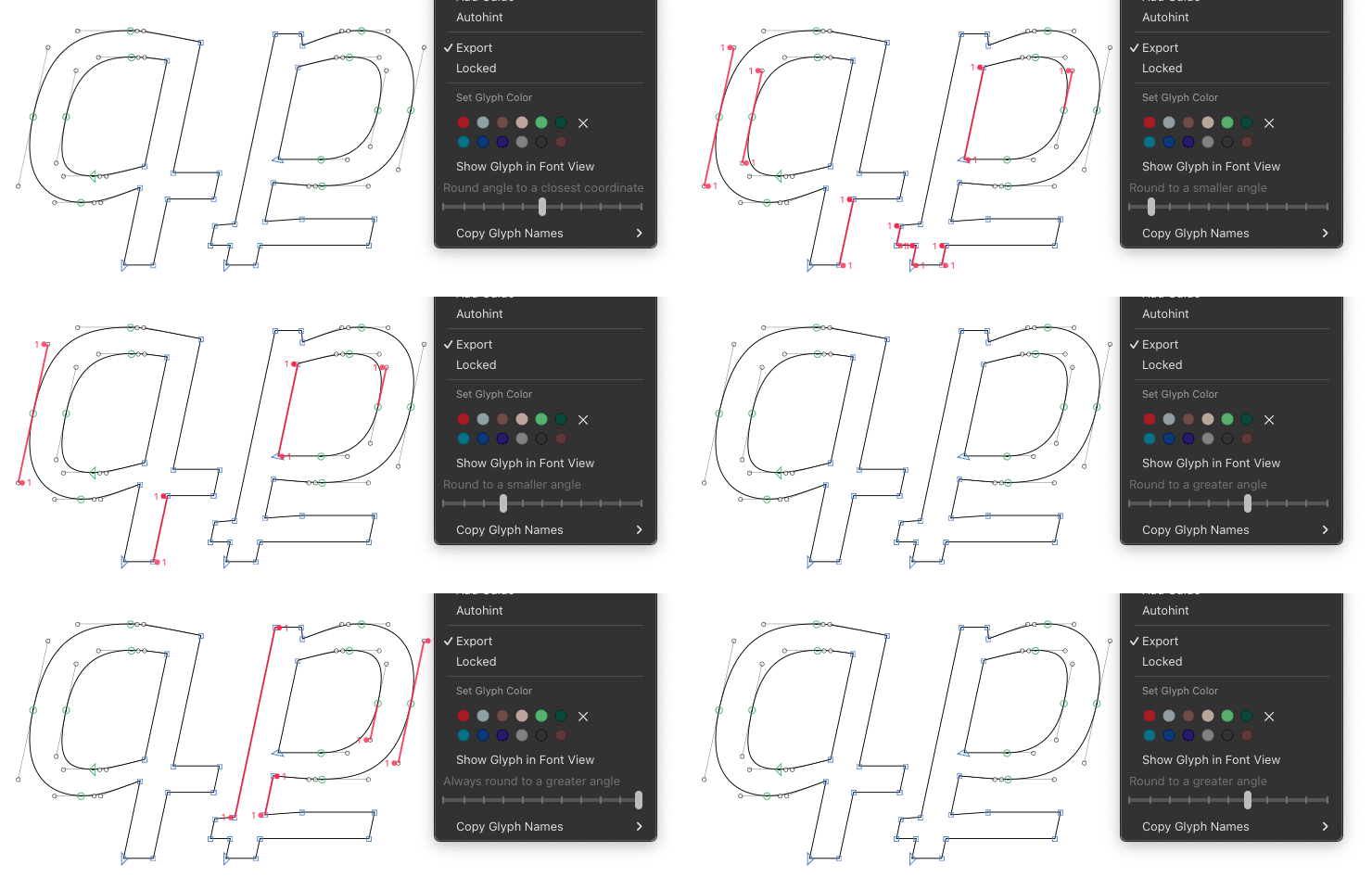
I reworked the rounding controls, which is more flexible now, so I hope it will be solution for everyone. Previously there were just two options – for rounding to a closest coordinate, and for rounding down to a smaller angle. Now there is a slider (in a right click contextual menu) that includes both options, everything in between and more.
If the precise Italic Angle lies between two integer coordinates, it will be rounded to one of them. By default it is a closest coordinate (middle position in slider), but you can change this rounding tolerance moving the slider’s thumb to the left (to a smaller angle) or to the right (to a greater angle).
Leftmost position (0) – always round down to a coordinate with a smaller angle.
From leftmost to middle position (0.1–0.4) – prefer round down to a coordinate with a smaller angle. The closer to left side means more rounding down cases.
Middle position (0.5, default) – round the angle to a closest coordinate. This is what specification proposes so it will be optimal for most users.
From middle to rightmost position (0.6–0.9) – prefer round up to a coordinate with a greater angle. The closer to right side means more rounding up cases.
Rightmost position (1) – always round up to a coordinate with a greater angle.
With this slider, for Italic Angle like 11.31 degree, the third position (value 0.2) from the left side will be optimal for your request. So there will be a small round up tolerance, where sometimes you will have the angle a little greater of Italic Angle, like from 11.313 to 11.5, depending on the segment length.
The rounding adjustment slider now remembers its state (if you have adjusted the slider during previous runs of Glyphs). There are the other fixes and improvements as well.
Please reinstall it in the Plugin Manager.
And thanks everyone for the reports, ideas, help, and patience.
 Thank you.