So I downloaded the free GlyhpsConverter as I need to migrate from Extensis Connect, and some old type 1s from my library won’t work with FontBase unless I make them into OpenType. The download link gave me a zip, which I proceeded to unzip and now have the GlyphsConverter app. I launch the app, it does nothing. I get no splash screens, there’s nothing but the standard placeholder menus for an app in my menubar. I’ve attempted this both on Sequoia, and on an older, Monterey system in case it wasn’t compatible with one or the other.
Just drag the fonts onto the app icon.
Nope. Doesn’t work. Neither dragging just the fonts, or folder containing the fonts. The app never highlights. And dropping the font files just drops them onto the desktop with the app.
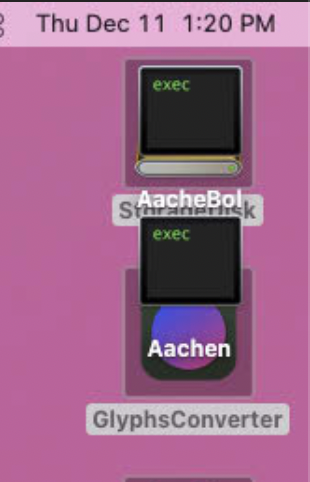
It it shows the “exec” icon, the original file type association is lost. I don’t think there is much to be done on this point. Could you put the files belonging to this font into a .zip and send it to us for testing?
Actually I just figured it out. They’re on my desktop and some had purged off the local drive and onto iCloud. Downloading the folder fixed it. Thanks