Is any info on adding a custom plugin for the new G4 left sidebar…maybe a plugin template?
Also, I am wondering if it could be possible to integrate something like the Text Preview panel directly into the left sidebar?
Is any info on adding a custom plugin for the new G4 left sidebar…maybe a plugin template?
Also, I am wondering if it could be possible to integrate something like the Text Preview panel directly into the left sidebar?
No template or guide yet, but here is a draft that should help you get started:
You need a class that is a subclass of NSViewController and conforms to GSEditViewSidebarControllerProtocol. Then, call addEditViewLeftSidebarController with your class as the argument on GSCallbackHandler.
See the GSEditViewSidebarControllerProtocol docs for details. Feel free to ask if you get stuck.
You might want to get in touch with @HugoJ; he was been experimenting in this direction, but I don’t know if it’s ready for show just yet.
Hi @gor.jious, I’ve built a handful of these for some of my plugins. Florian’s summary covers the whole API. Beyond that there are a few non-obvious traps, and the snippet handles them.
Here’s a recap from Claude with a short snippet, along with the issues it ran into along the way. Hope it helps 
# encoding: utf-8
import objc
from AppKit import (NSImage, NSMakeRect, NSTextField, NSView, NSViewController,
                    NSViewMinYMargin, NSViewWidthSizable)
from GlyphsApp.plugins import GeneralPlugin

TAB_TITLE = "My Sidebar"
GSCallbackHandler = objc.lookUpClass("GSCallbackHandler")
# Glyphs checks conformsToProtocol:, and a Python class only conforms
# if the protocol is declared when the class is created.
SidebarProtocol = objc.protocolNamed("GSEditViewSidebarControllerProtocol")


class MySidebarController(NSViewController, protocols=[SidebarProtocol]):

    @classmethod
    def title(cls):
        return TAB_TITLE  # tab label AND tab identifier: keep it unique

    @classmethod
    def tabBarImage(cls):
        return NSImage.imageWithSystemSymbolName_accessibilityDescription_("star", TAB_TITLE)

    def loadView(self):
        # Required: Glyphs creates the controller without a nib.
        view = NSView.alloc().initWithFrame_(NSMakeRect(0, 0, 240, 400))
        label = NSTextField.labelWithString_("Hello from the sidebar")
        label.setFrame_(NSMakeRect(10, 370, 220, 20))
        label.setAutoresizingMask_(NSViewWidthSizable | NSViewMinYMargin)
        view.addSubview_(label)
        self.setView_(view)

    def setController_(self, controller):
        # Glyphs hands you the Edit tab's controller here.
        self.setTitle_(TAB_TITLE)  # instance title = tooltip on the tab icon
        self._controller = controller

    def controller(self):
        return getattr(self, "_controller", None)


class MySidebar(GeneralPlugin):

    @objc.python_method
    def settings(self):
        self.name = TAB_TITLE

    @objc.python_method
    def start(self):
        GSCallbackHandler.addEditViewLeftSidebarController_(MySidebarController)
On your Text Preview question: yes. The tab is just an NSView, so anything you can build in a palette or a window fits in there. self.controller() is the Edit tab’s controller (activeLayer(), graphicView()), so you can follow what’s being edited. I have a live text preview running in the sidebar this way, and it works well. Do your heavy drawing only while the tab is visible, using viewDidAppear / viewDidDisappear.
Not necessarily. You can specify a Nib by using initWithNibName:bundle: from the init of the class. I am not sure how that is done in Python using PyObjc, but it should be possible.
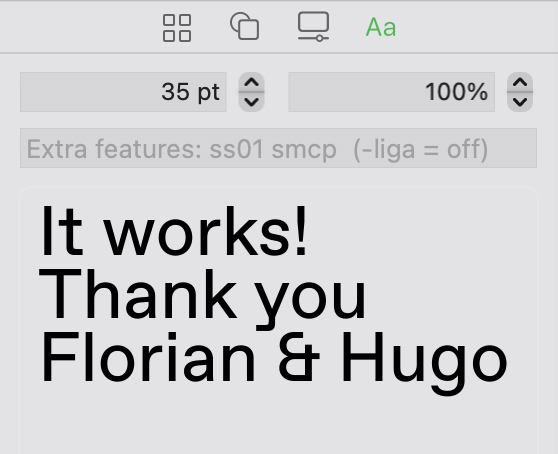
Thank you Florian and @HugoJ the snippet and insights were incredibly helpful. Still got more things to tweak and figure out but it’s working!
One more thing @FlorianPircher can you provide some guidance on how is the Text Preview panel is able to handle so much text without it being bogged down?
For large amounts of text, you want to export to a binary font, read that as an NSFont (or CTFont) and use that as the font of an NSTextView. That export step is not trivial and highly task-specific, so there is no single solution that Glyphs provides as an easy API.