if you don’t want to see any variation between dot shapes, you should use Axis Mapping like this(Font Info → Custom Parameters):
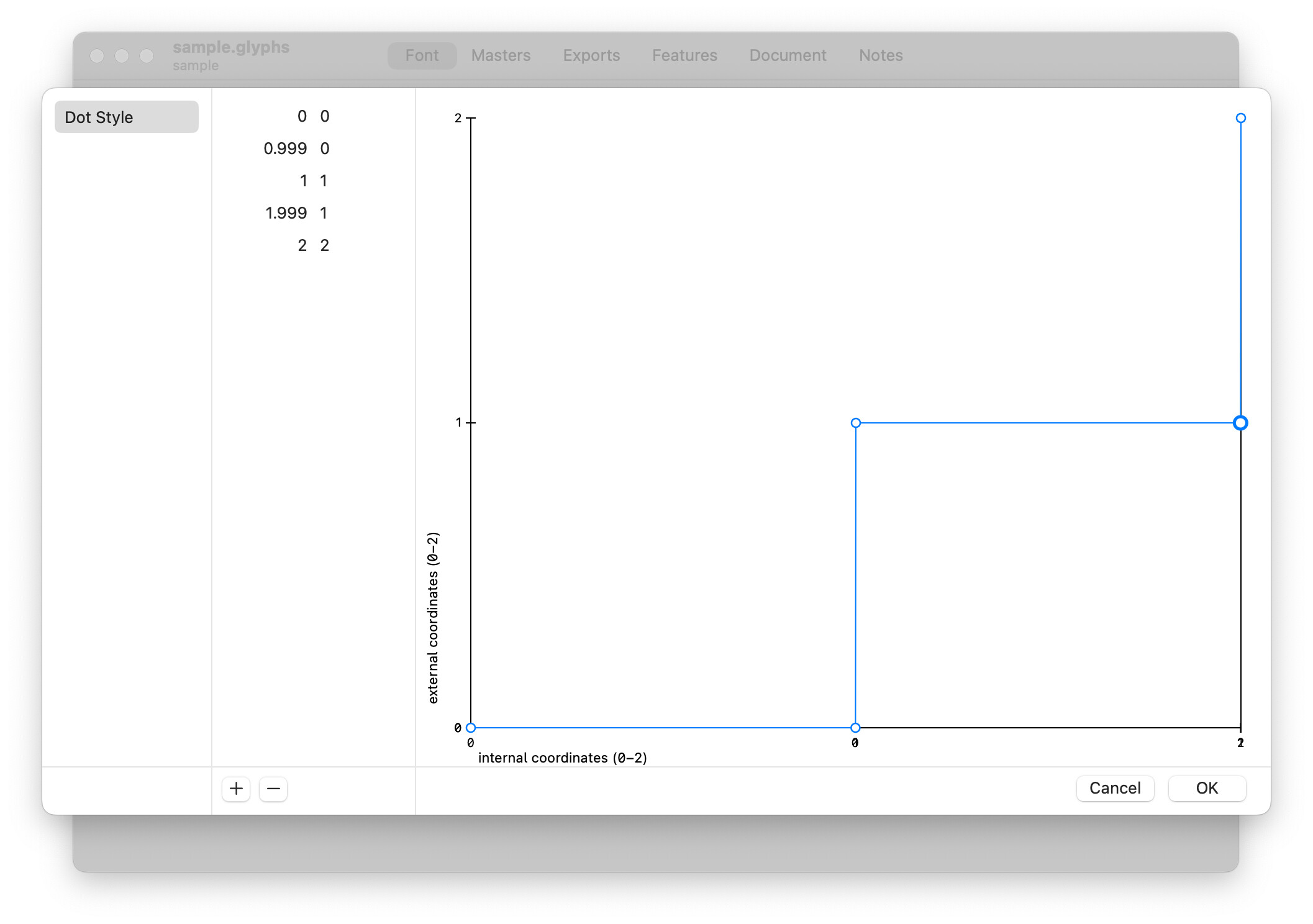
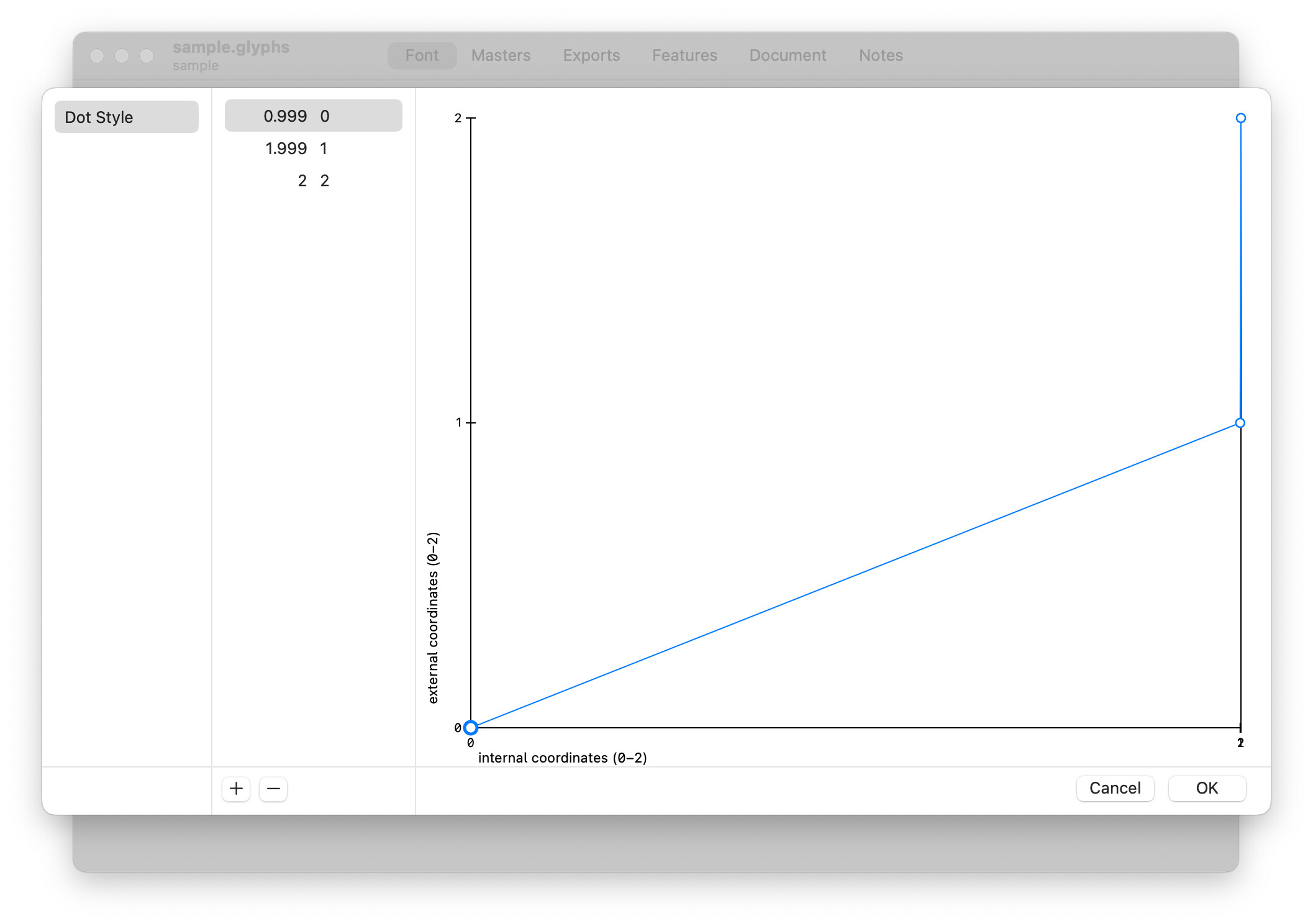
but i realized Glyphs turn it into this(@georgseifert we discussed about that in this post earlier, it’s still dose not generate that kind of mapping properly, or maybe i don’t know how):
for now you can install fonttools and use ttx to edit avar table directly like this:
  <avar>
    <version major="1" minor="0"/>
    <segment axis="DSTY">
      <mapping from="-1.0" to="-1"/>
      <mapping from="0.0" to="0.0"/>
      <mapping from="0.499" to="0.0"/>
      <mapping from="0.5" to="0.5"/>
      <mapping from="0.999" to="0.5"/>
      <mapping from="1.0" to="1.0"/>
    </segment>
  </avar>
edit the table relevant to the your dot axis name and number of your dot shapes.
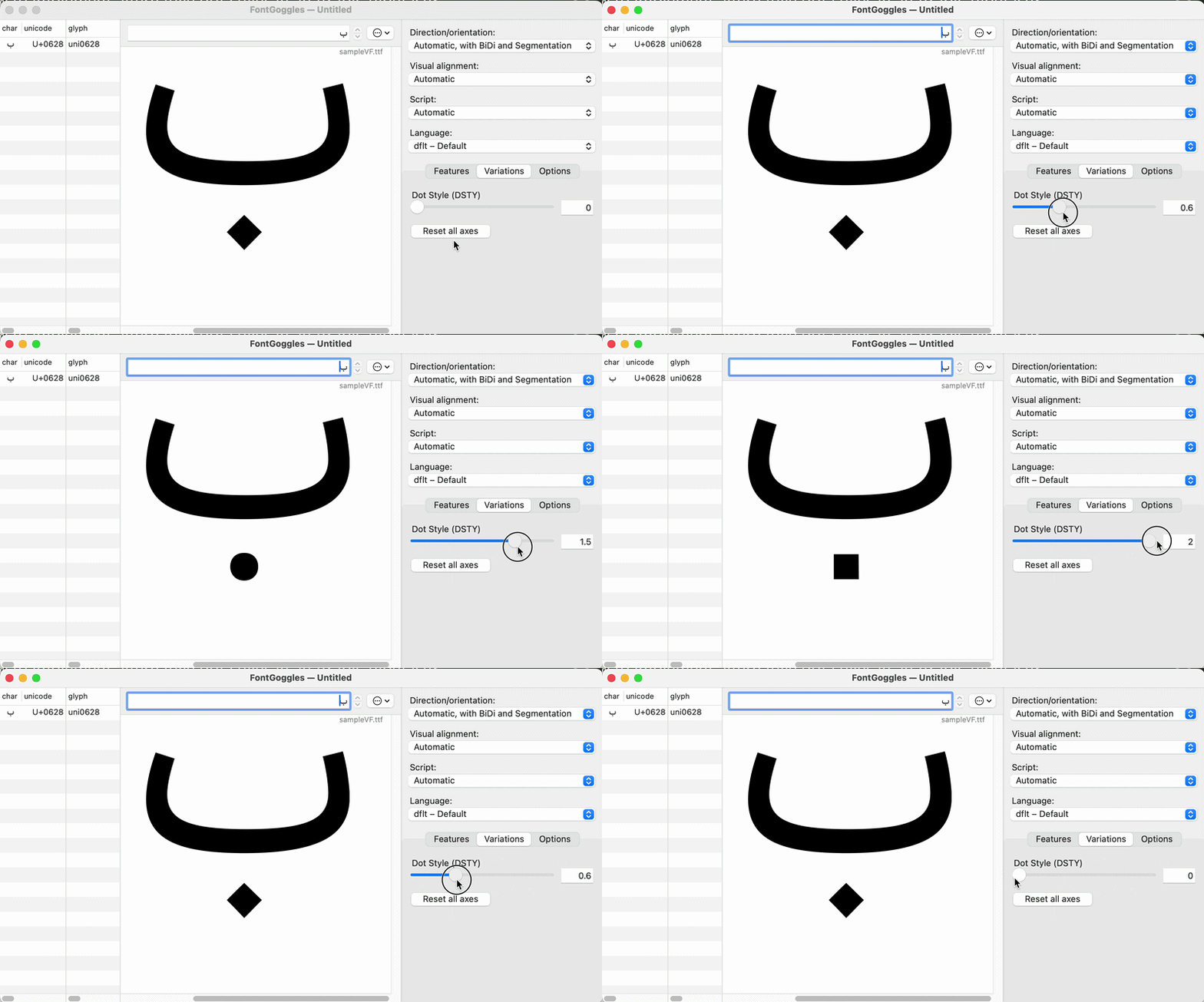
the font output with this source:
sample.glyphs (37.8 KB)
and above edited avar table is like this:
(i edited this reply several times)