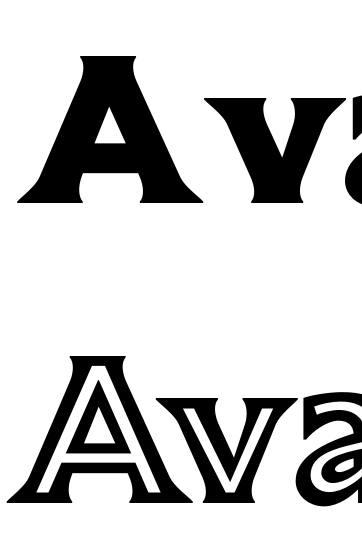
I used the Rename Glyphs feature for one of my font style exports. It replaces glyphname with glyphname.ss01 and the outlines export successfully. However all the kerning is removed.
I have the same values set for both glyphname-glyphname kerning pairs and ss01-ss01 kerning pairs. The kerning of ss01 is set to the same kerning group as glyphname kerning group (eg. kerning for A and A.ss01 is both set to “A”)
Still, when exported, the kerning is not visible in apps like FontGoggles and Indesign for only the font style where I used Rename Glyphs feature.
Did I miss something in the settings?
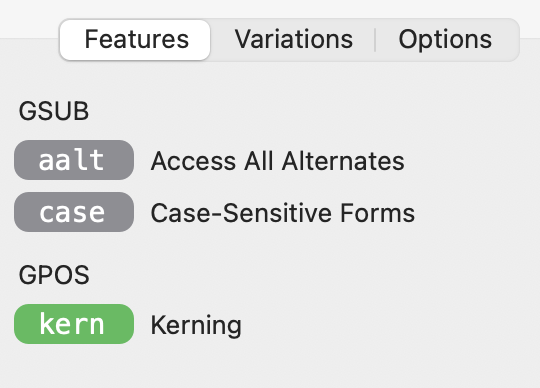
I tried to add Keep Kerning In One Lookup feature, but it hasn’t added the kerning either.
Here is how it looks in FontGoggles:
Kerning table in Glyphs:


The kerning is attached to the glyph, not the name. If you change the name, the kerning stays with the glyph.
- you need to add the same kerning for the A.ss01.
- But why do you have kerning between the A and the @v group. You should have have kerning between @A and @v.
I had this set for kerning, what was the reason that no kerning was exported with the font?
Right. No. That shouldn’t prevent kerning.
Could you send me the file for testing? (E.g. in a privat message)
There are two problems:
The “v.ss01” has the kerning group “v”. That means the pair “A.ss01”+“@v.ss01” is not applied.
And all those pairs with “A” and “A.ss01” should actually be with “@A”. You can fix most of it by running the “Compress” command in the Kerning Panel (lover right). You need to run it twice to get all combinations.