I have a really specific Ancient Greek related request. I want my Greek fonts to support some diacritics, which most fonts aren’t able to — macrons, breathings and stress accents at the same time, like textbooks do this — and I want to know if Glyphs lets me stack diacritics. Here’s an example:
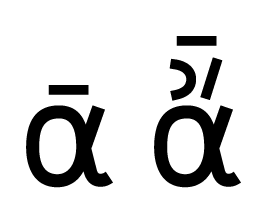
[1] ᾱ this Alpha has a line/macron over it
[2] ἄ this Alpha has two accents (lenis and acute) over it
[3] ᾱ́̓, ᾱ̓́ but combining all three looks like a mess in most fonts ✘
If I design a glyph with all three accents neatly in order, how can I define the combination of these diacritics to produce the glyph?
I tried: File › Font Info › Ligatures, and then something like
sub a b c d by new-glyph;
but this didn’t produce any results. Do you have any suggestions? Thanks!
That’s easily achieved in Glyphs and all done dynamically (i.e. without pre-composing them in the font when the anchors are correctly placed. Have a look at the diacritics tutorial and also this sample file. Greek mark test.glyphs (2.1 KB)
This font achieves the effect you want (tested in InDesign).
Hey Toshi, thank you so much for your detailled answer! I tried this for quite some time, but I’m still unable to reproduce what you did. I’ll show you with some illustrations.
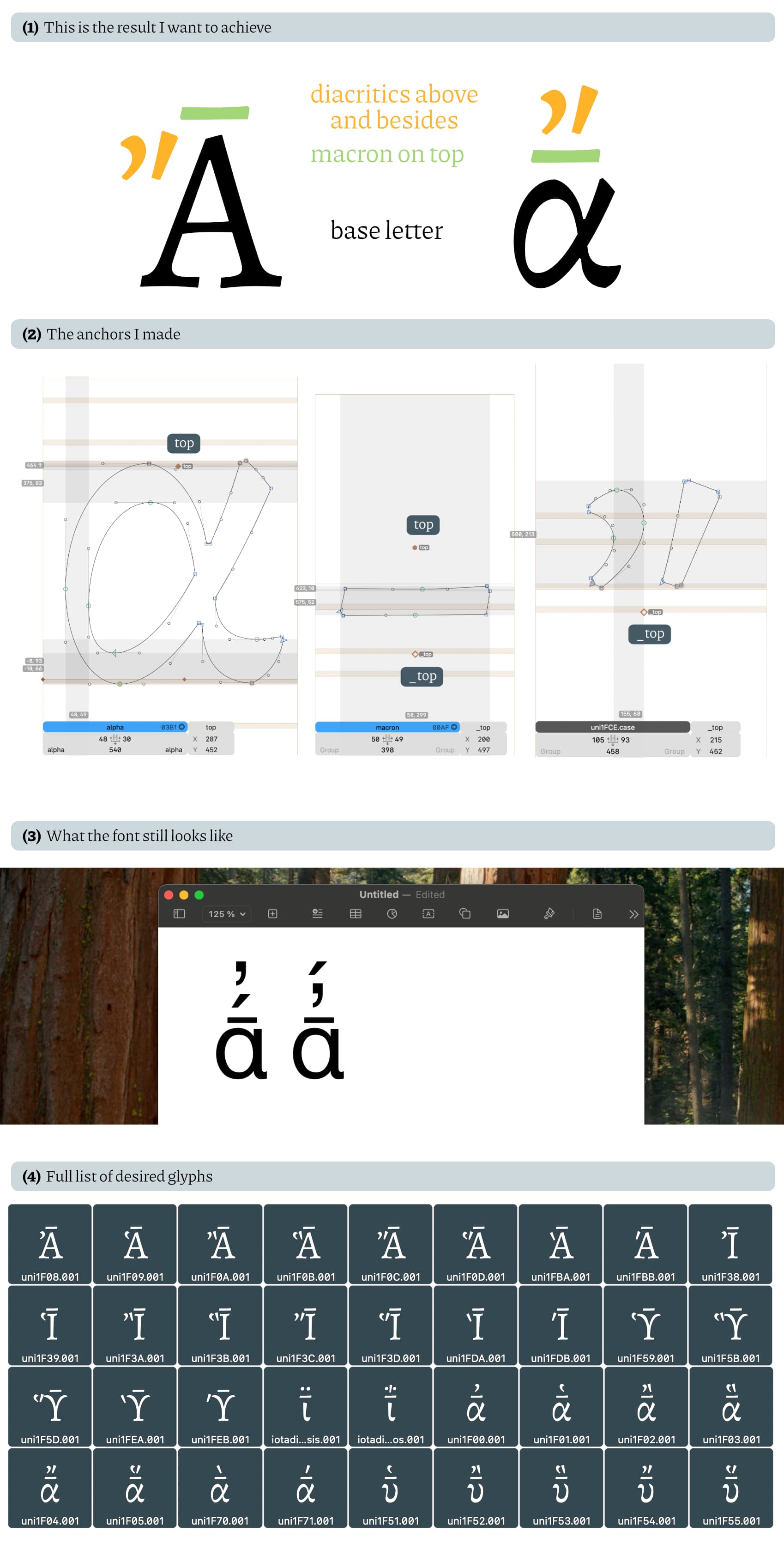
(1) This is the result I want to achieve. Ideally I want to be able to even fix this order in existing Greek fonts, which look great, but don’t stack accents correctly. The macron should be on top of the letter (sometimes thus forming its own Unicode character!) and the accents on top of that (with minuscles) and besides (with majuscles) — the standard way they would usually go.
(2) To do this, I created these anchor points. I highlighted the respective top and _top anchors I made. I added them to all diacritics and all macron/breve accents like in the picture.
(3) But still — in the text preview, as well as in an exported font, the text looks like this. It doesn’t even recognize the font a such, and the accents are stacked randomly. I also wonder at this point if the order of input plays a role here: do I have to also keep in mind that alpha + macron + acut + lenis produces another sign than alpha + macron + lenis + acut? I would love to hear your comment on this.
(4) Here’s a full list of what I would love the characters to look. Here I made custom glyphs on a preexisting font.
Ah you want to insert anchor in between the precomposed ones; that involves a bit of manual coding, but still requires no extra glyphs!
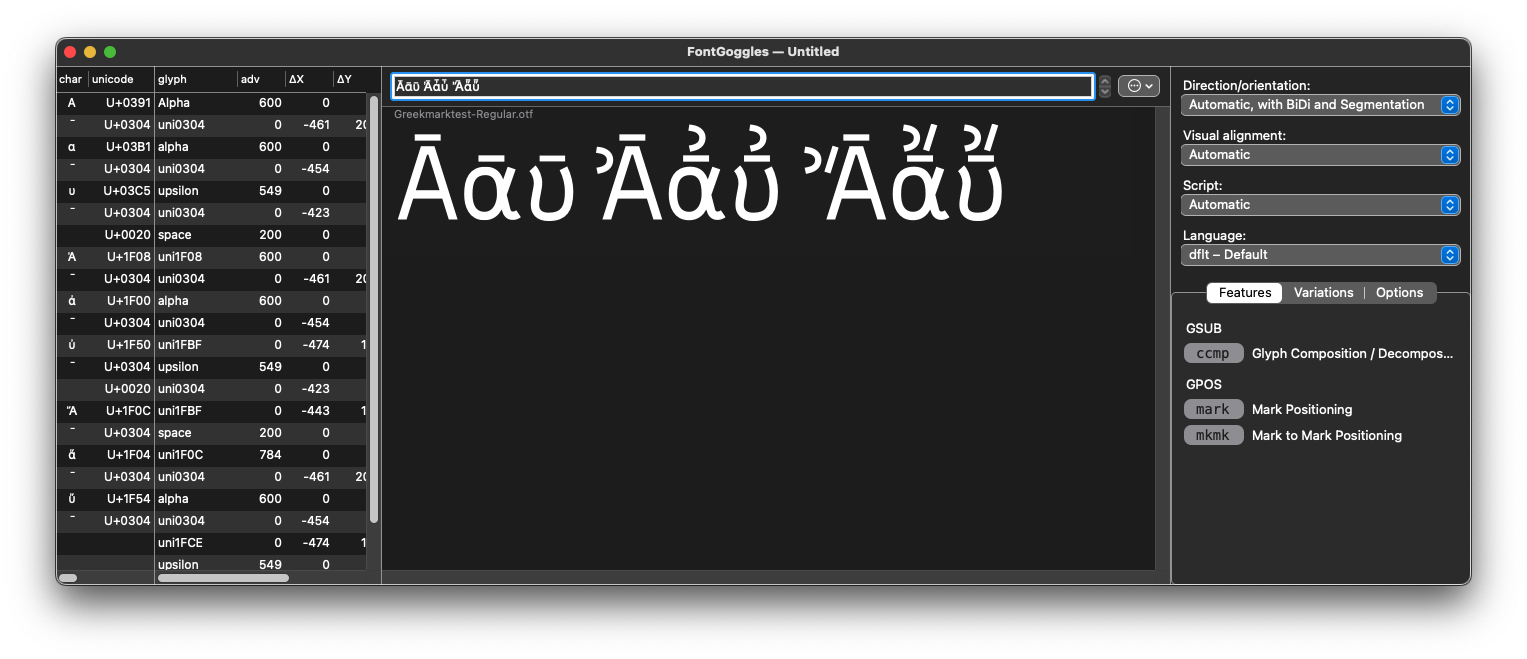
Before explaining the coding, I need to mention that Glyphs’s Edit view does not replicate diacritic positioning on purpose. You always need to test the effect in external applications. I suggest FontGoggles as it requires no installation but lets you test these things quickly. New font not being recognised is a separate issue. Again, if you want to focus on the font’s behaviour, I suggest using FontGoggles.
My strategy is to avoid adding combined glyphs at all, and doing it only in OpenType features. I added ccmp feature in which you are supposed to do this kind of substitution. The first step is to detach alphapsilioxia to alpha and psilioxia in the first lookup, and reorder the latter with macron. For this second part, I pre-declare the lookup that I want to use in the lookups prefixes (this is where I define the substitutions I want to use later but not immediately).
Finer points:
Greek diacritics like psili and psilioxia are considered spaced marks by default (possibly with capital behaviour in mind), and I needed to mark them as non-spacing.
I made a separate .case version of the diacritics so that they wouldn’t have top anchors and Alpha’s top anchor would be inherited in the composed glyphs instead (in your example of modified Arno, the combined letters are all using outlines, so that’s a different story)