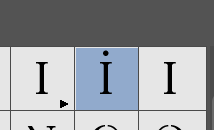
Just finishing up a custom font for a client. It’s a unicase font. I and i looks the same. When they type ‘i’ in indesign, the ‘alt’ interface below the glyph shows an idotaccent(Unicode 0069) as an alternate. They’re not tech savvy and a little confused about it. Is there any way I can remove this from the overview?
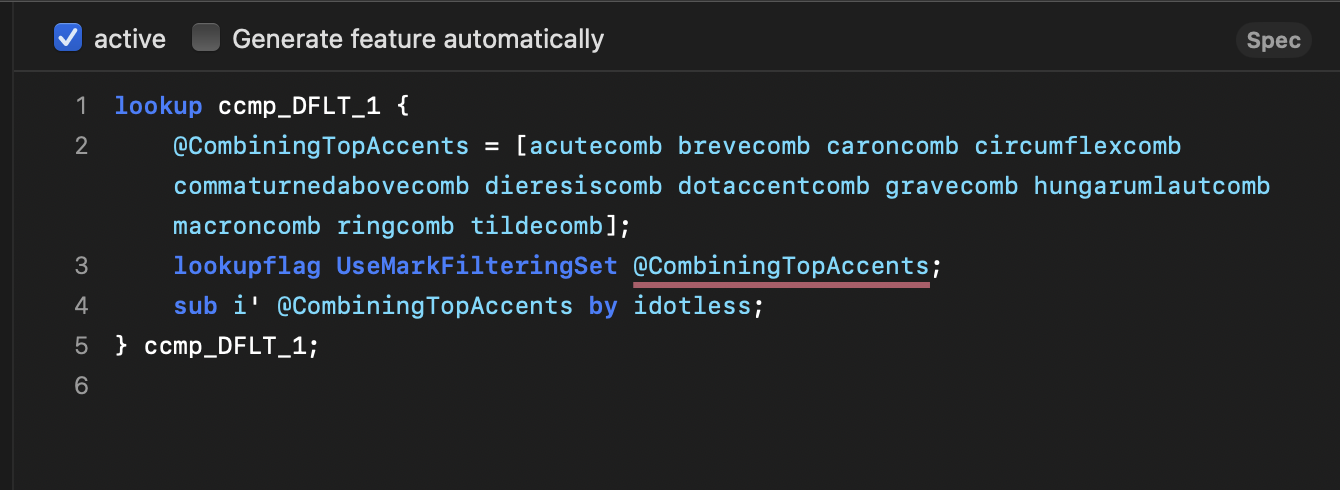
I’m not sure we’re talking about the same thing. I suspect this is a ccmp question.
In the middle here we see 0069, latin small letter i. The engine assembles it as what I’d imagine is i and dot accent.
See the all-cap tutorial: you need to add the i, idotless and idotaccent (and automate and update the feature code), so the font is compatible with Turk languages.
AFAIK InDesign populates the palette with glyphs that can be reached through features listed in aalt. I suspect it is the locl feature (i to idotaccent).
You can cancel I/idotaccent in your font but then you will not be able to typeset Turkish with it. Ask your client if they really want a broken font just so that the palette shows a dot less.
Rainer, you’d be surprised what clients truly want sometimes… JK.
No, I just needed to fully understand so I can present the crux of the matter to my client. Originally I hadn’t set it up as in the all-cap tutorial, which I did quickly now, and for a brief moment, there was a solution, but yes, I realised that we need it for Turkish etc.
And I got what I wanted, to be able to tell my client that adobe is an antiquated piece of software. Would figma do the same though?