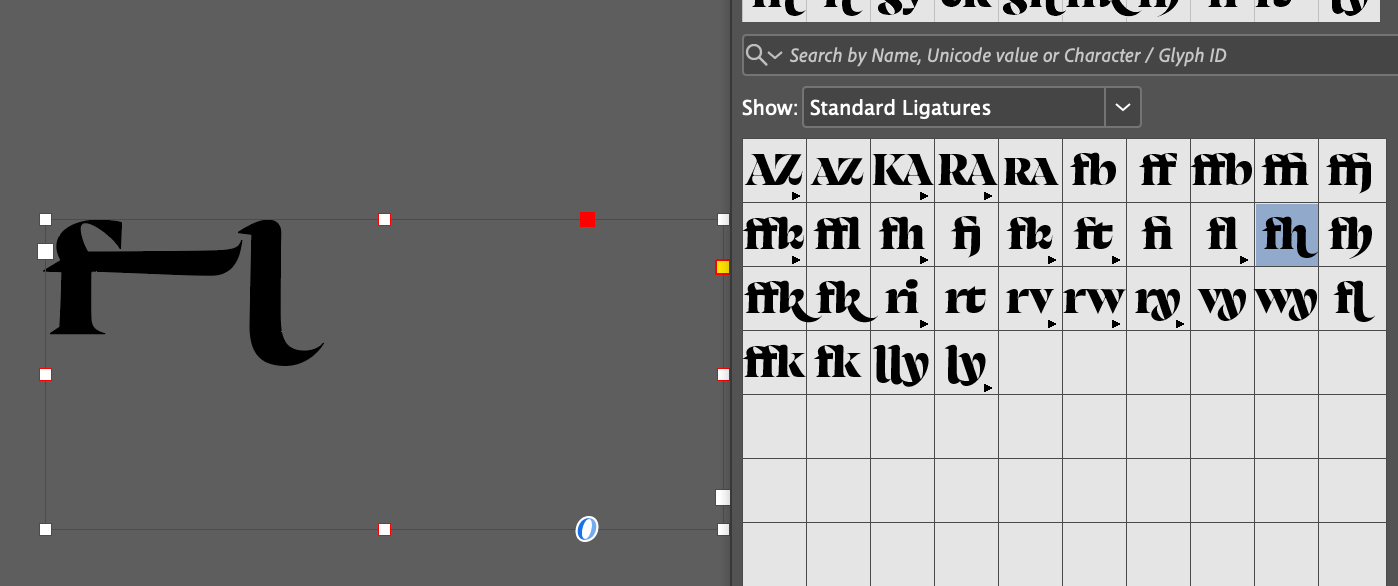
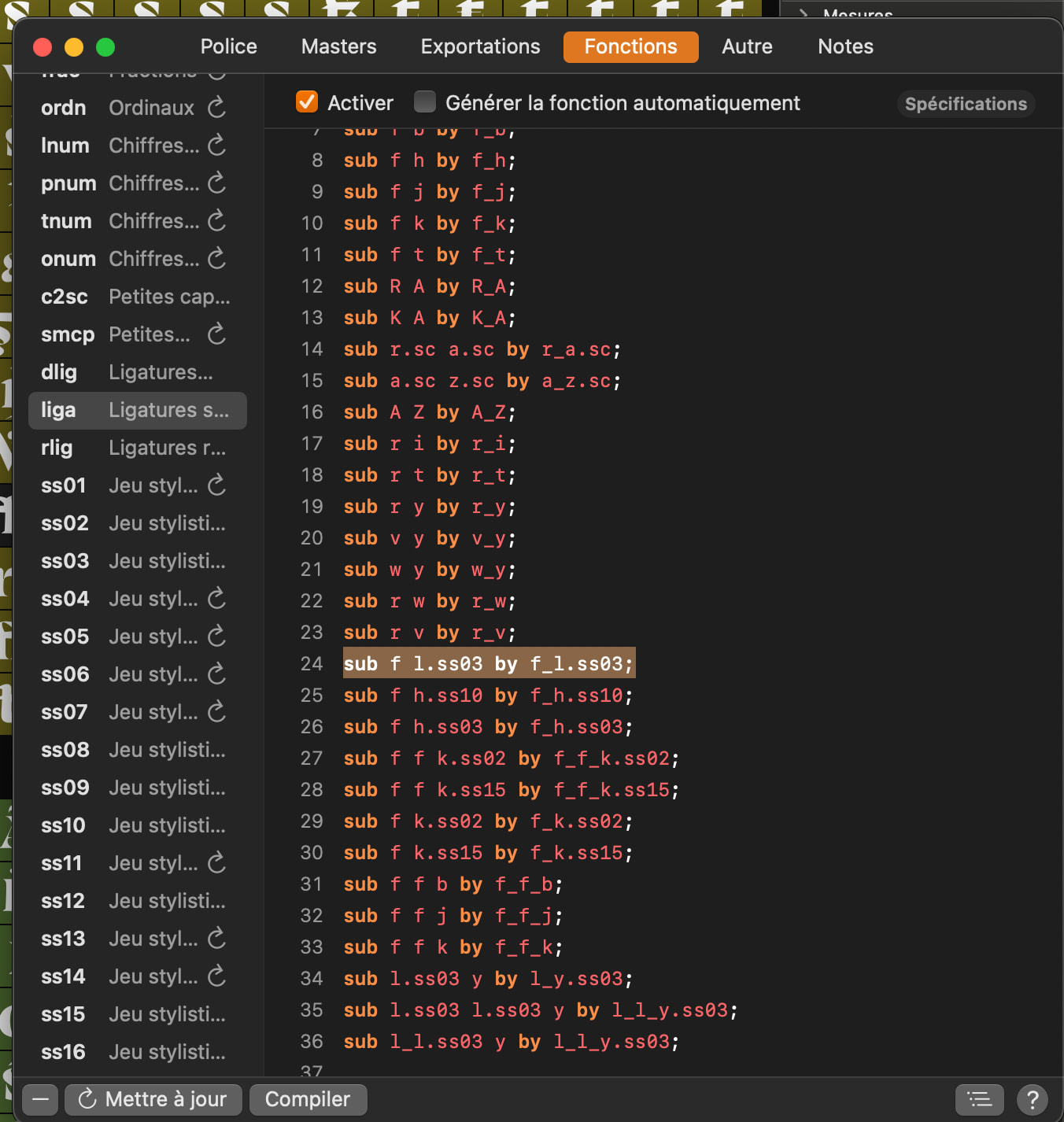
Hi everyone, I realized that once in InDesign, if I try to select my fi.ss03 ligature in the Glyph panel, it automatically replaces it with f.ss08.Note that if I delete f.ss08, it then replaces the ligature with F+l.ss03.
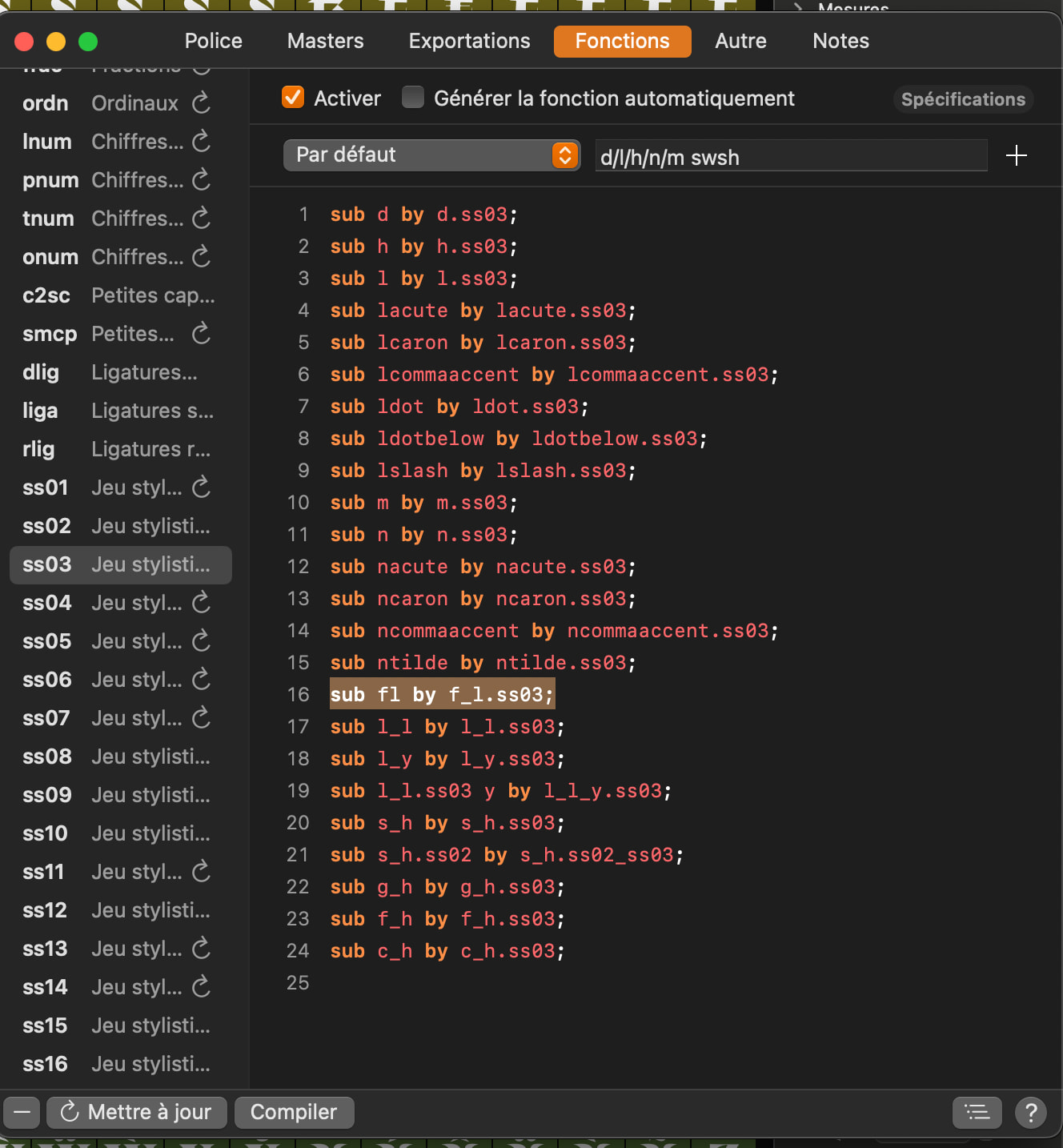
It only happens with fl.ss03 and not with f_h.ss03, for example. I tried renaming it f_l.ss03 just to make sure, and the result was the same :x
Thank you for your response. Unfortunately, it doesn’t change anything. I tried going through /Library/Application Support/Adobe/Fonts/, but the issue persists. I also tried clearing the InDesign cache and the Mac cache, same result.
I tested it on a friend’s Mac that didn’t have an older version of the font installed, and the problem still occurs.
It seems more like an OpenType issue, but I dont see it
Well it seems to work on illustrator from the glyphset panel. And for Gauntlet and FontGoggles, since I’m not familiar with it, I couldn’t find any glyph panel, so I can’t test if it works.
I can of course enable the OpenType features .ss03 to make the alternate ligature work on every software. But I mainly wanted to test it through the glyph panel for users who go that route rather than using the OpenType features
When you insert a glyph from the glyph panel, InDesign tries to recreate the OpenType features necessary for accessing the glyph. I assume you could optimize the order of features and you’ll have a different, hopefully better, outcome.