Note: I’m not sure whether this is a bug or intended behavior, but I suspect it might be a bug.
Summary of the Issue
When a layer contains both a segment component and a smart component (with multiple paths), the output generated by Glyphs—such as the OTF export or the completeBezierPath provided when using interpolatedFont—does not match the expected shape.
This issue does not seem to occur when the smart component consists of a single path together with the segment component.
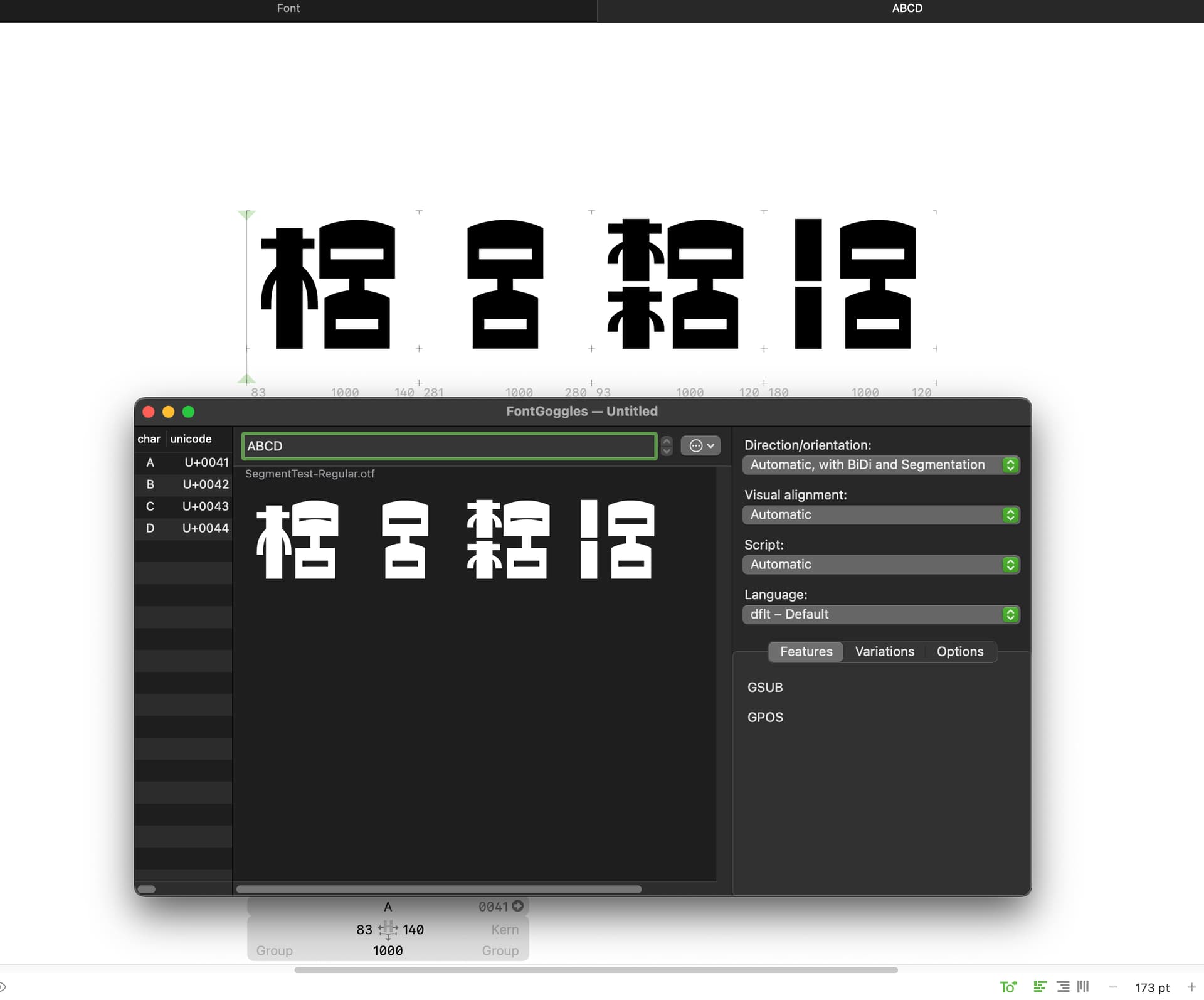
The attached image allows you to compare both the Glyphs Edit View and the shape after exporting to OTF. You can see that only the layer containing a segment component together with a multi-path smart component produces a different shape after OTF export.
I’m a new user, so I cannot upload the Glyphs file here. However, if needed, I can send the file via email.
Thank you