That is a HUGE positive!!! and a timesaver.
It took me a day to see what you are doing. I still have much to learn about a useful process to save time overall. Do you have a video of the working process I can download? The manual is OK, but I need to see it in motion. Also, perhaps assign a ballpark set of defaults on the sliders that are a good starting point. When I move the sliders, I often don’t see an effect.
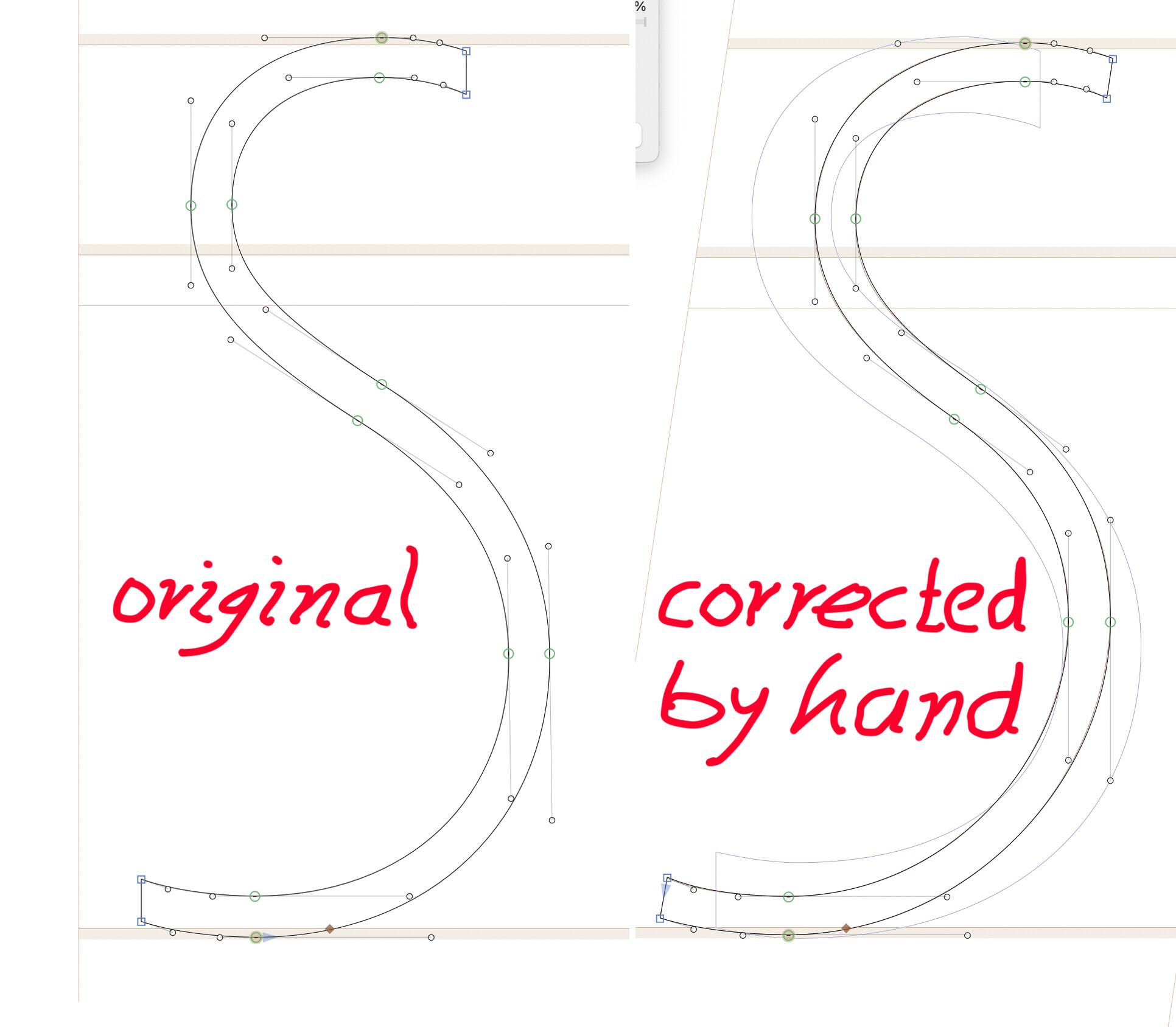
The biggest problem is with an “S” glyph. I can’t find a setting that works well enough. The best results are with diagonals, but they still need intervention afterwards.
Your manual shows all outlines in typical separate pieces, as one does in the design process. I find better results for your tool after I combine and remove overlap, otherwise, joins miss or pieces protrude beyond the bounds of the stems. Terminals are better then as well.
I notice that the Extremma tools leave out several that should be in there.
You mention “Groups” but how do I define them for your tool?
I haven’t recorded videos yet, no. I don’t have the time at the moment, but it’s on my list.
What problems do you have with the S? I assume you’re struggling with the inflection points not being transformed nicely? This is an extremely tricky case. Please show me your outline – ideally, leave out the inflection points, if you can.
I describe cases where outlines should be merged, for instance the smooth shoulder of an n with the stem. What other cases are you encountering?
You can define a group with th Groups palette. Select some glyphs, click “New Group” in the group name drop-down and create a group.
I did not save the bad ones. I just did an “undo” with every failure. I can show you the upright I originated with and my own corrections done the old-fashioned way, if that will help?
Yes, please. The upright ones that produce unwanted results would help a lot.
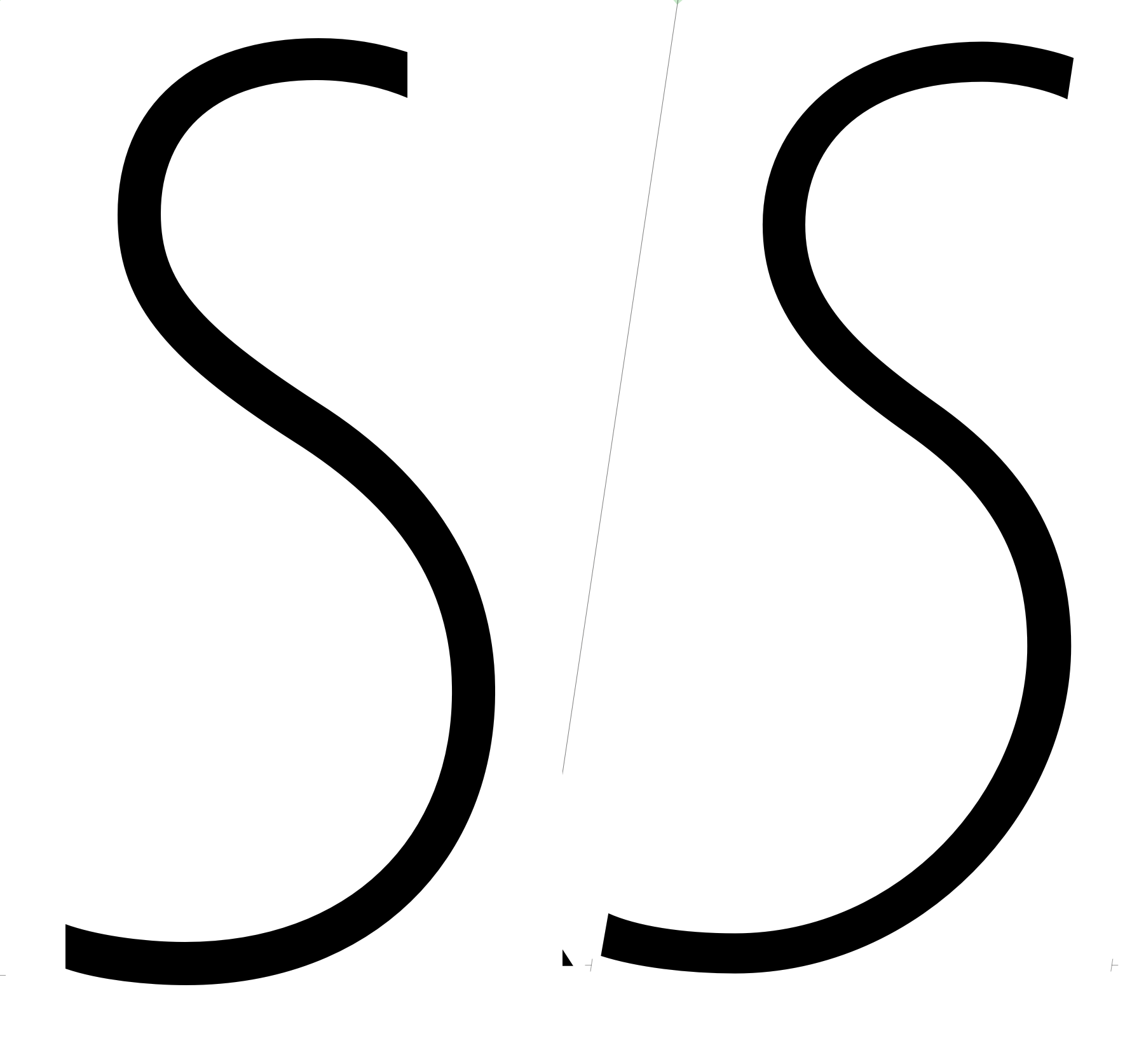
I can’t tell what the Italify result would be. Can you send me just that outline? Maybe as an otherwise empty Glyphs file (in a private message)?
sure
sent
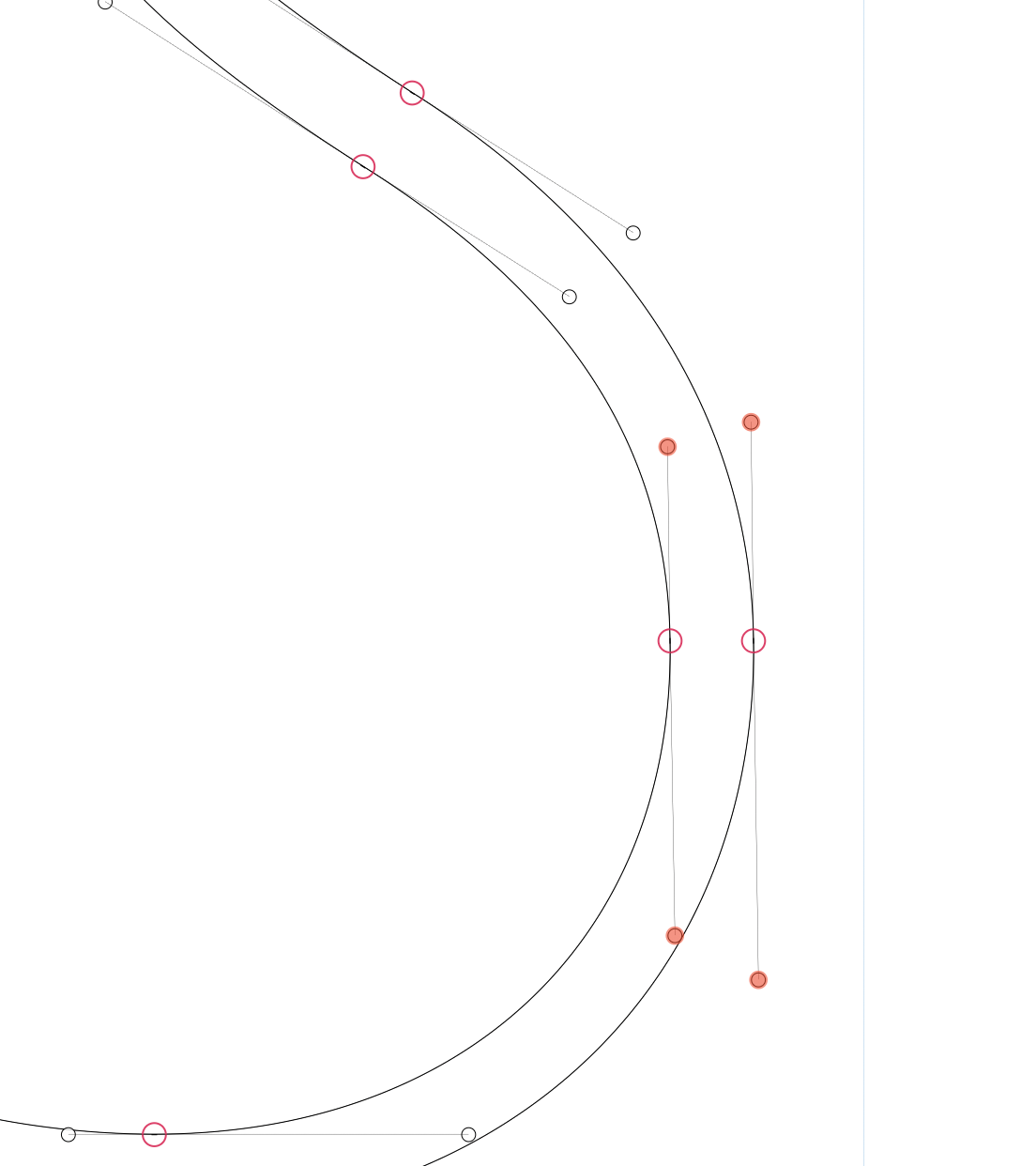
Thanks. As suspected, the issue is in the path. Please always check your outlines with the Show Angled Handles plugin active.
Your nodes are not quite on the extremes:
1 Like
I will look into that. I assume it is part of some package?
So one unit did that much damage?
Search for Show Angled Handles in the plugin manager. The plugin is called Show Angled Handles.
It’s not on the extreme, so yes. I’m working on a possibility to allow for this construction as well, but it’s a lot trickier than you might think.
I found the plug-in and installed it.
It is way too easy to bump a handle one unit by accident. I always use the Shift key when dragging the handle down. It must have happened afterwards.
Just always have the plugin active. Since you seemed to be keen on having nodes on extremes anyway 
The plugin is visually annoying when you don’t draw correct paths, but becomes invisible when you draw correct paths, so I would recommend always having it active 
I gather you are not a nodes on extremma guy Why is that?
There is this thread on TypeDrawers. Warning: very strenuous to read. That’s all I’ll say 
1 Like
I know those guys, I get it
It used to be that TypeDrawers required actual names, not handles, to be able to post. I have been a founding member since Typophile died and James got it started.
I just re-read the thread. As usual, John Hudson had the most valuable explanation, as well as Thomas Phiney. Most of my technical information was derived from those two over beers at Typecon in the early 2000s. I am an old geezer at 82 and a visual person rather than a techie.
I still don’t know the final answer on Extremma, now less than ever