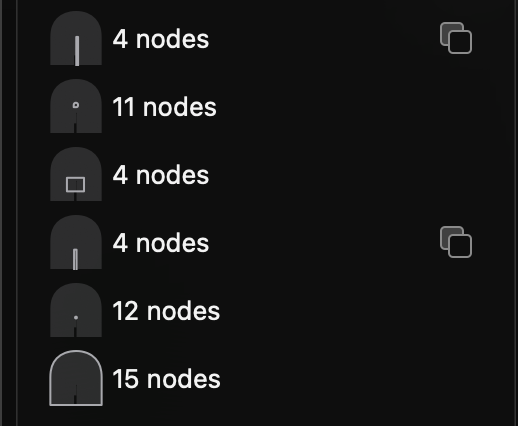
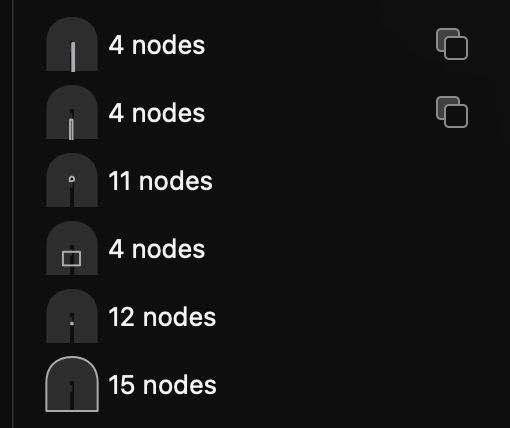
It appears that objects set as masks are not honoured when opening a Glyphs 3 file
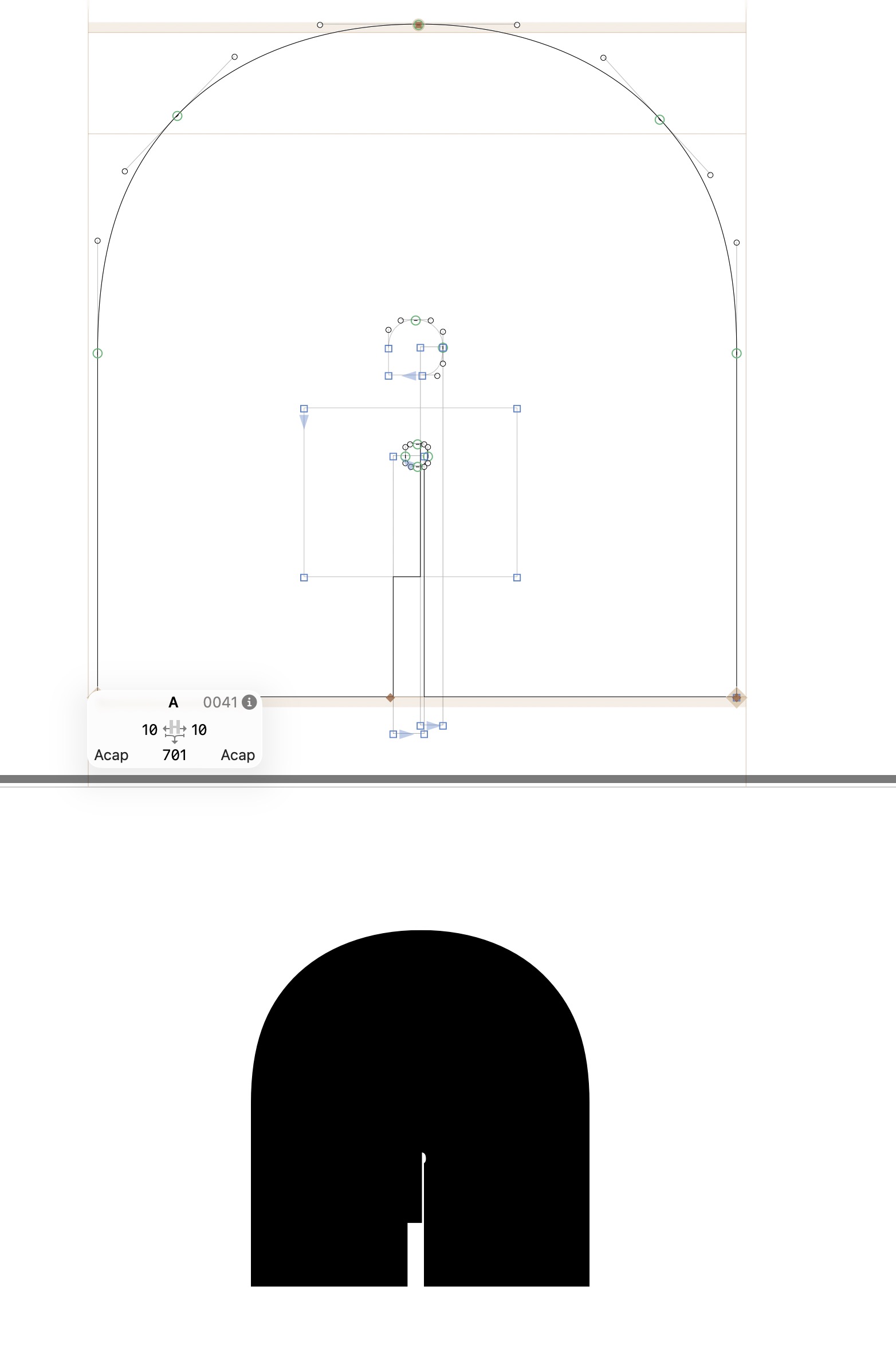
in Glyphs 4. See comparisons attached.
It appears that objects set as masks are not honoured when opening a Glyphs 3 file
in Glyphs 4. See comparisons attached.
Also, the colour fills have disappeared. Not sure how to turn these on again.
Could you send me the file in a private message?
Thanks, Florian – done
This is toggled with View > Show Master Compatibility.
Hi Florian – any news on this? Have gone back to Glyphs 3 to edit this font meanwhile.
Still working on this, I’ll report back when I know more.
Thanks, Florian
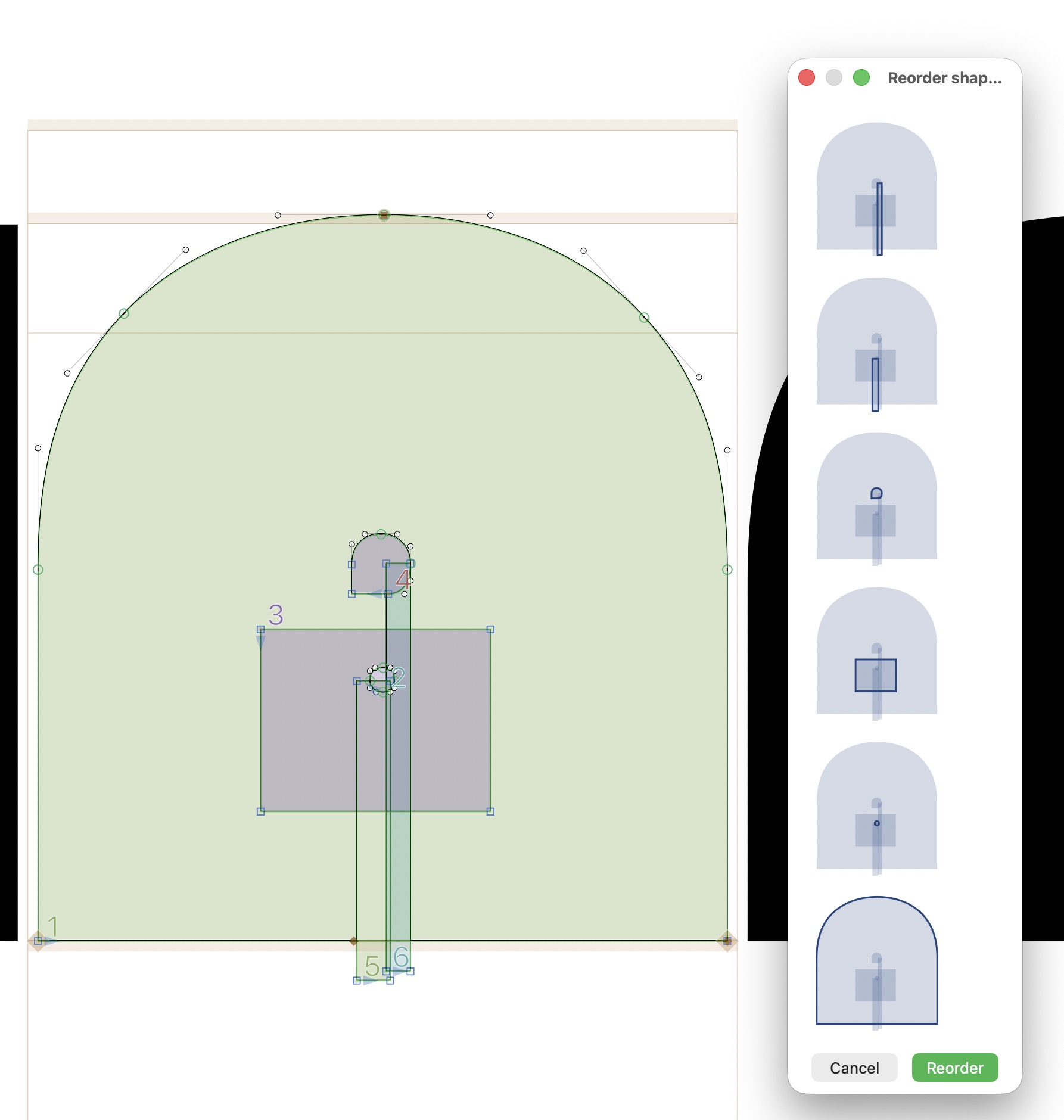
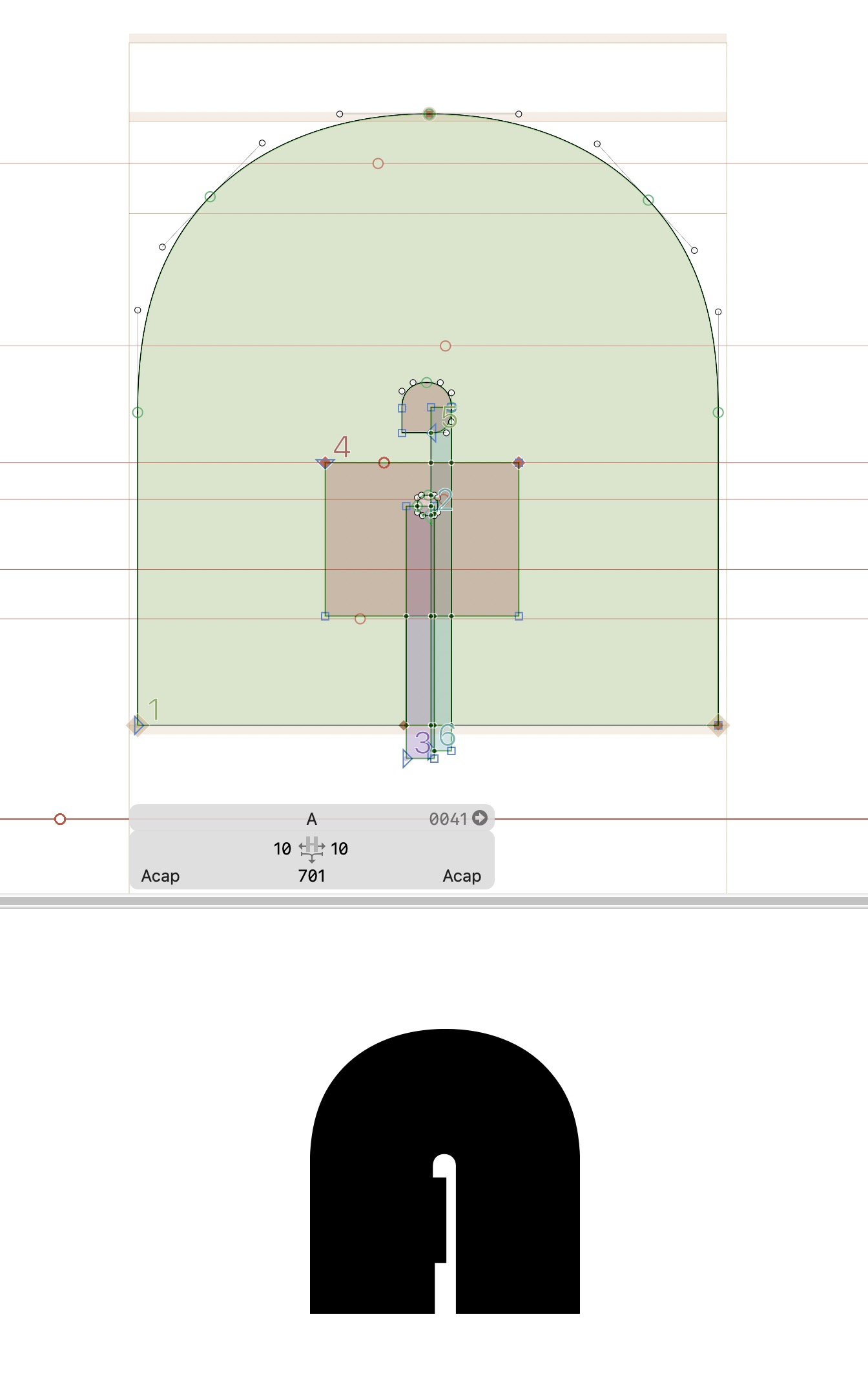
The shape/path compositing in Glyphs 4 got more flexible, including masks, but that causes some edge cases to be processed differently in Glyphs 4 than they were in Glyphs 3. For your file, there are mask shapes in between paths with interferes with the compositing of paths of different path directions. You can see this in Glyphs 4 when using the Shapes sidebar:
The existing setup with a mask shape between the paths:
A working setup with the masks atop the path shapes:
This setup works in Glyphs 4 and in Glyphs 3.
In Glyphs 3, masks cut all shapes below them. For more flexibility and compatibility with export formats like SVG and COLR fonts, Glyphs 4 applies a mask to just the shape immediately below them, or, for paths, the collection of paths immediately below the mask (since paths act like subpaths of a composite path, allowing for inverse path direction to subtract from the composite path). However, a mask in between paths interrupts this composition and thus yields two separate paths. That is why moving the mask up to the other mask applies both of them to all paths and fixes the issue.
I tried fitting the Glyphs 3 masking model intro the new drawing code in Glyphs 4, but in cases like your file I could not find a good solution. Maybe some idea will come to me and then edge cases like this can be handled better.
For now, I can automate the necessary changes if you send me the file (or I can process the file you send me a few days ago). If you want to do this manually, drag the mask shapes in the Shapes sidebar atop the paths. The result works in both Glyphs 3 and Glyphs 4.
Is this also related to my problems with masks in Glyphs 4?
No, that file setup is correct. We are still investigating what is causing the issue.
Thanks for letting me know.
Thanks, Florian. Unfortunately I’ve got used to layering objects and masks, so most of my fonts now look like this. I don’t us the Layers palette you show, I just cut and paste in position to move something to the top of the stack. Masks are useful as an alternate to opening up a stroke end – I simply place a block over the stroke end and adjust the cutoff that way.
Sadly, I’ll need to stick to Glyphs 3. 
Also, I would suspect that in your example the rearranged layers would not recreate the original, which has an object with a mask knocking out of it overlaid with another object (not a mask) which then has another mask knocking out of that. It’s actually a very useful non-destructive way to work.
That workflow continues to work. The special thing in this file is that there are base path shapes, on top of that a mask, then a path with inverse path direction, and then another mask. The inverse path direction is now separated from the path below by the mask in between.
If you copy paths with masks and then paste them elsewhere (resulting in masks being in between paths), that works. But this specific mix of a mask and then an inverse path that needs to interact with the path below the mask does not.
I’m not sure I entirely follow. Running “correct path directions” doesn’t fix it, so I’ve tried manually changing path directions, but I’m working in the dark and just making things worse – if I get one element to work, it alters another. It sounds like if there is a fix it’s complicated, and as there are many glyphs that use multiple masks in many of my fonts I’ll stick with Glyphs 3. Which is a shame.
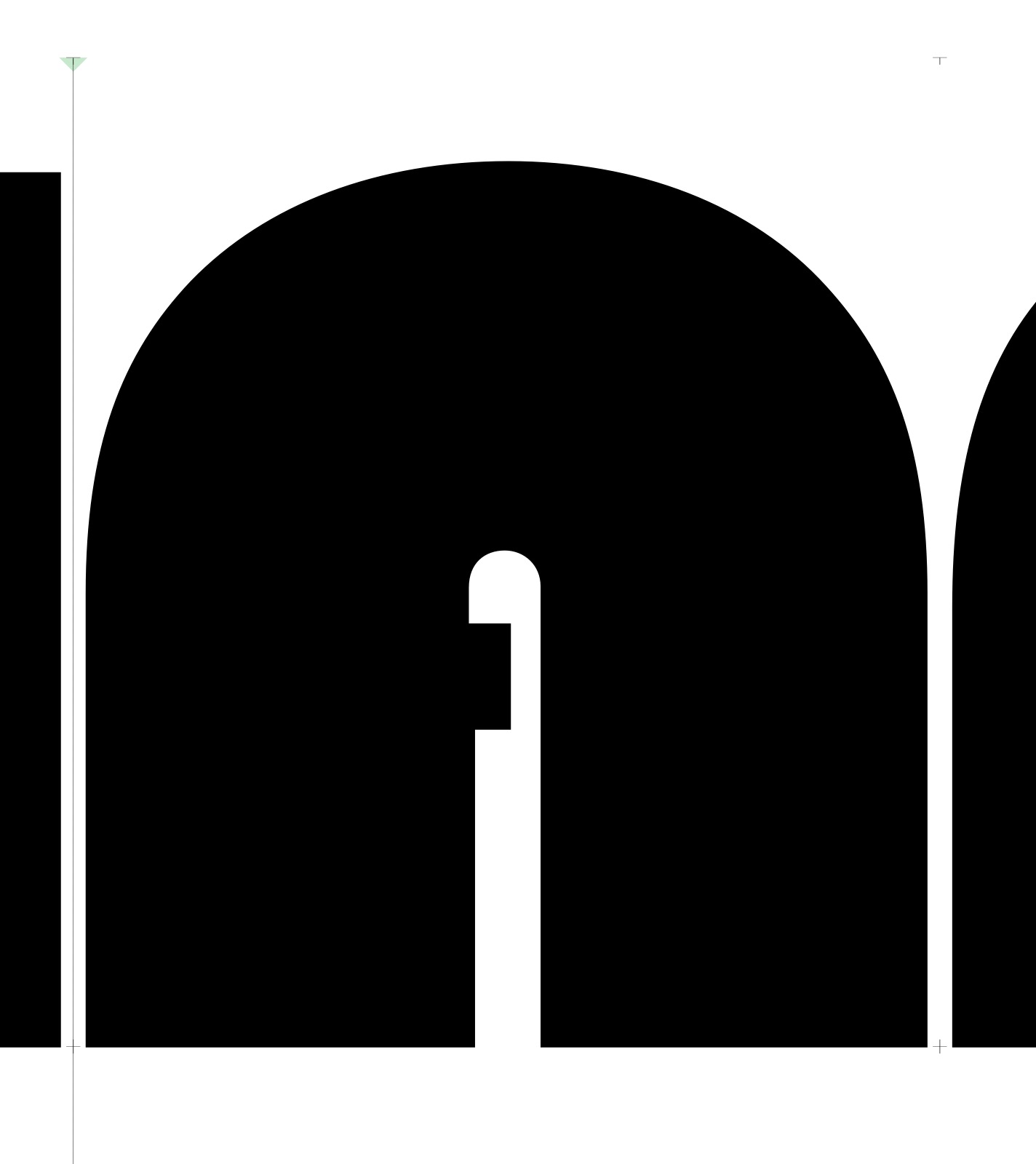
This is what I get with your path order suggestion – not correct, unfortunately. It’s too onerous to correct each glyph, and very easy to miss something. Ah well.
Not sure if this is relevant as I’ve not tested it, but in response to Sugarfree’s post I also put masks over placed components, and use components with masks in them that knock out the glyph – meaning sometimes there’s stacks of masks and objects combined with other stacks of masks and objects, all interacting. Yes, its complicated.