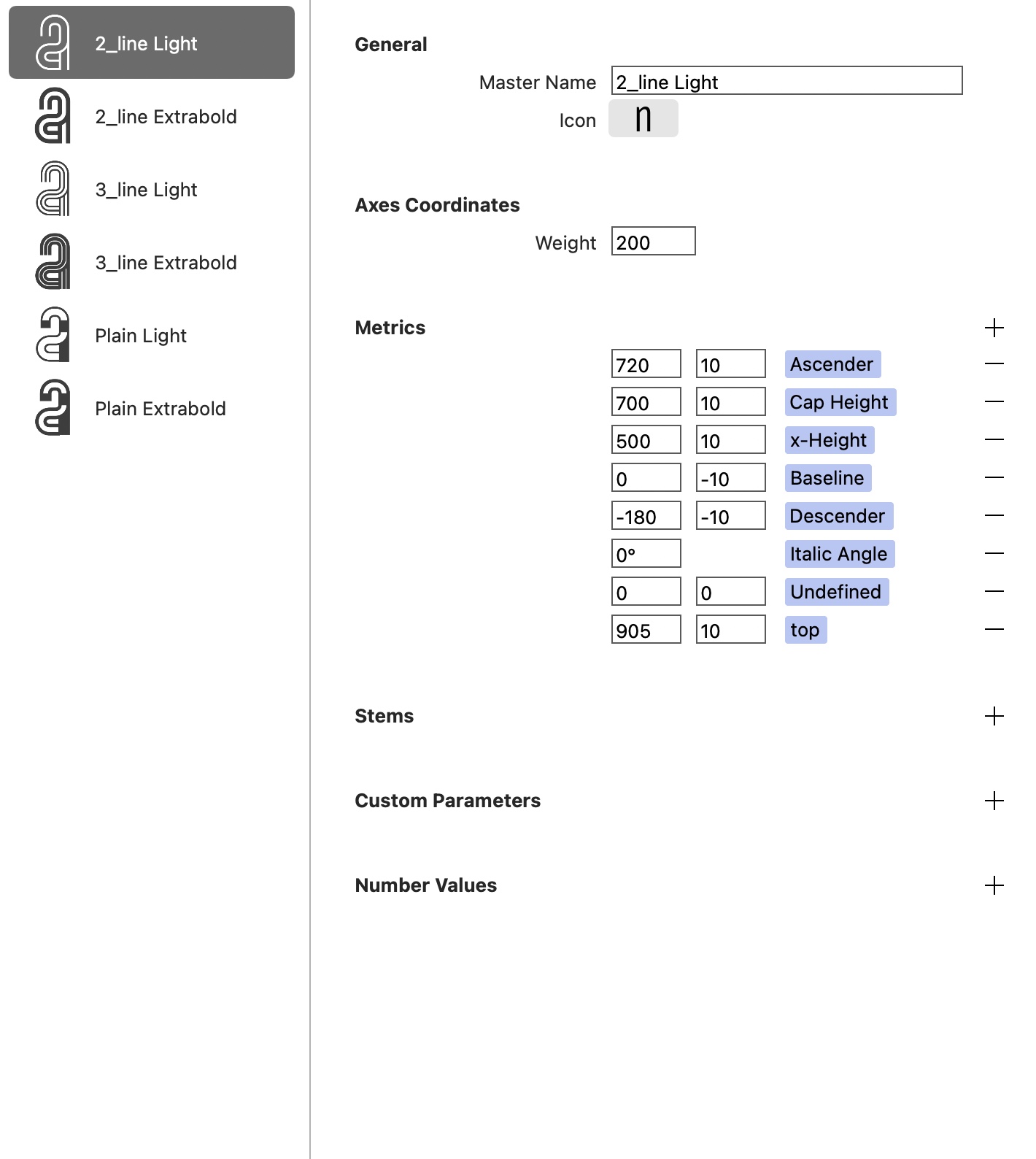
Regarding the screenshot below, I want to create multiple instance between each master i.e.
• 2_line: Light, Regular, Bold, Extrabold
• 3_line: Light, Regular, Bold, Extrabold
• Plain: Light, Regular, Bold, Extrabold
Master Name and Icon are different for each master.
I have 2 Weight Value:
Light = 200
Extrabold = 800
I understood that each Master should have its own and unique parameter value in order to create instance? In that case, which (custum?) parameters should I use? Which value would make sense?
Not sure I’m clear enough…
Additionnal question:
How to make sure the top and bottom mesure remains the same for all letters in each master? I used components with Stroke.
I installed Show Tops and Bottoms extension to check.
It seems like you have a few subfamilies like [Family Name] [Two Line] [Regular] where Two Line is a subfamily name.
I guess that in Font Info → Font → Axes, you need to add a custom axis like this:
Then, in Font Info → Masters, add the values to your new axis, like 2 (for all masters with two lines), 3 (for all masters with 3 lines), etc. The same for Instances.
Hello Roman, could I ask how you made the two or three internal lines? Was it a plugin or just old-fashioned hand-drawing the internal lines? I want to make a family with a variable number of lines, and any way to speed the process would be great.
Hello Pablo,
I only used components, so with the same design/structure I could create multiple styles.
I am finishing the font, there are some issues to resolve due to the components to export it correctly.
Best