We have a new command-line tool with which you can export Glyphs source files to OpenType fonts. This is what it looks like:
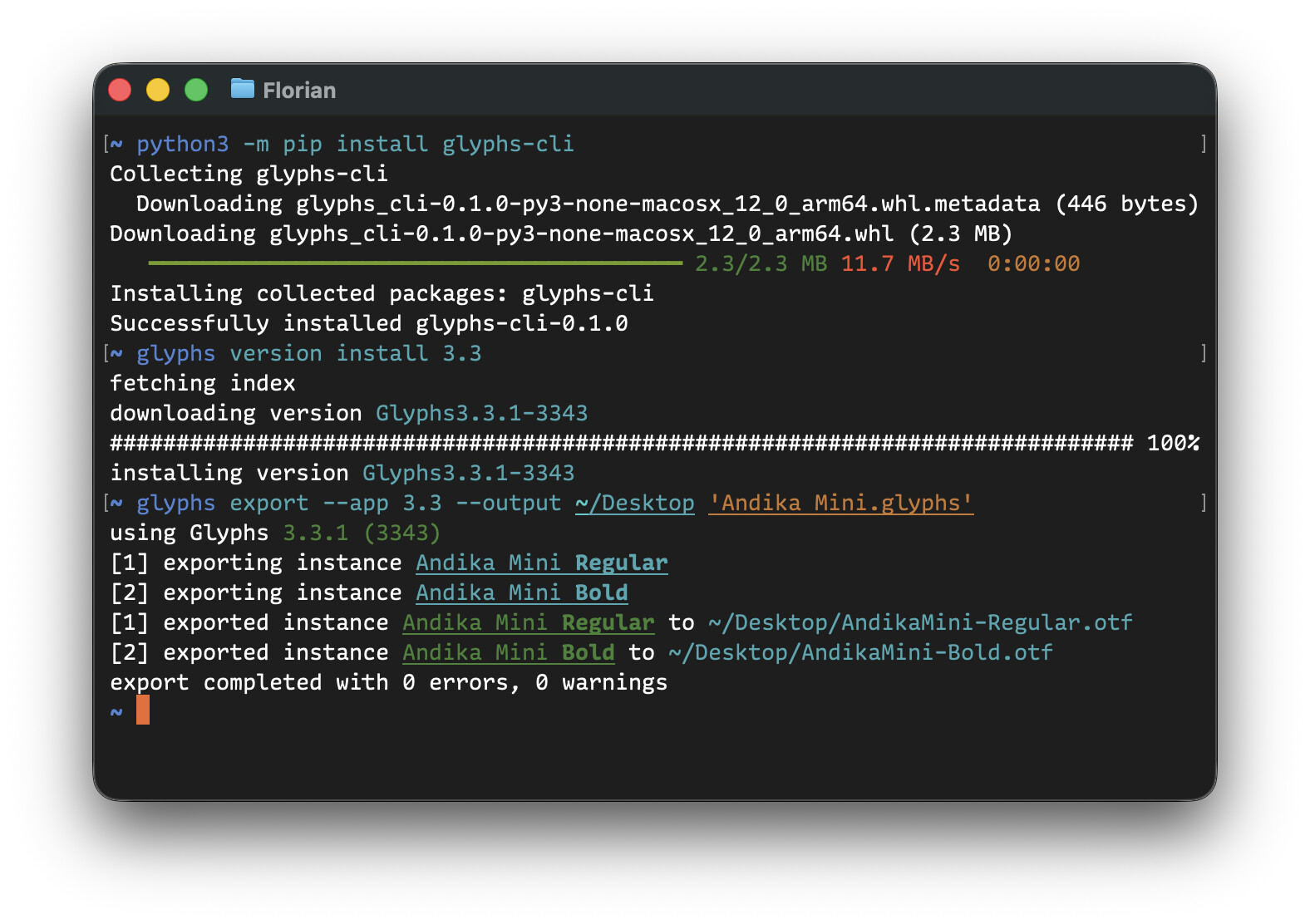
Install the tool with pip:
python3 -m pip install glyphs-cli
Once installed, you can use the glyphs command.
Exporting fonts
This command-line tool itself does not know how to export fonts. Instead, it uses the Glyphs app installed on your Mac. That way, the results are the same whether exporting from the Glyphs app or from the command-line tool.
# export using latest Glyphs 3 version that is installed on the Mac
glyphs export --app 3 SomeFont.glyphs
(The Glyphs app does not need to be running and is not opened when using this command.)
Further, the tool can select any other Glyphs version. If you have multiple Glyphs app versions installed, you can choose among them.
# export using a specific version
glyphs export --app 3.4 SomeFont.glyphs
# export using a specific build number
glyphs export --app 3432 SomeFont.glyphs
# export using a specific app
glyphs export --app '/Applications/Glyphs 3.app' SomeFont.glyphs
This allows you to edit files with one Glyphs version and use the tool to export the files using another Glyphs version. That can be useful in a team where different people might use different Glyphs app versions but you still want everyone to export using the exact same version.
When no --app option is given, the tool uses the Glyphs version with which the file was last saved:
$ glyphs export SomeFont.glyphs
using Glyphs 3.5 (3512)
...
Use the --format option to choose between PostScript/CFF-style (cff, default), and TrueType-style (tt) OpenType fonts:
# export .ttf files
glyphs export --app 3 --format tt SomeFont.glyphs
Use the --output option to export to a specific directory instead of the current directory:
# export font files to the Desktop
glyphs export --app 3 --output ~/Desktop SomeFont.glyphs
GitHub Actions sample workflow
If you use GitHub to host your font project, you can use the following workflow to create font files for every commit you push. Adapt as needed:
name: Export Fonts

env:
  GLYPHS_BUILD: "3516"

on:
  push:
    branches: [ main ]
  pull_request:
    branches: [ main ]
  workflow_dispatch:

jobs:
  export:
    runs-on: macos-latest

    steps:
      - name: Checkout
        uses: actions/checkout@v4

      - name: Set up Python
        uses: actions/setup-python@v5
        with:
          python-version: '3.x'

      - name: Preparation
        run: mkdir Output

      - name: Install glyphs-cli
        run: pip install glyphs-cli

      - name: Install Glyphs version
        run: glyphs version install $GLYPHS_BUILD

      - name: Export
        run: glyphs export -a $GLYPHS_BUILD -o Output *.glyphs

      - name: Upload artifacts
        uses: actions/upload-artifact@v4
        with:
          name: export
          path: Output/
Managing Glyphs versions
Use the glyphs version family of commands to list, install, and uninstall Glyphs versions:
# show installed versions
glyphs version list
# show installed versions and downloadable versions
glyphs version list --remote

# download and install a specific version
glyphs version install 3432
# download and install the latest version matching a version number
glyphs version install 3.3

# uninstall a specific version
glyphs version uninstall 3432
# uninstall all versions matching a version number
glyphs version uninstall 3.3
These commands do not install full Glyphs apps. Instead, they install just the part of a Glyphs app that is required for the tool’s usage. Therefore, less storage space is used for each installed version. The glyphs tool manages these versions for you. When using glyphs version uninstall, only these managed versions are uninstalled, not the Glyphs apps you have installed manually.
If you want to install a full Glyphs app that you can also use outside the tool, pass the --app option when installing:
$ glyphs version install --app 3.3
fetching index
downloading version Glyphs3.3.1-3343
######################################################## 100%
installing application /Applications/Glyphs 3.3.1-3343.app
Learning more
Ask the tool for help with --help at the end of a command. It will output all possible arguments, options, and subcommands:
glyphs --help
glyphs export --help
glyphs version --help
glyphs version install --help
...
Next steps
When anything is unclear or could be explained better, feel free to ask here on the forum. This tool is still in an early phase so I am sure there is plenty to be improved. One thing that is currently missing: If you run plug-ins such as filters on export, those are currently not supported yet.
It works best with recent Glyphs versions (3.3, 3.4, 3.5) and less well with older versions.
Currently, it’s available using Python’s pip, but we also intend to provide a direct download and maybe other package managers as well.
Exporting is the main feature of the tool now, but we could think about also offering other Glyphs capabilities. Let us know what kind of glyphs ... subcommands would be valuable to your workflow.