After weeks of refining and early feedback, I’d like to introduce TypeSpan, a time tracking and workflow reporting plugin for Glyphs.
Install TypeSpan from the Plugin Manager, or click here to open Plugin Manager directly. Then enable it from View > Show TypeSpan.
Features
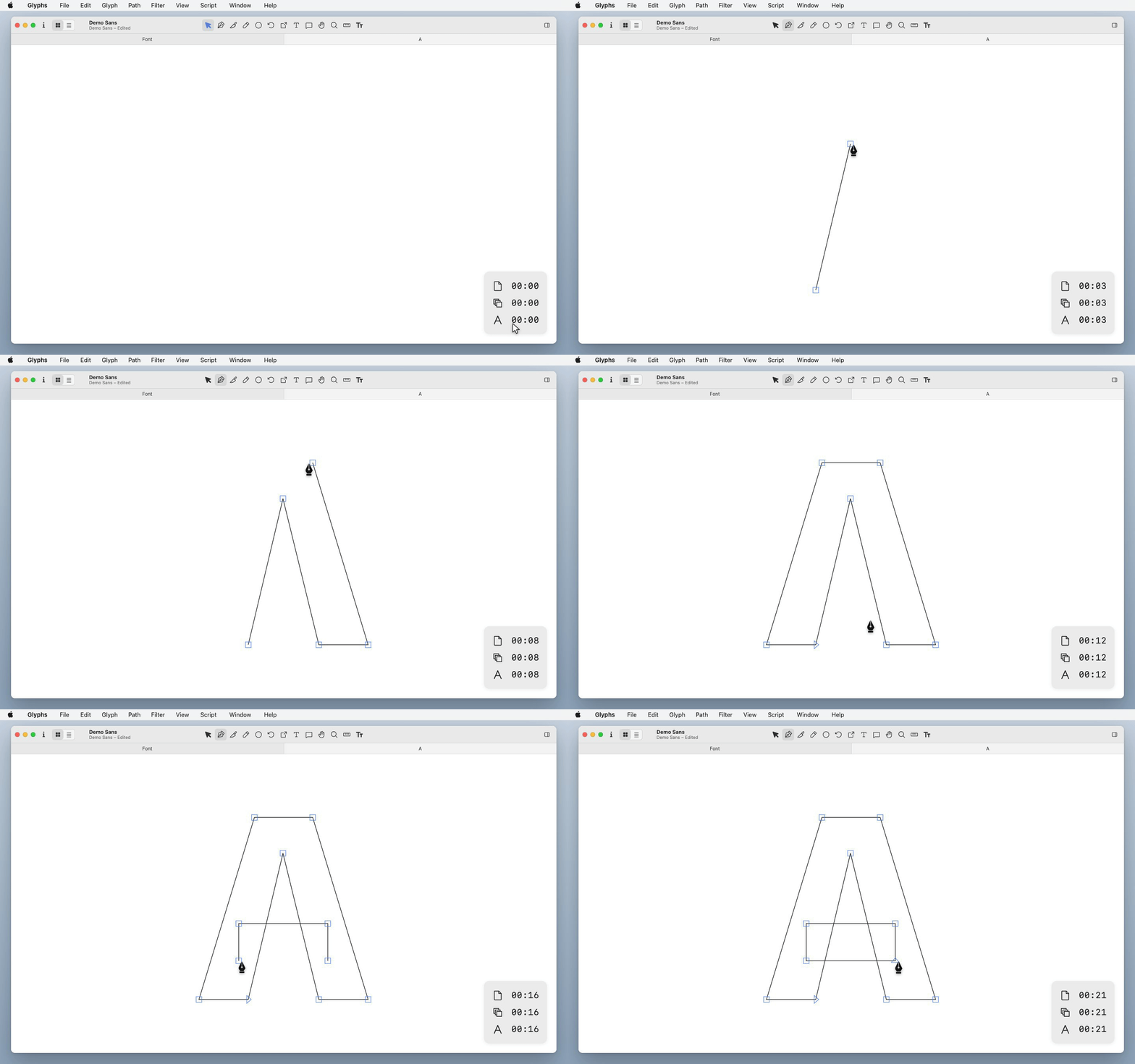
- Tracks your working time automatically in the background while you work
- A small timer in the Edit view shows current tracking data
- Pauses when you switch to another app or step away, and resumes when you come back
- Fully automatic. No buttons to press, no manual interaction needed
- Export a full report with an overview by glyph, master, and whole font
- Customize the timer position, size, and metrics from Window > TypeSpan Preferences
Use Cases
1. You do not know where your time went
You finish a font with a rough idea of what you worked on, but not which glyphs took longer than expected, or whether you spent too much time on one master. When you can see where your time actually went, you can make better decisions about what needs more attention and what does not.
2. Estimates are just guesses
You are halfway through a font project. How long did the first half really take? Which parts were more time-consuming? Without real numbers, estimating the rest is difficult.
3. One glyph pulls you in
It is easy to lose track of time on a single difficult glyph. The timer keeps you aware of how long you have been on it, without interrupting your focus.
4. No way to show your work
Clients or collaborators cannot see what you have been working on. TypeSpan lets you export a shareable web report, organized by glyph, master, and date, so you can show your progress clearly.
Privacy
- All tracking data is stored inside your
.glyphsfile. When exporting reports, only the tracking data needed for the report is used. - Your glyph outline data is never accessed or transmitted.
Demo Report
- Live playground: https://typespan.com/demo
See More
- Get Started: https://typespan.com/guide
- Website: https://typespan.com
Feedback and questions are welcome!