This question is not strictly speaking Glyphs App-relevant, but I thought I’d try my luck nonetheless:
I’ve got the 2024-version of Office for Mac (the one-off non-subscription version), but cannot for the life of me get any fonts outside of the default system fonts to show up in Word nor PowerPoint.
According to the www non-standard fonts should work in this version of Office, but no matter how I’ve tried to install them, or in which folder I put them, they don’t show up in Word/PPT.
It counts for any fonts that are non-system fonts, any fonts that don’t come with the MacBook Pro; That could be my own fonts, but could also be any other third-party font that I’m installing on my computer.
I’ve tried installing them 1) via FontBook, and 2) via dragging into the Library/Fonts folder.
The fonts I’ve installed are visible in all other text editors on my computer (TextEdit, Pages, InDesign, etc) apart from Word and PPT.
I haven’t used MS Office for a long time, but could it be that it’s like Pages, in that the normal font selection drop-down only has a limited selection, but if you open the actual font picker, you can access everything?
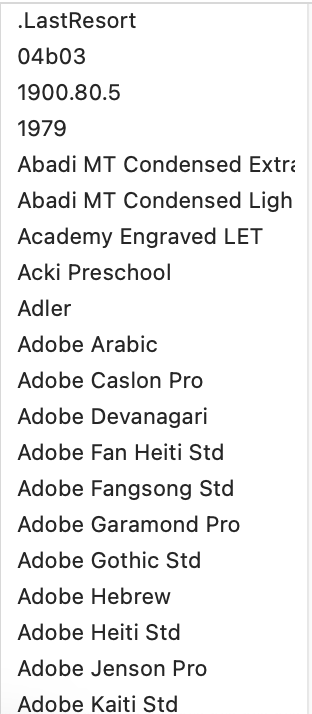
For example, this is the start of the list I get in Pages when I click the dropdown in the sidebar of a document window:
You misunderstood what I wrote. I didn’t say that I have 740 “default fonts” installed on my computer. Georg speculated that the reason MS Office didn’t show my fonts was because I had too many installed on my computer, which apparently is a thing. As an answer to Georg’s question, I said that I have a total of 740 typefaces installed (according to Font Book) of which most are typefaces that didn’t come pre-installed with the MacBook, nor MS Office.
By “default fonts” I’m referring to typefaces that come pre-installed with the MacBook, such as Helvetica, or with MS Office, such as Mistral – typefaces I haven’t installed myself.
MS Office is not showing any of the typefaces that I’ve installed myself.
And yes – it’s probably not a font issue, but an app setting / software issue. And believe me, I’ve tried many different suggested solutions already in regard to the software, but to no avail.
Reinstall Office, also reinstall the newest version of Office
Clear Office font caches
Clear system wide font caches
Resolve duplicate fonts issues
“Prioritize fonts” in Terminal
Place fonts inside PowerPoint’s own local Fonts folder
Install fonts as OTF as well as TTF
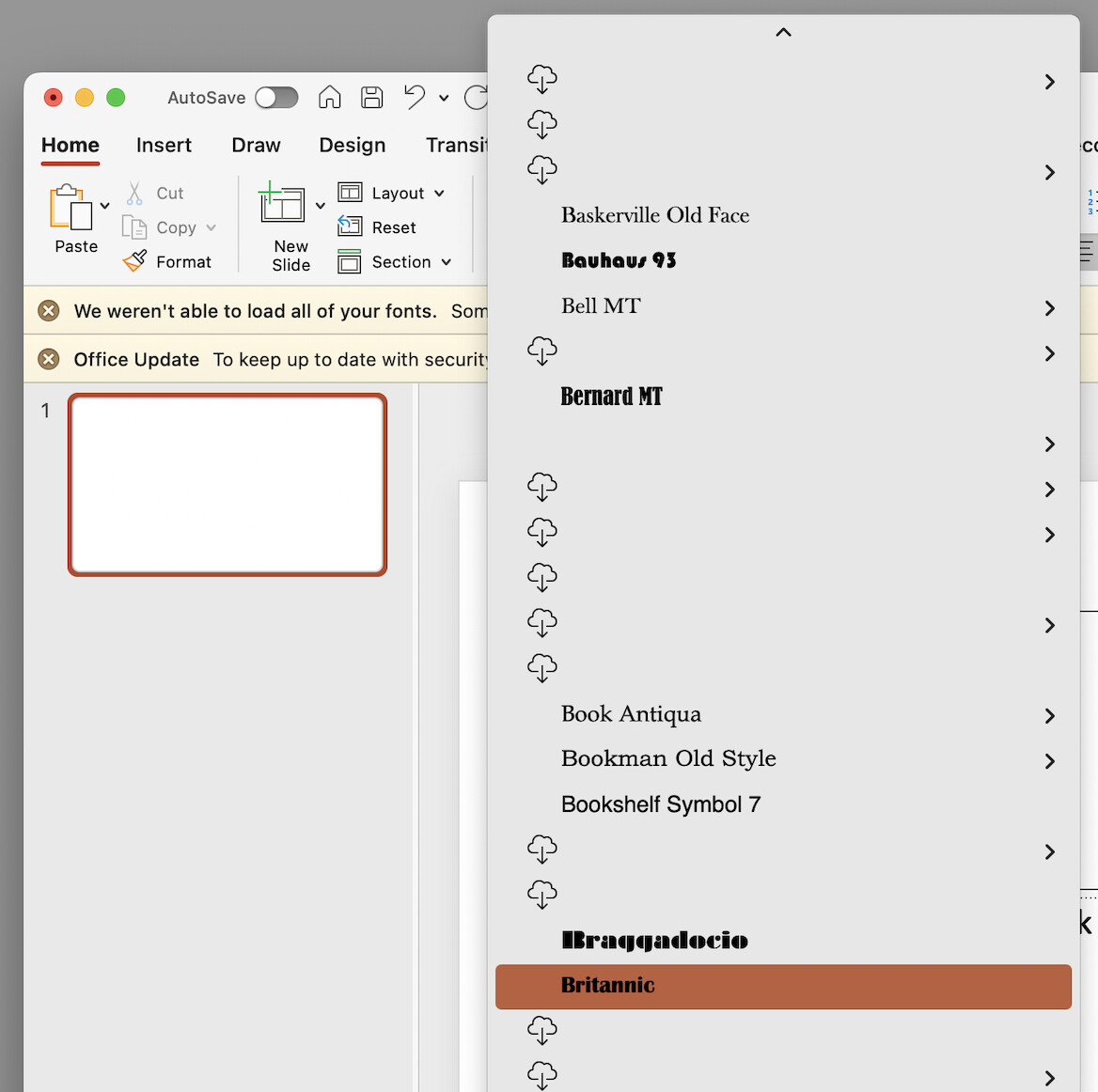
Nothing of the above has made a difference. This is what it looks like in PowerPoint. It seemingly recognises that there are third-party fonts in the computer (the cloud-arrow icon), but it doesn’t load them into the app.
Not fun to have a client that requires PowerPoint templates with their custom typeface