phantom empty shape

I’m seeing a phantom empty shape in some glyphs for a new font I’m working on:
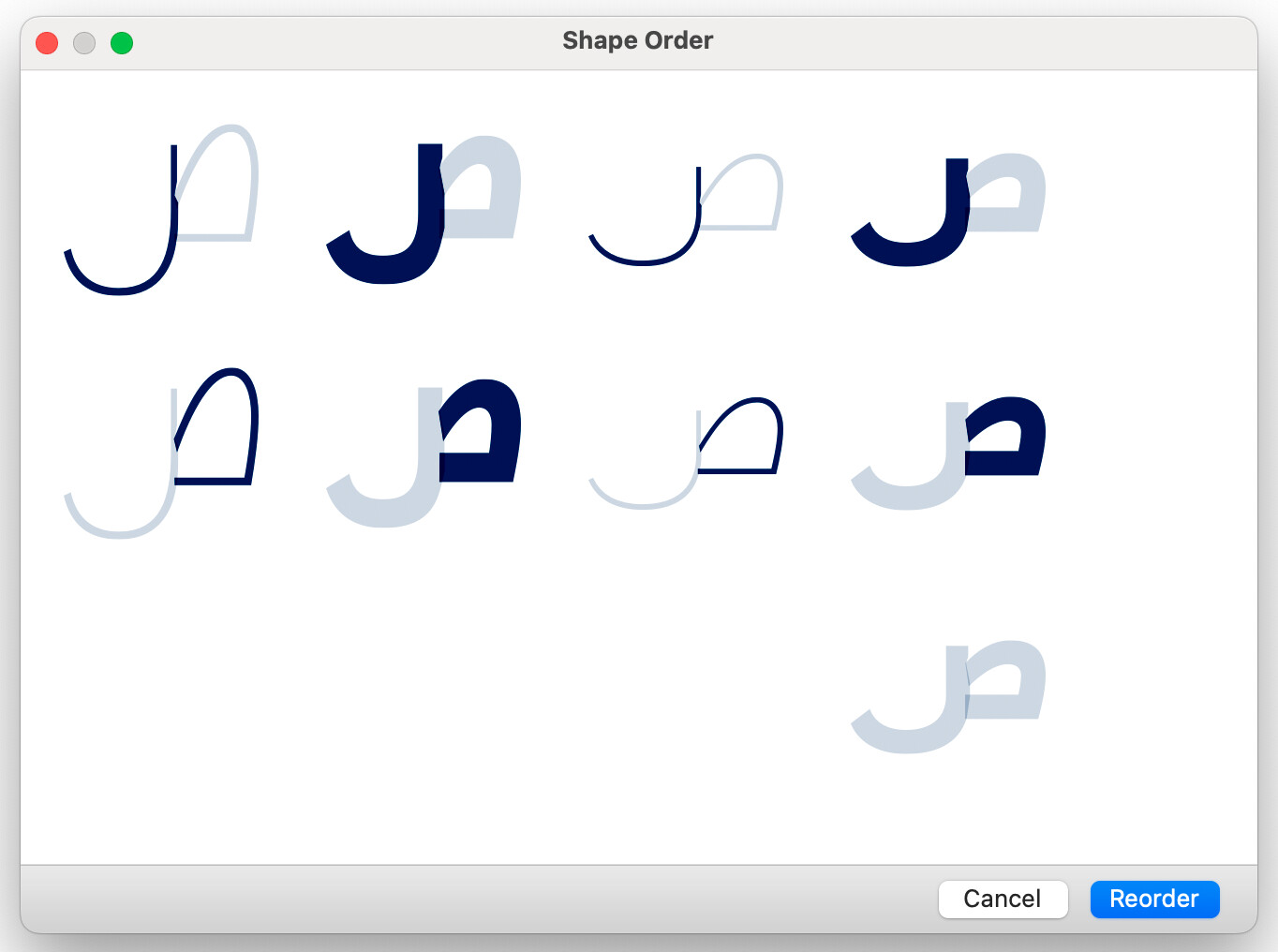
This is an older font that’s being converted from FL5->FL8->Glyphs. I exported a .glyphs file from FL8 to work with in Glyphs, and, depending on the letter, am copying either whole glyphs between the two files or just layer outlines. I’m not sure what treatment was done here but there have been a few that popped up now. Can send an isolated file if you’d like.

Using Glyphs v3529.

Can you save, close and reopen the file?

I have a file with this letter isolated, can save close and reopen and it’s still phantomed.

Can you send me the file?

Sent by PM!

There is a stray point:

It is easy to spot with “View > Show Master Compatibly”.

Oh interesting, not totally sure how that got there. We’d been going through and reconnecting nodes to break the shapes up for better interpolation; I just tried a bunch of different combos to see if the break added the point somehow without any issues. I’ll be sure to look for stray points when this comes up again in other glyphs. Thank you!