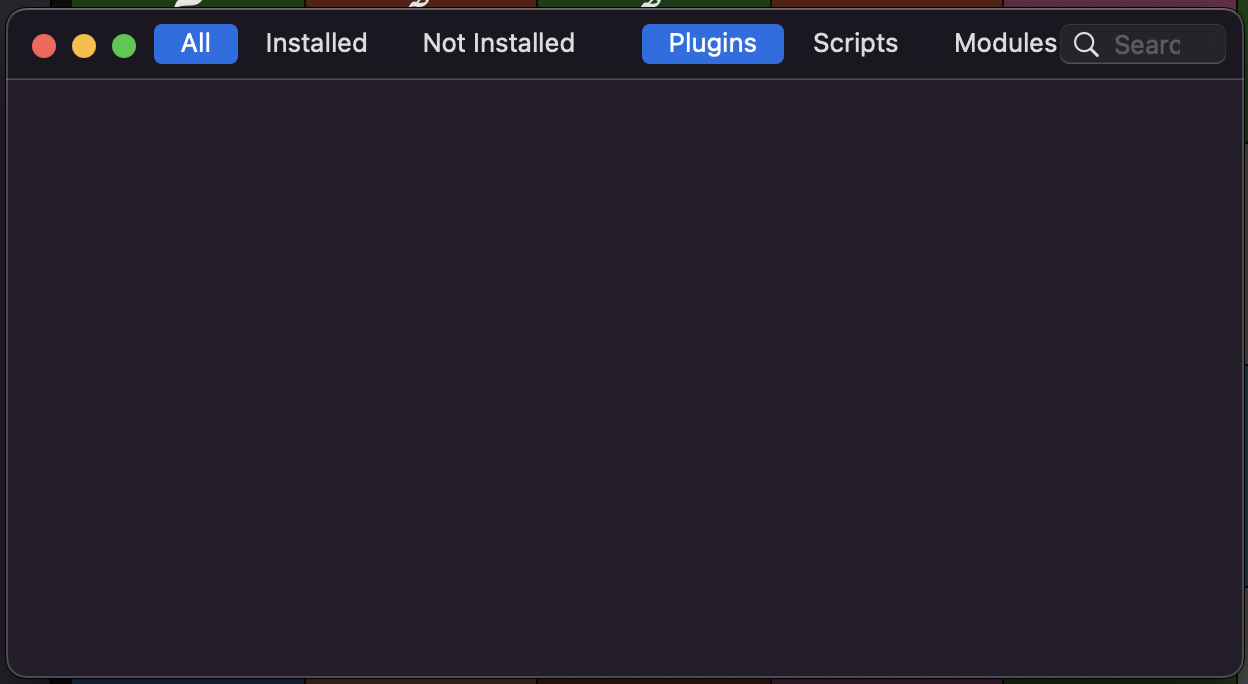
I’m experiencing an issue with the Plugin Manager in Glyphs 3 (Version 3.4.1 (3436). After the recent update, the Plugin Manager window is completely empty and non-responsive, as shown in the attached screenshot.
I have already tried the following steps with no success:
Closed Glyphs and deleted the Repositories folder via Terminal using: rm -rf ~/Library/Application\ Support/Glyphs\ 3/Repositories
Checked the Settings > Addons > Python Version, and it is set correctly.
Verified my internet connection and access to GitHub.
Even after restarting the app, the window remains blank and doesn’t seem to trigger any download for the plugin list.
Could you please advise on how to force the Plugin Manager to refresh or if there is a known issue with this specific build?
Subject: Still Blank Plugin Manager – Requesting a technical fix from your side
I have followed all the technical troubleshooting steps:
Verified Python 3.11 and objc are working via Macro Panel.
Performed a full reset of GSPluginManagerRepositories and GSPythonSourcePath.
Tested different internet connections including mobile hotspots.
The window is still empty. I need a solution from your side. Could you please provide:
A way to manually force-refresh the Plugin Manager’s cache via the Macro Panel?
Or a command to re-install the internal WebKit components that Glyphs uses to render these windows?
If the Plugin Manager is broken on my system, is there a CLI (Command Line) method to install plugins/scripts directly through Terminal?
I am a professional user and need to get my scripts and plugins working. Please let me know if there are any hidden settings or beta versions I should try.
Could you elaborate on that? What kind of reset did you perform?
The most common reasons that the Plugin Manager is not loading is because GitHub is having server issues (more common in recent times than it used to be) or GitHub is blocked (for example, using a firewall).
If non of those apply, maybe you are blocking network traffic specifically for Glyphs using an app like Little Snitch or by editing a file like /etc/hosts. These can block Glyphs from reaching GitHub.
I have carefully investigated the points mentioned:
Network/Firewall: I checked my /etc/hosts file and it is clean (only default entries). I am not using Little Snitch, LuLu, or any other firewall/VPN that might block network traffic.
ISP/Connection: I tested the connection using a mobile hotspot to rule out any local ISP or router-level blocking of GitHub. The Plugin Manager window remains blank.
Reset Performed: I previously ran the following in the Macro Panel: Glyphs.defaults["GSPluginManagerRepositories"] = NoneGlyphs.defaults["GSPythonSourcePath"] = None The reset was successful (Macro Panel returned “Done Resetting”), but it didn’t fix the UI issue.
Python & PyObjC: As confirmed before, import objc; print(objc.__file__) works perfectly in the Macro Panel, pointing to the official Python 3.11 path.
Cache: I manually cleared the cache in ~/Library/Caches/com.GeorgSeifert.Glyphs3, but the window is still empty.
It seems that while the Python bridge is working (Macro Panel), the WebKit view responsible for rendering the Plugin Manager is failing to load or fetch data.
Is there a way to see a specific error log for the WebKit process within Glyphs? Or a way to manually re-install the internal components that manage the Plugin Manager’s UI?
This explains why the Plugin Manager is blank; the server is rejecting the request. Is my IP range being blocked, or is there a security handshake issue with my version of Glyphs/macOS?
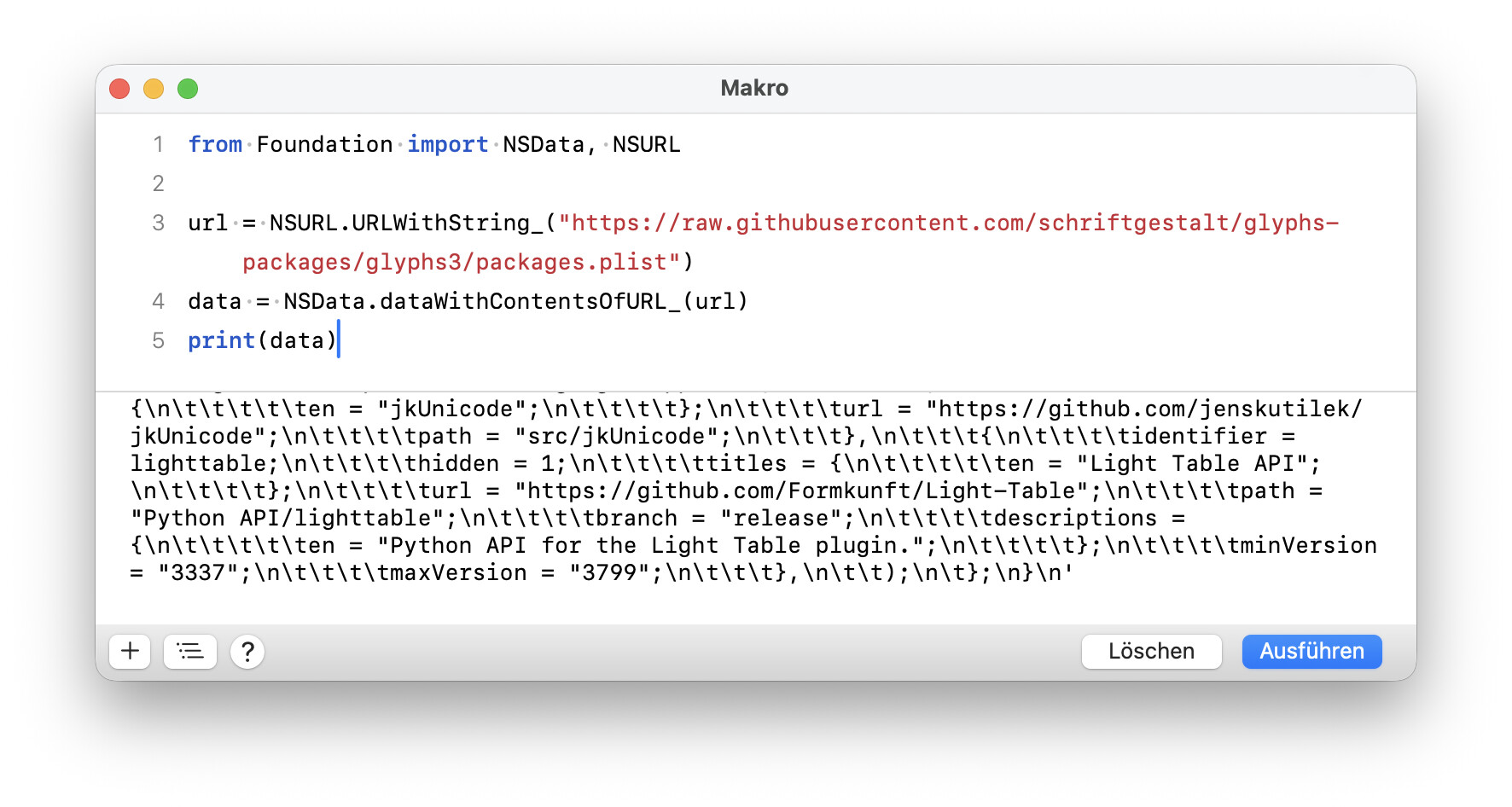
Could you try running the following Python code in the Macro Panel:
from Foundation import NSData, NSURL

url = NSURL.URLWithString_("https://raw.githubusercontent.com/schriftgestalt/glyphs-packages/glyphs3/packages.plist")
data = NSData.dataWithContentsOfURL_(url)
print(data)
@SultanMaqtari have you tried the steps in the tutorial I linked above? This has helped people with similar issues in the past. In most cases, it was a damaged ‘hosts’ file.
Test Result: I ran the suggested Python code in the Macro Panel, and the result was: None.
This confirms that NSData is failing to fetch any content from the URL.
I also ran a connection test in the Terminal and received an HTTP 403 Forbidden error when trying to reach Glyphs servers. It seems my connection is being rejected either by a local network restriction or a server-side block on my IP range.
What would you recommend as a workaround to allow Glyphs to bypass this block and fetch the packages.plist?
In our experience, the most likely cause for not being able to update the app or download it is a damaged Host Database file. If you care to know, it is a text file located at /etc/hosts/, and some bad ‘helper’ tools mess with it sometimes. In order to fix it, simply run this line in Terminal.app, and type in your password when it asks you for it:
sudo sed -i '' '/glyphsapp/d' /etc/hosts
If you do not know how to do that, because you do not feel at home in Terminal.app, please follow these steps:
Select and copy (Cmd-C) the line above into your clipboard.
Go to Terminal.app, and open a new tab (Cmd-T) if necessary.
Paste the line you just copied into Terminal.
Confirm your entry with the Return key, and it will ask for your password.
Now enter your Mac password. Attention: you will NOT see password bullets (•••) like you are used to from entering passwords elsewhere. That’s OK. It’s how passwords work in Terminal, that’s all. You need to enter it ‘blindly’, i.e., without an indication of how many keys you pressed already, and press the Return key to confirm.
If you have done everything right, it will quietly do its job, and Terminal waits for your next command.
Log out (⌘⌥⇧Q) and back in again, or better yet, just restart your Mac.
I am using version 3.4.1 (3436).
I have confirmed that the issue is a network-level block on the domain raw.githubusercontent.com in my region. Re-installing the app didn’t help as the connection itself is being rejected (HTTP 403). I will proceed with manual installations of the plugins/scripts I need. Thanks for the support.
Even VPN official websites (like ProtonVPN) are timed out and unreachable. This confirms a heavy regional ISP block. I will proceed with Manual Installation of the necessary scripts and plugins by downloading them as ZIP files from GitHub’s main site, which seems more accessible than the raw sub-domain.
I put a copy of the packages.plist file on our server. Can you put this https://updates.glyphsapp.com/packages.plist into Preferences > Addons > Alternate Plugin Repos.