I know that removing overlaps keep file size smaller (less nodes), but is it necessary? Does it really make a big difference? Is it legitimate to export a professional font without removing overlaps?
Please have a look here:
http://typedrawers.com/discussion/517/what-s-so-bad-about-overlapping-contours
Thanks!
This leads me to another question: Letters like Ç, Ð, Ø are composed of components. Should I decompose them and remove overlaps? Or I need to remove overlaps only form base letters/marks.
Glyphs removes overlaps automatically at export if the option is set in the Export dialog. So you do not need to decompose and remove overlaps manually.
1 Like
So it isn’t necessary to remove overlapping if you check the checkbox in the export dialog?
The automatic removing overlap is controlled by the checkbox in the export dialog.
I understand, but is it wise not to remove the overlapping and let Glyphs remove it when exporting it, by checking the checkbox in de export dialog?
Yes. Leave your overlaps in and make sure the checkbox is ticked.
I would only consider removing them beforehand if you are dealing with complex paths, because export would take very long.
Thank you for your advice i’ll leave my overlaps alone and export them with the checkbox ticked with the only exception when dealing with complex paths. 
Variable Font Overlaps & -webkit-text-stroke: Seeking Advice!
I’ve encountered an issue with variable fonts, specifically related to font overlaps and the use of -webkit-text-stroke.
Here’s the situation:
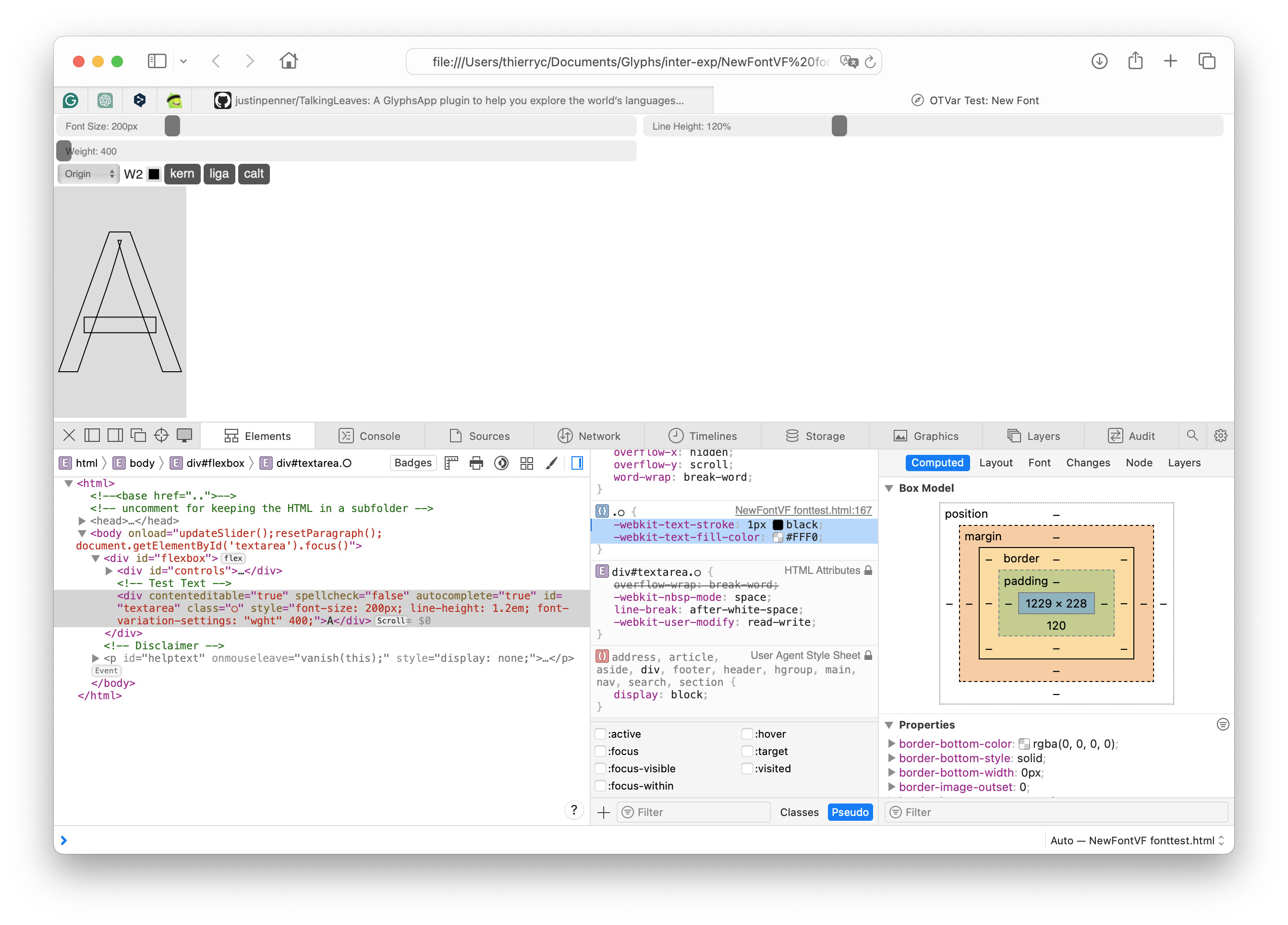
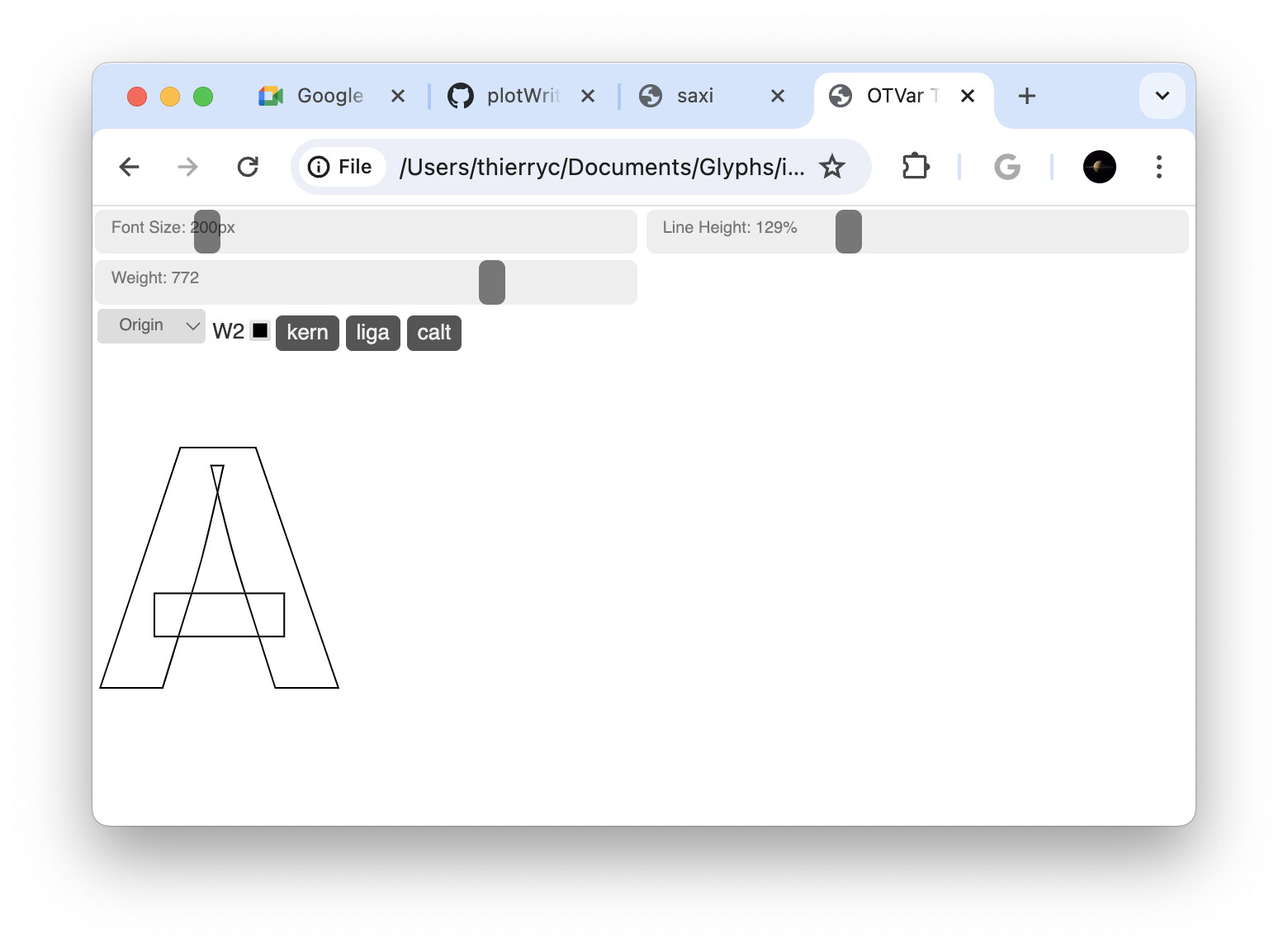
I’m exploring the use of font overlaps in my variable font to achieve smooth weight transitions. However, I’ve noticed that overlaps become visible when -webkit-text-stroke is applied.
For static fonts, removing overlaps during export is a viable solution. However, with variable fonts, overlaps seem to play a crucial role in interpolation.
So, my question is: Should I inform users about this limitation and recommend using the non-variable version if they require -webkit-text-stroke?
I’m eager to hear from anyone who has dealt with this issue before. Any advice or alternative approaches would be greatly appreciated!
This seems like very edgy edge case. Illustrator has a workaround of arranging the stroke behind the glyph shapes, but I’m not aware of something like this in CSS. One hack could be to put the same text with fill color over the outlined one, but it’s a pain in the ass.
1 Like
Which browser, which version? This is/was a bug I have been told was fixed already.
Long story short, overlaps are to be expected in a variable font. Breaking your font so that third-party app developers do not have to fix their bugs, will probably prolong the problem.
Safari Version 17.4.1 (19618.1.15.11.14)
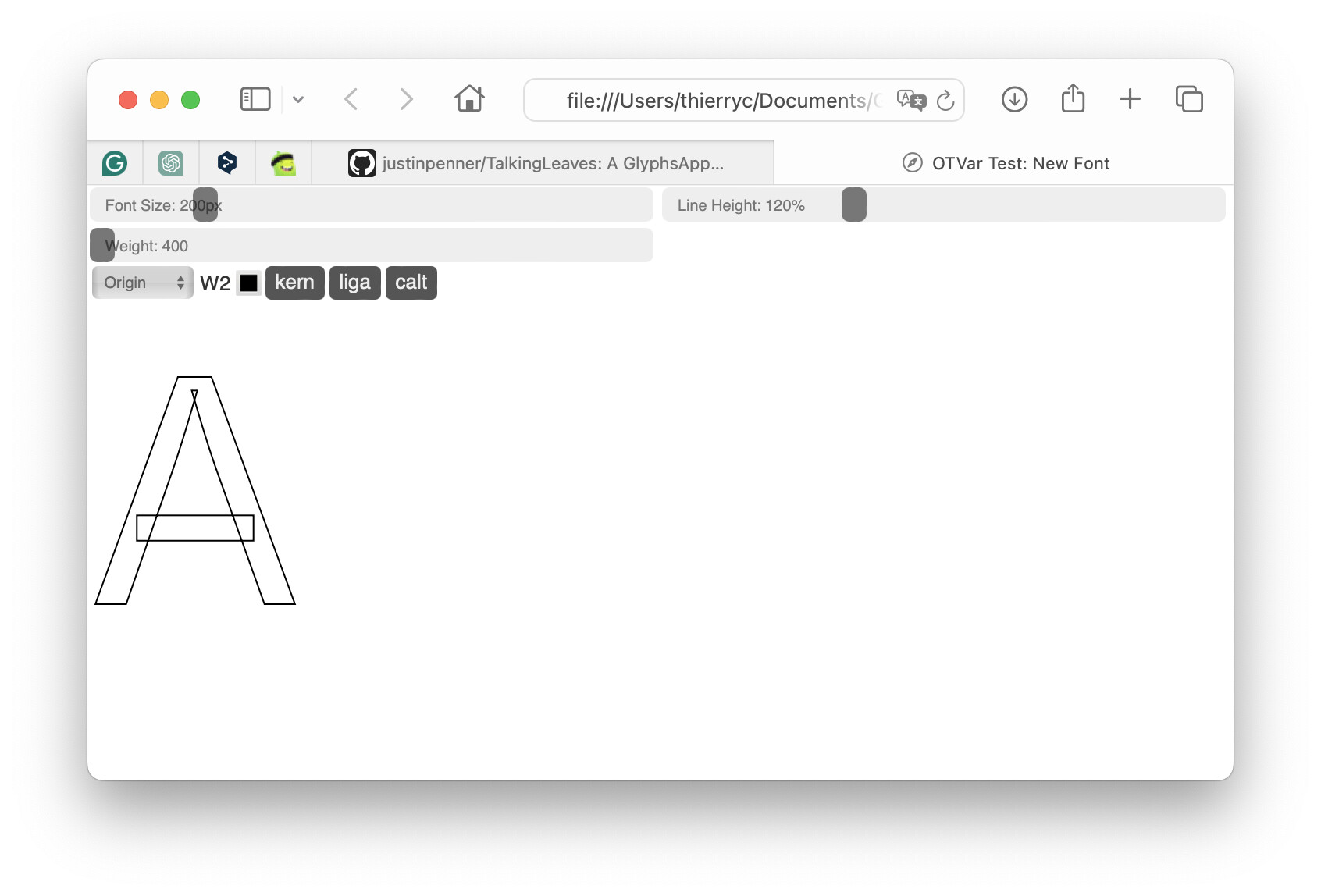
When I enable the W2 style (-webkit-text-stroke), it appears in the test preview window, possibly intentionally visible. I’ll conduct a test on a regular page to confirm. (no rush)
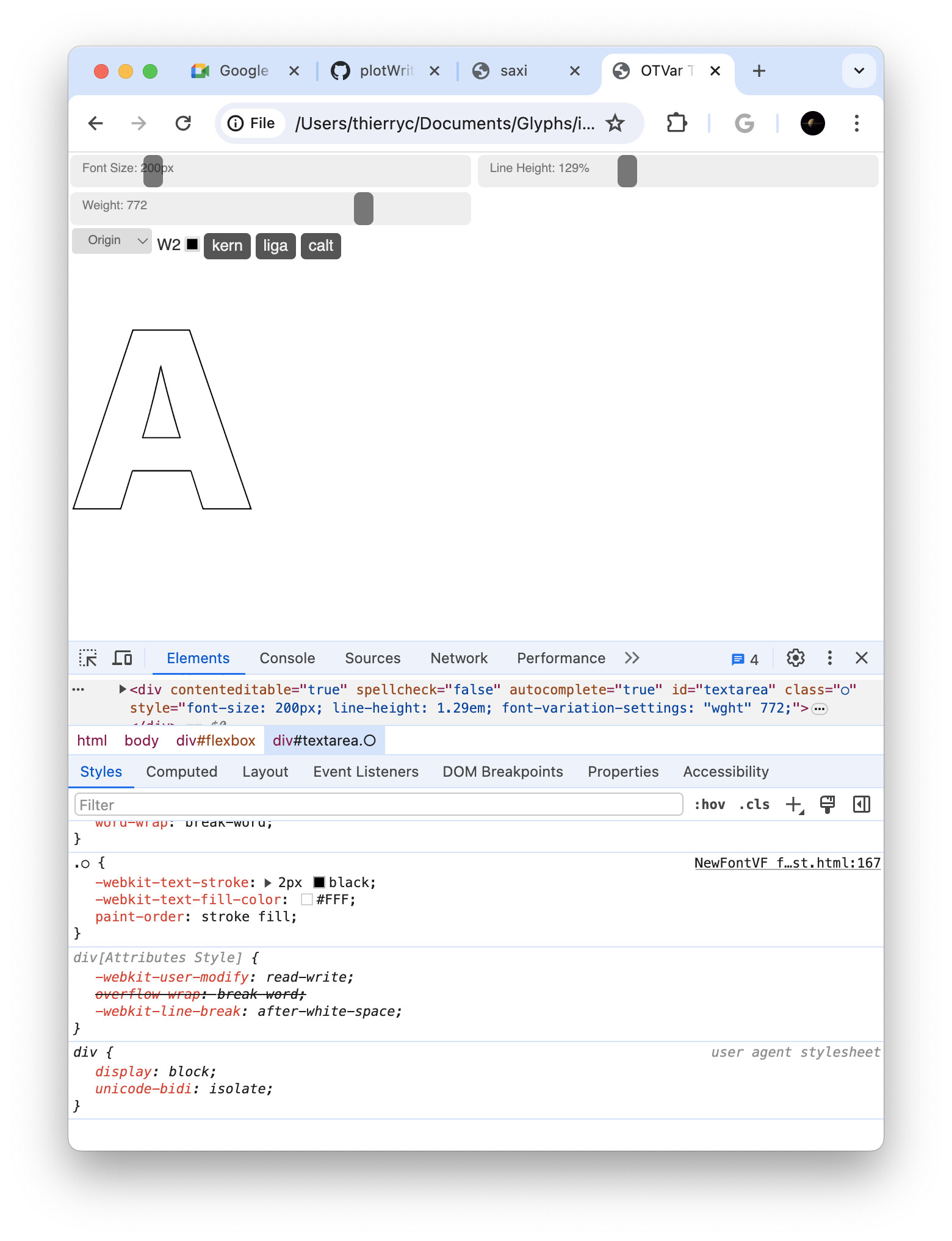
On Chrome Version 124.0.6367.91 (Official Build) (arm64)
If they are intentionally visible, I’m curious to learn more about how this page can do it.
There is a flag that can be set in the glyf table that tells the render that there are overlaps. It might be that those browsers check that flag and only remove the overlaps if it is set.
There were several requests to add support for it. I’ll check if that makes a difference.
1 Like
I have tried to find the table value unsuccessfully. Keep me posted if you found it.
I think it’s a browser bug. They don’t follow the nonzero fill rules for stroke properly or something like that.
I couldn’t find a proper fix, but I found a workaround to render the font correctly in the browser. It’s not a perfect solution, but I’m sharing it in case it helps someone else.
Paint-order + fill-color
TIA.
Thierry.
I tried and the overlap flag is not influencing this.
This flag may can we do it in the future (maybe)?
For my curiosity, how to set the flag?
Glyphs always sets it for variable font. To manually set it for non variable fonts, you need to use ttx
<TTGlyph name="T" xMin="53" yMin="0" xMax="534" yMax="700">
      <contour>
        <pt x="534" y="700" on="1" overlap="1"/>
        <pt x="534" y="590" on="1"/>
        <pt x="53" y="590" on="1"/>
        <pt x="53" y="700" on="1"/>
      </contour>
      <contour>
        <pt x="378" y="630" on="1"/>
        <pt x="378" y="0" on="1"/>
        <pt x="234" y="0" on="1"/>
        <pt x="234" y="630" on="1"/>
      </contour>
      <instructions/>
    </TTGlyph>
see the overlap="1" on the first node.
1 Like

Ah wait a minute, I was mistaking this issue with another issue.
There is a CSS workaround for the outline with the shadow attribute. You’ll find it if you google for it.
1 Like