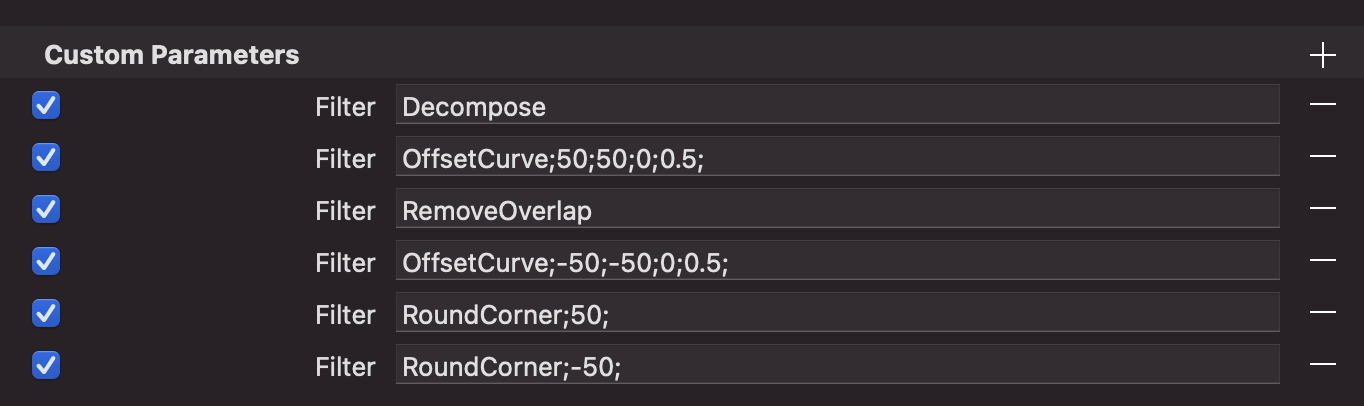
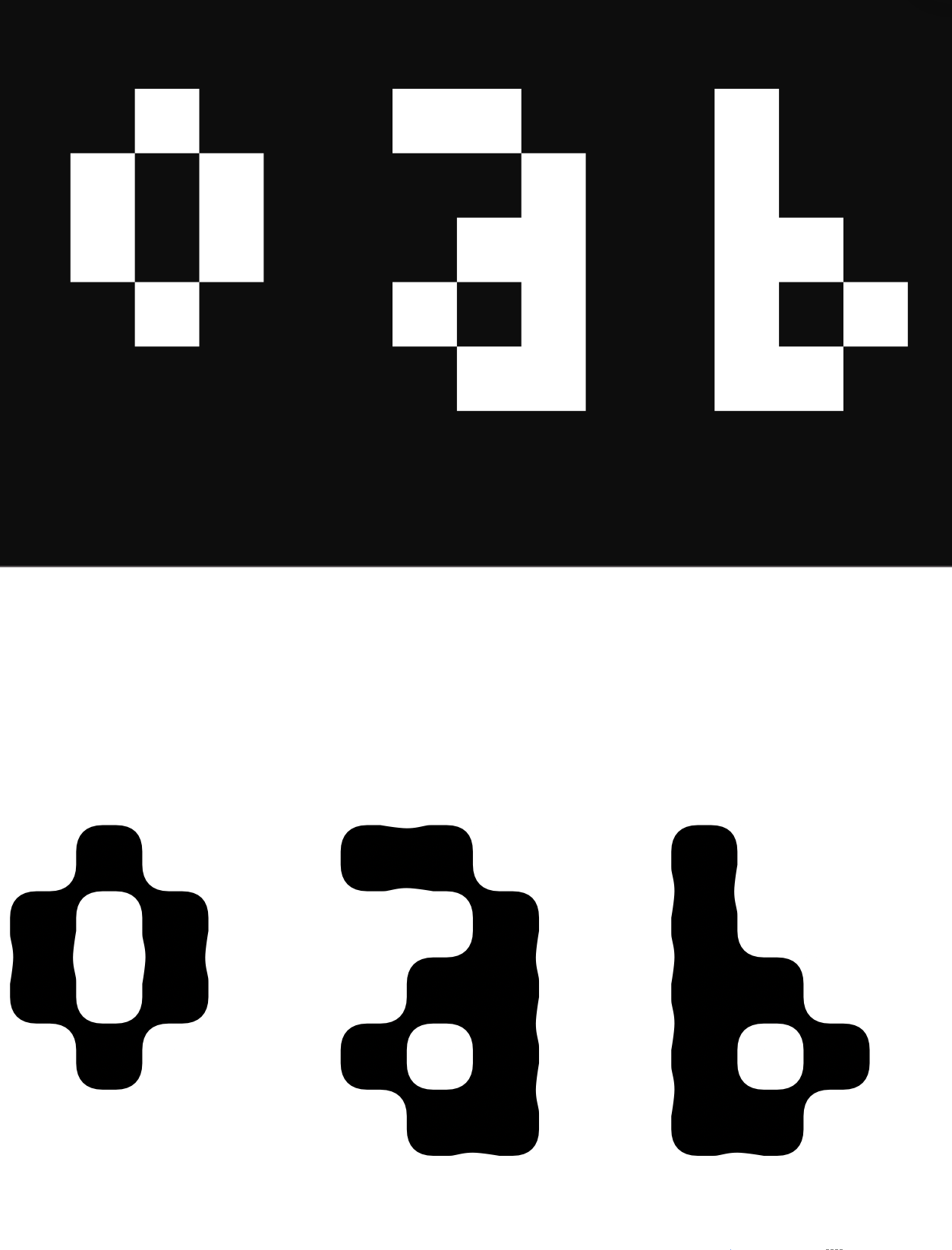
i’ve been trying to follow the tutorial for making pixel fonts on the website, and while most of the things seem to work, the filters applied in the export custom parameters don’t seem to show up right in the preview panel.
specifically the RemoveOverlap filter, it doesn’t seem to actually merge the pixels (despite me having an offset filter applied before it), and when i apply additional effects like rounding, it still applies to the individual pixels. when i (test) export the font, it seems to look correct in affinity, so it seems like something is going wrong in the preview?
It might be because when the filter is applied, the components are still there (in the preview pipeline). Try adding a decompose filter before the overlap removal filter.
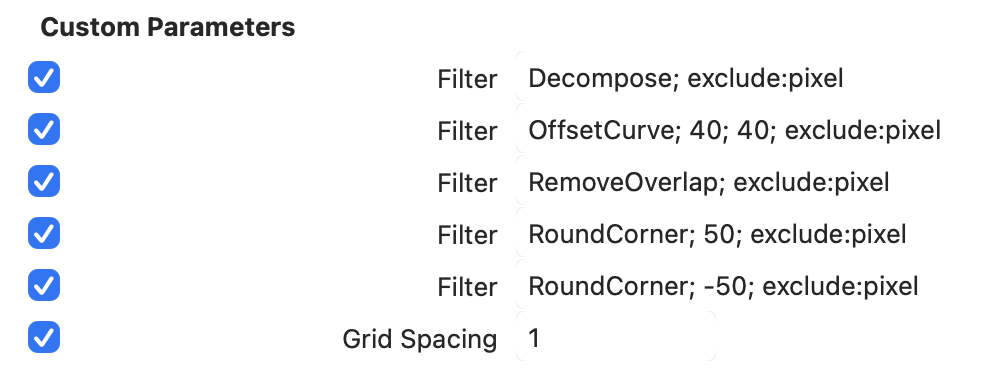
thank you! putting the decompose first seems to have helped somewhat, but it’s still behaving weirdly. instead of rounding only the ends of a pixel line, it still rounds between every pixel. here’s my custom parameters and a screenshot of the preview:
is it possible that having a grid spacing of 125 (instead of 50, like in the tutorial) to create my pixels was the issue? it’s set back to 1 now for trying the filters, but that is the only part where my work differed from the instructions.