Rendering issues on overlapping shapes

Hi team,

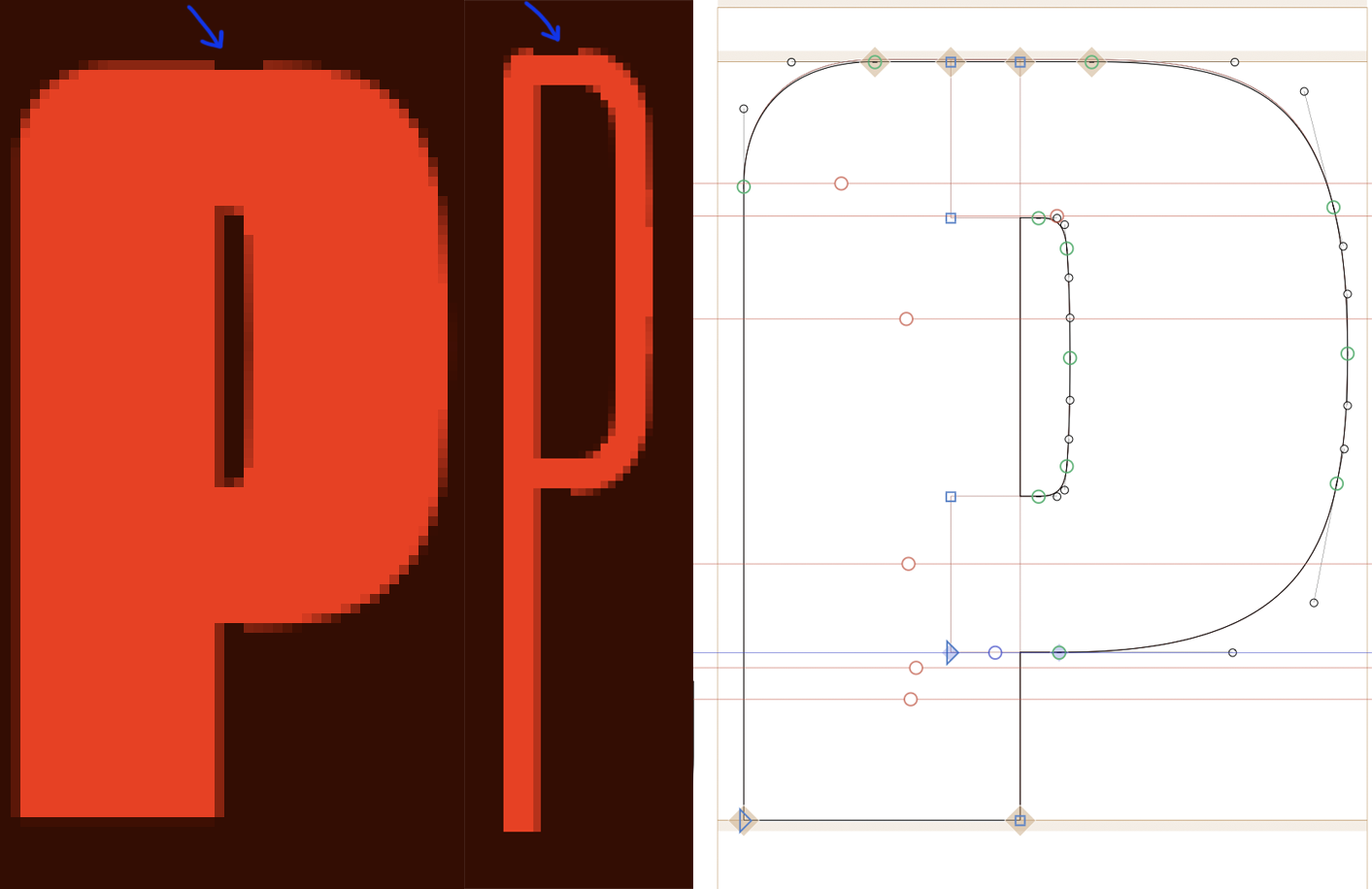
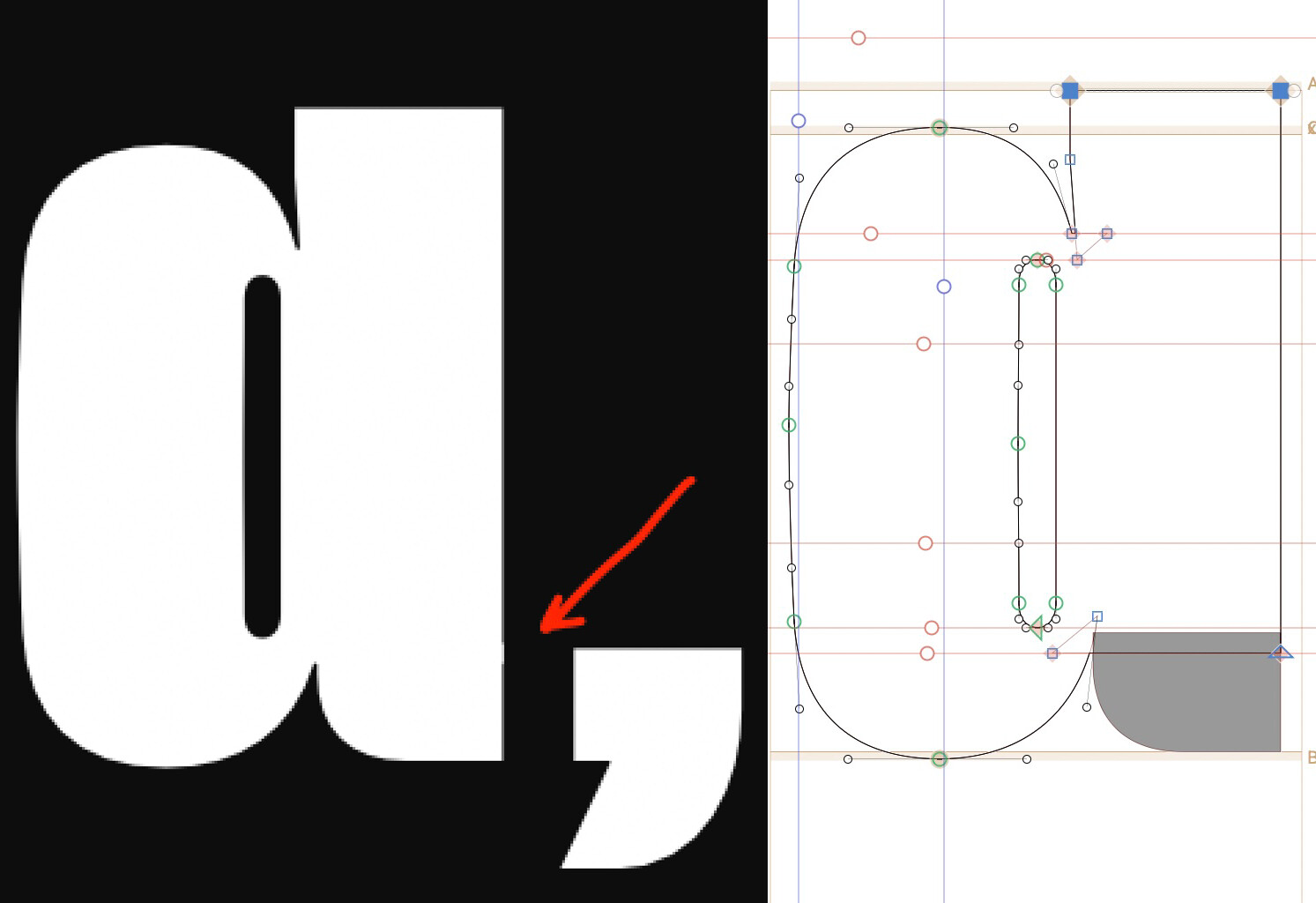
I’m seeing occasional anti-aliasing artefacts, small “bumps” along otherwise smooth edges, in a Variable Font.

  • 1000 UPM

  • No fractional coordinates

  • Only happening with overlapping shapes

  • First noticed in Illustrator

  • Also visible in the Preview panel

After testing:

  • Static OTF export with overlaps removed → artefacts disappear

  • Decomposing components in glyphs → artefacts disappear in glyphs preview

Is this expected rasterisation behaviour with overlapping contours in VFs, or is there something I should be structuring differently in the outlines?

Thanks!

This is a known issue with hinting in variable fonts, when shapes overlap like in your example. See here:

Scroll down to “Circumvent bugs”. Exactly this issue is described.

1 Like

That is not a hinting problem. Simply the overlap is causing this.
try using corner or cap components instead of real components. That will result in a single path and avoid that issue. and is easier to keep in sync.

1 Like

Thanks very much!! Will do.

Yes. It had nothing to do with hinting, but quite the opposite: with antialiasing. Variable fonts keep their overlaps and each shape has semitransparent border pixels for making it appear smoother and staying closer to the original shape. And if a part of the edge is shared by two shapes, the antialiasing pixels will add up their opacity.
Ah! That makes perfect sense!

Thank you Rainer.