I read the article Reusing Shapes: Component Tricks (Reusing shapes: component tricks | Glyphs) and tried to apply it to Chinese characters. I followed the tutorial steps for the letter Q and got the same result as shown in the article.
However, when I tried to use the same method on Chinese characters (for example, in different stylistic sets with small variations, where I wanted to use anchors to align the components), the auto-positioning method didn’t work.
Is Reusing Shapes by Anchor only available for Latin scripts?
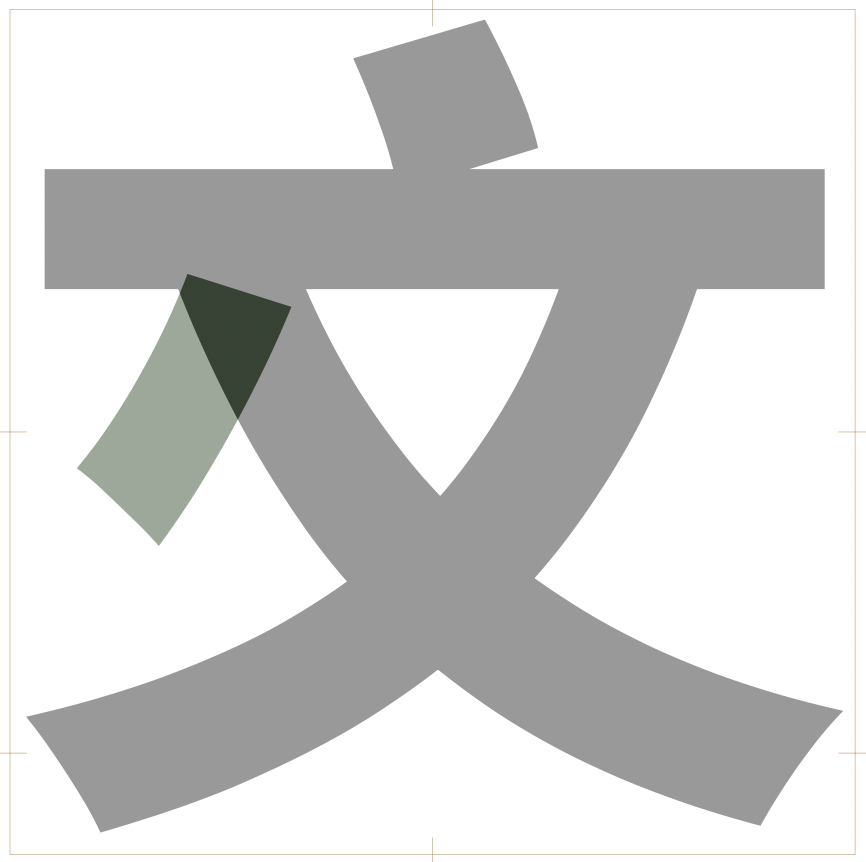
Automatic alignment is disabled in the 文 + 捺 glyph. If you enable it, even just for the 捺 (select the component, right-click and check “Enable automatic alignment”), then it works fine.
If you make sure you have your extra strokes ready and then use a recipe to generate the stylistic alternates, automatic alignment should be enabled by default. For example, if you delete uni6587.ss01 and then hit ⌘⇧G and enter this recipe:
uni6587+_head.NA=uni6587.ss01
– then it will generate the glyph with the 捺 in the correct position (note the green component colour, which indicates that it’s been automatically aligned):
It’s the same for Latin characters; notice this part of the Reusing shapes tutorial:
The glyph name a.ae is the name of a letter plus a suffix. This name structure allows automatic alignment in the ligature compound, but requires this last step of turning off export. Since version 2.3, you can also do it the other way around: create _a.ae , which will be created as non-exporting because of the preceding underscore, and then, inside ae , you can force alignment by right-clicking on it and choosing Enable Automatic Alignment from the context menu.
But as I said, if you use recipes to generate the glyphs from existing components, automatic alignment is enabled without having to do it manually.