For my larger projects, exporting the latest TTF, OTF, UFO, and webfont files is quite a time-consuming chore requiring a lot of manual intervention. I could probably save a lot of time if I had a script to do that. Would somebody like to help me put that together? Unfortunately I don’t know much Python.
Ideally, the script would do this (with dummy values):
Open the Glyphs files XXX.glyphs, YYY.glyphs, and ZZZ.glyphs.
That looks awesome! Looking forward to the working version.
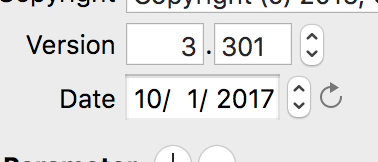
As for version number and version date, I mean these two fields in the info dialog:
I’d like to «click» the refresh on the date field as part of the export script. I thought it might also be a good idea to allow the script to set the version number, but I guess then I’d have to edit the script each time I change the version number, and it might just be easier to edit it by hand in each of the .glyphs files. It’s not a big deal.
I thought it would be good to be able to set the version number of all files to a new value, but I figured out in the post above that it would be easier to do it by hand than to fiddle with the script each time the version number should increase.

 Looking forward to the working version.