Hello,
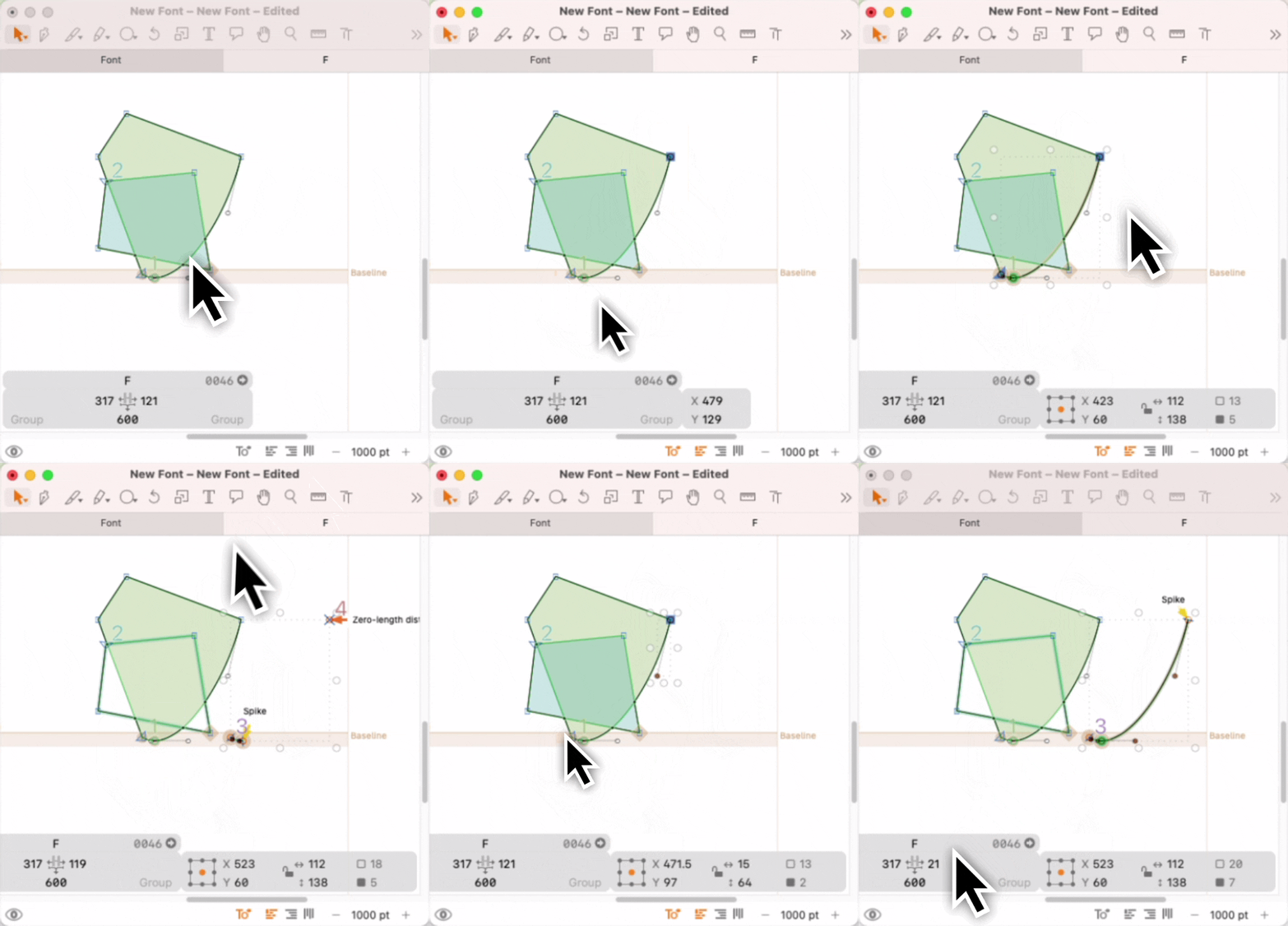
Wasn’t there a time when selecting a node also selected its off-curve points/handles? Since the last few versions this has stopped being the case. Selecting by drawing a box now needs to be much more precise, often requiring unselecting nearby nodes. Otherwise, broken segments and single nodes are copied.
I miss the old behavior, and my work has slowed down because of it. If this change is intentional, are there cases where one needs to select two nodes, the curve between them, but NOT the two handles?
Tom, if you mean that you select both on-curves and off-curves, but at fact only on-curves are selected, it seems like Option key may be held down or stuck. Just guessing.
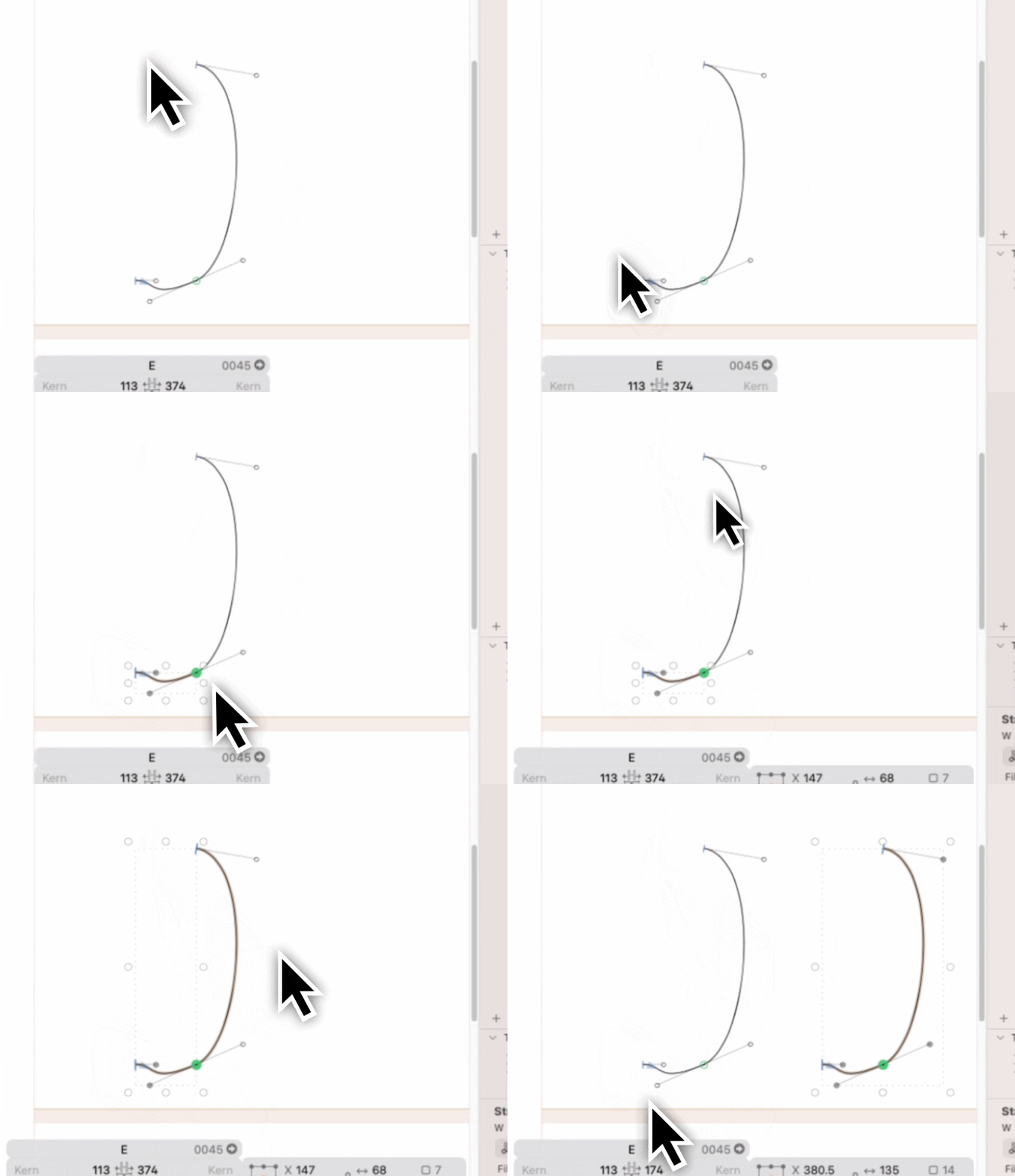
Thanks Michael, but what I think is going on is selecting an outline in pieces - selecting one end and then another - doesn’t include the offcurve nodes, so when you copy/paste, you have a broken segment. You have to select all on- and offcurve nodes, which can be slow if you have tiny segments in a curve, or if there are other outline close by that you don’t want (in the example below, I just want to copy the curved part).
In earlier versions you didn’t need to explicitly select the off-curve points to copy them (this is from v3.1 (b3132):
the change was to triggered by a user request to be able to have more control what is copied. e.g. if you select all but the two off curves handles to copy the open path.
And in your case, instead of draging over the top point, click the curve outline to select the full segment.