I wanted to share a tool I’ve been building for myself over the past few months.
Like many of you, I use AI (Claude) to help with scripting. But I got really tired of it “hallucinating” methods that don’t exist or guessing wrong parameter names. It was often more frustrating than helpful.
So, I decided to fix it properly. I built a custom MCP (Model Context Protocol) server called glyphs-info-mcp.
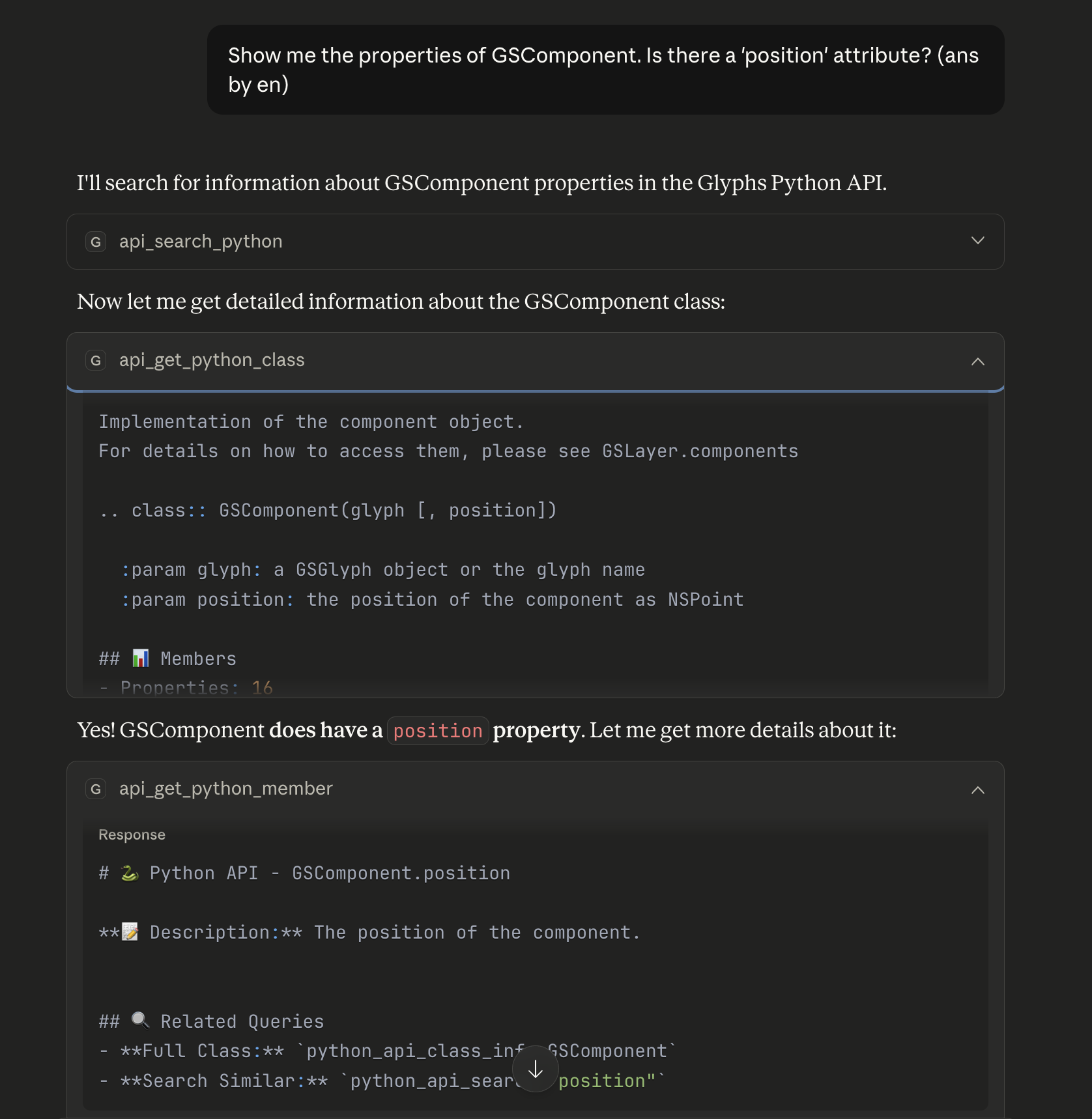
What it actually does: Instead of just pasting code snippets into the chat, this tool gives Claude direct access to the “ground truth” of Glyphs.
It checks the API: Before writing code, it looks up the actual Python/ObjC documentation.
It reads the Handbook: I can ask it “How do I set up corner components?” and it fetches the relevant chapter.
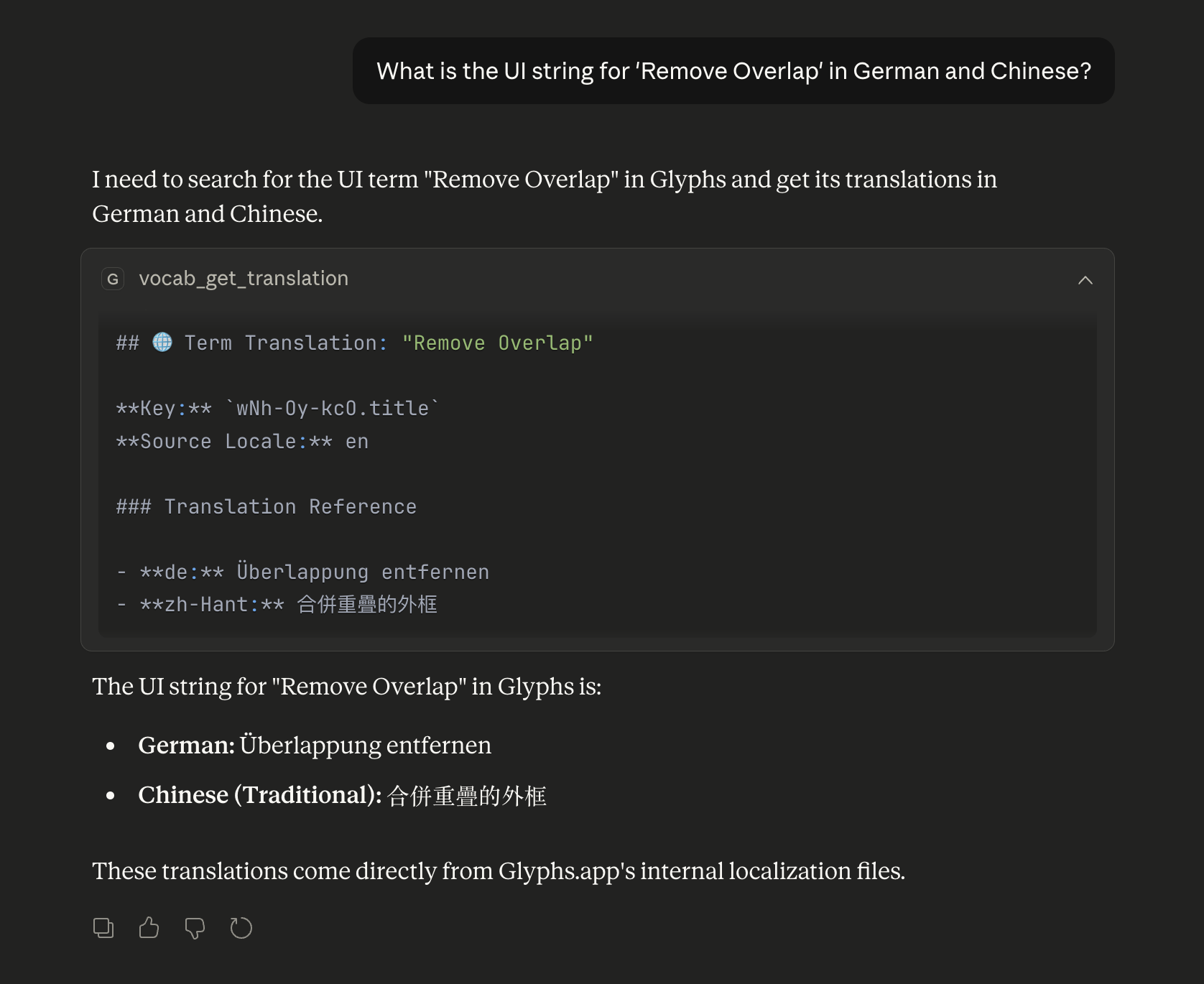
It knows the UI terms (The fun part): I ended up writing a parser that reads the .strings files directly from the Glyphs app bundle. So it knows exactly what “Remove Overlap” is called in Chinese, German, or any other language.
For the handbook, you might want to know that you can append document.md at the end of the URL of each page and get a simple Markdown version of the page without navigation or other extra info. Like so:
I was currently parsing the HTML structure to extract the content, which felt a bit heavy. Switching to this document.md endpoint will make the Handbook module significantly lighter, faster, and the codebase much cleaner.
This is exactly the kind of optimization I was looking for. I’ll implement this in the next patch immediately.
Quick follow-up for anyone who tried this MCP server: I’ve moved the same idea over to a Claude Code Plugin built around Skills instead of an MCP server. Progressive disclosure brought token use from ~150K to ~2K, which made AI assistance actually usable for day-to-day Glyphs scripting.
The MCP version still works and stays maintained for at least 12 more months — v1.4.0 ships a notice pointing to the new repo.