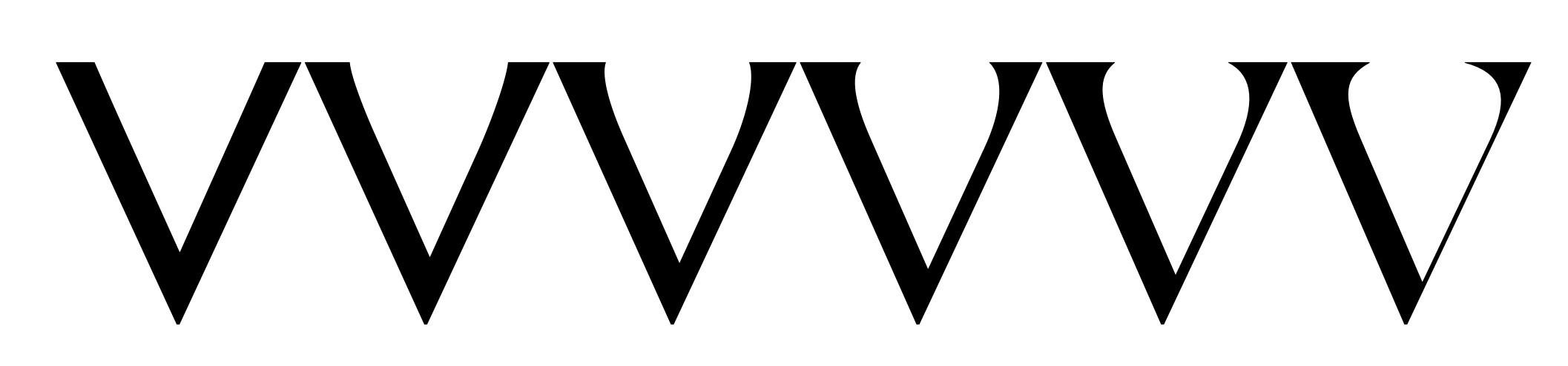
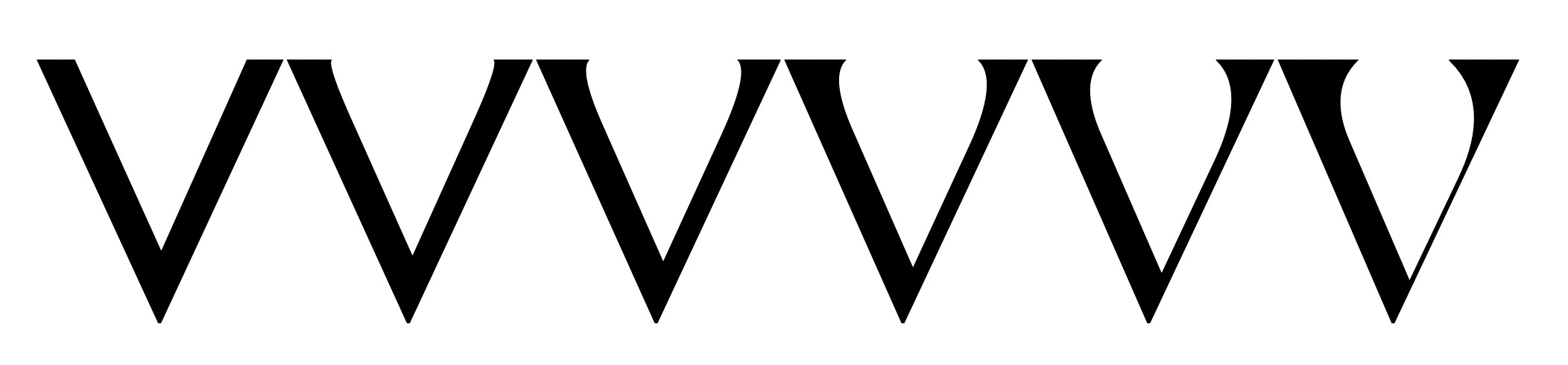
I’m trying to create a corner component that goes from a straight line to a serif but it doesn’t work on diagonals: the straight line gets deformed as if it were curved.
Any solution?
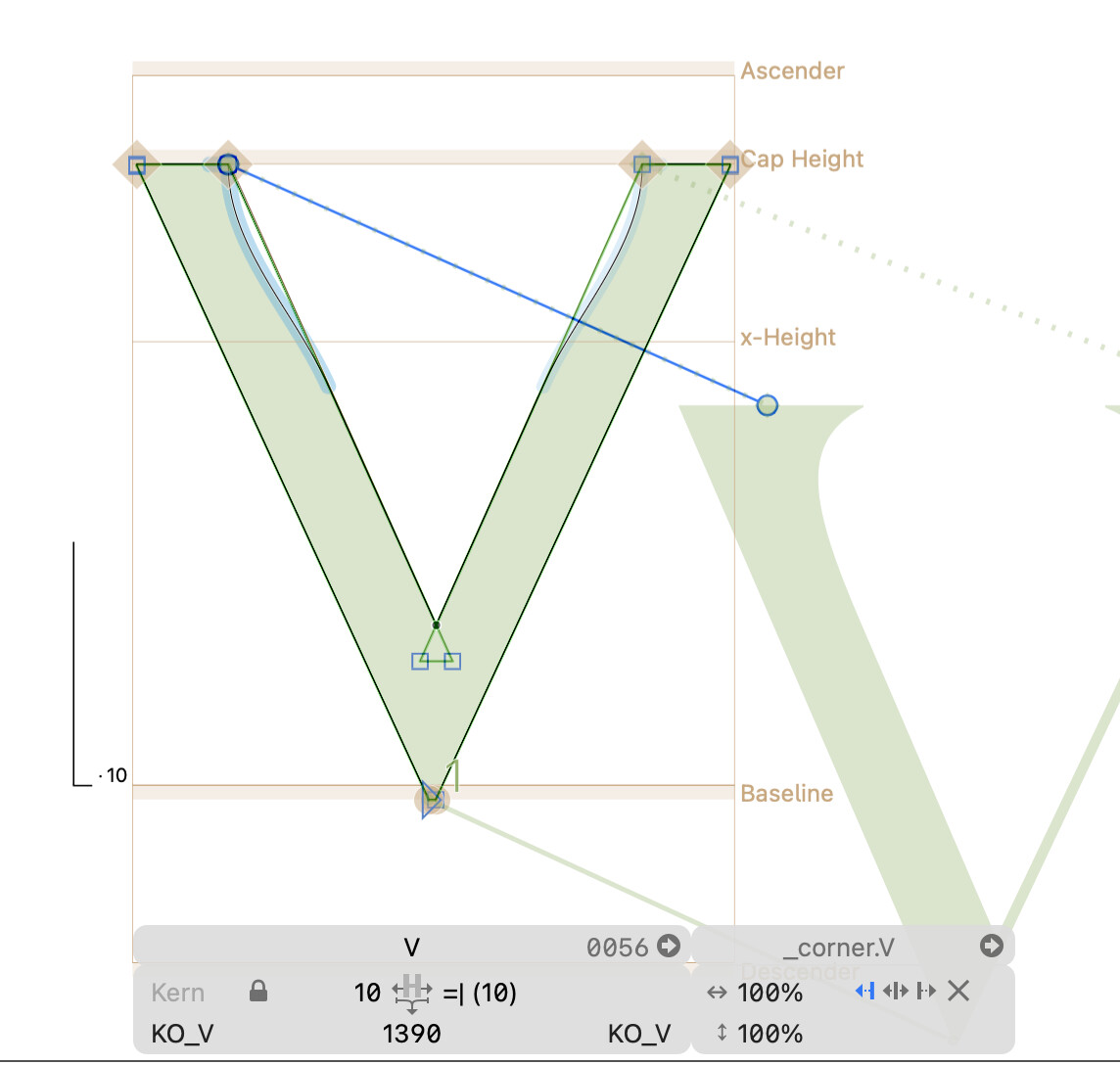
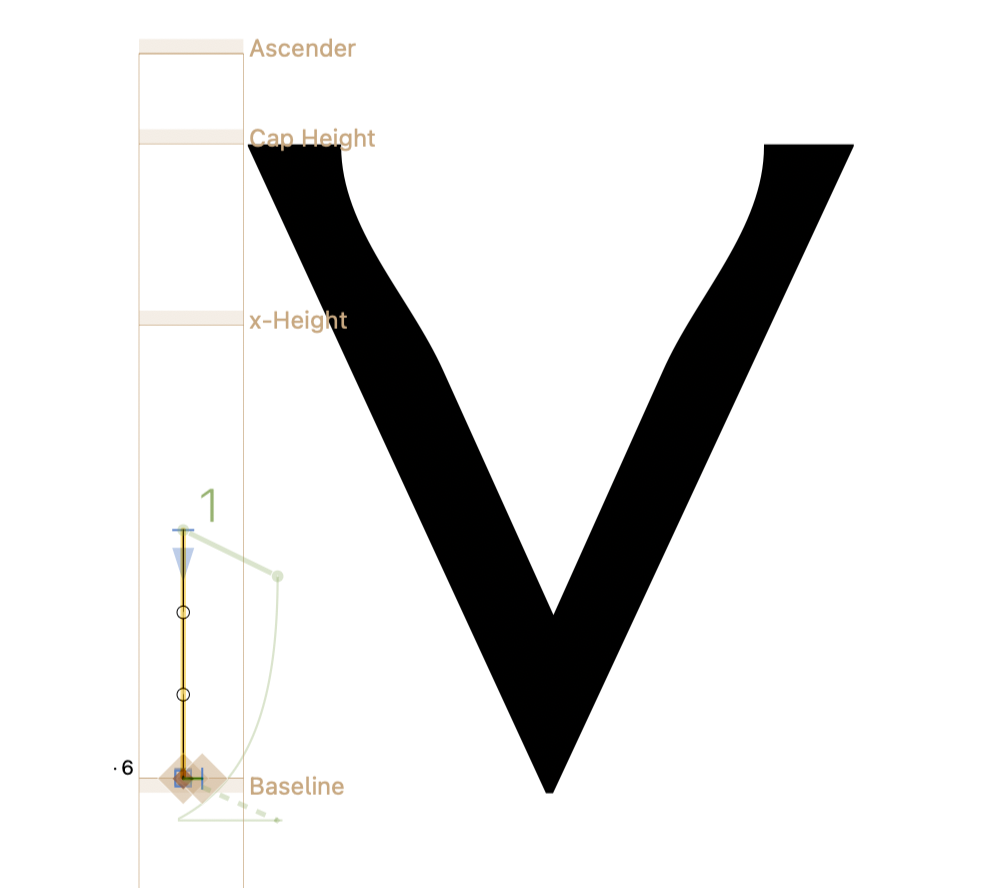
Try the “×” option in the right panel (you can see there’s a left, center and right align option when you select the corner).

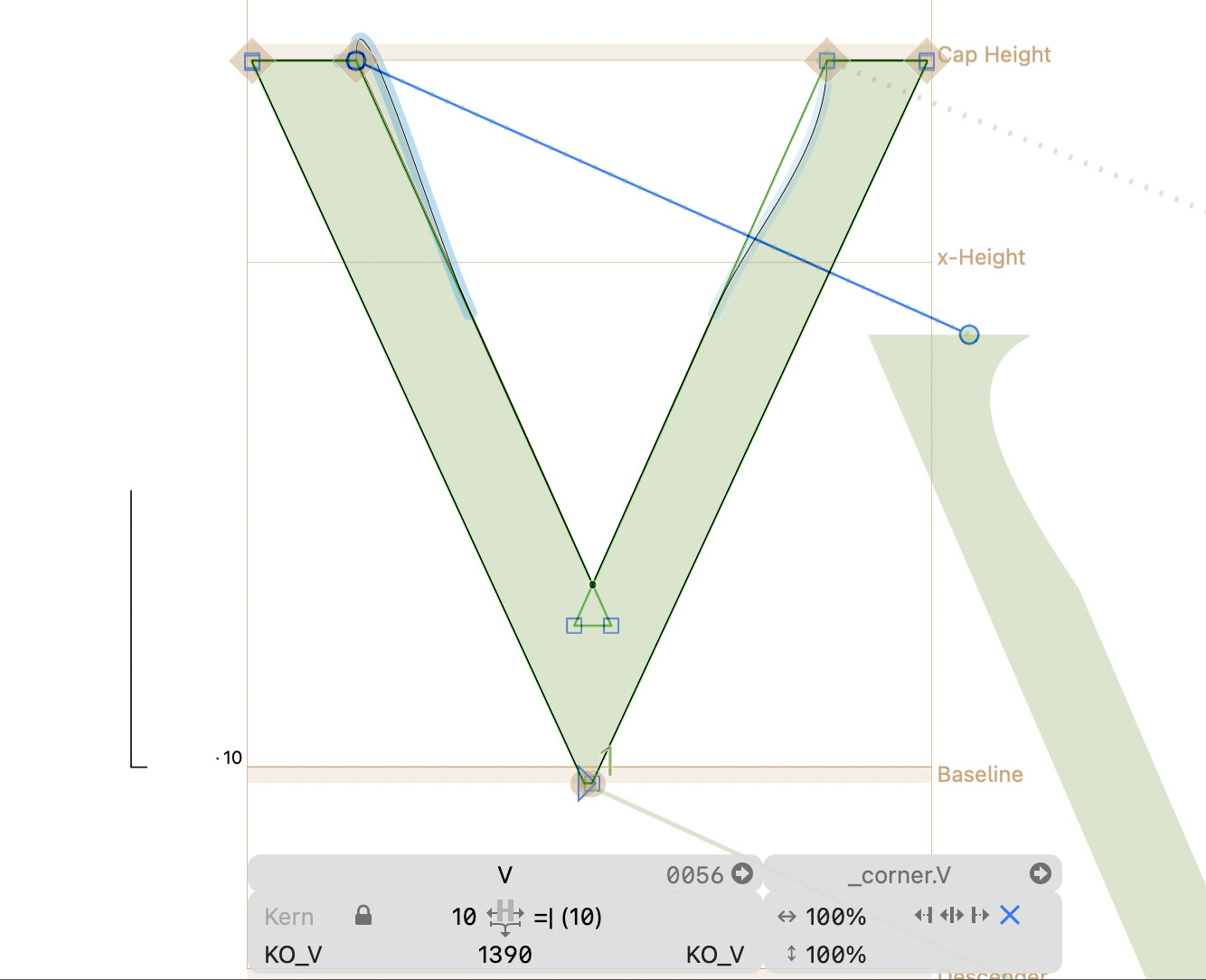
Difficult. You will need left and/or right anchors, and probably make the straightened version shorter. YMMV.
1 Like
I tried with left and right anchors, and making the straightened version too short would radically change the interpolations, so I’ll have to go with this handle arrangement. The only thing that works is hiding the bottom handle inside the bottom node, but this is also not optimal…
- You need to put the
leftanchor on top of the origin anchor because it serves as the pivot. - If you want to keep the single point ending, the nearest handle needs to go on top of the anchors as well, because it is kept with the nearest on-curve which happens to be on the pivot and is therefore aligned relative to the next (horizontal) segment.

I’ve tried what you said but it creates distorted corners, and the interpolations are still not correct. I think there should be a way to stop glyphs from applying the distortion in the first place. Ideally, the X should do just that, but it doesn’t seem to work properly.
Ok “solved” it, I had to place anchors and bottom handle on the same coordinates in both masters and adjust the serif shape to compensate for the distortion. Not ideal, but it does the trick! Thank you for the support 
I was just about to suggest that.
One thing to clarify: The left anchor can’t be at the origin point. Move it at least one unit up in the flat master. Move it up in the serif master a bit to get better serif length.
1 Like
This approach creates an error in the variable exports. Here you can see the difference between .otf (1) and .var (2).
Back to square one 
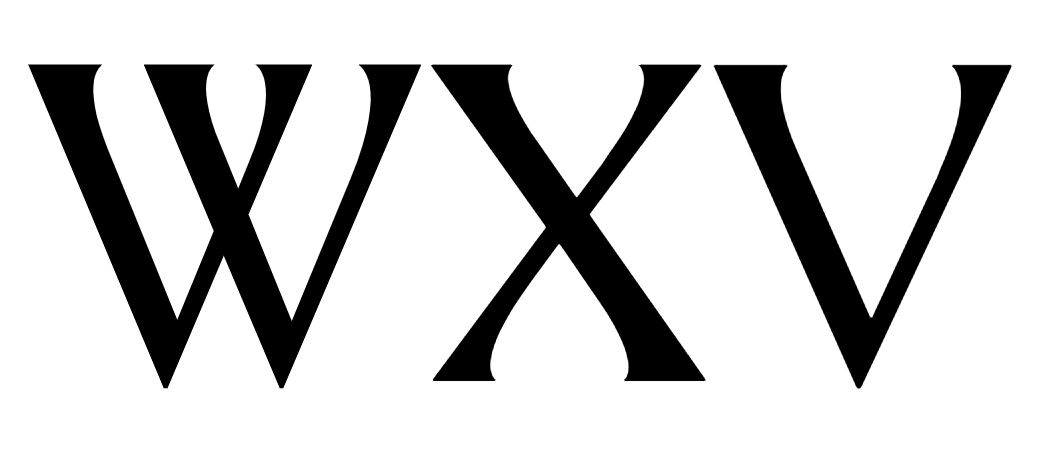
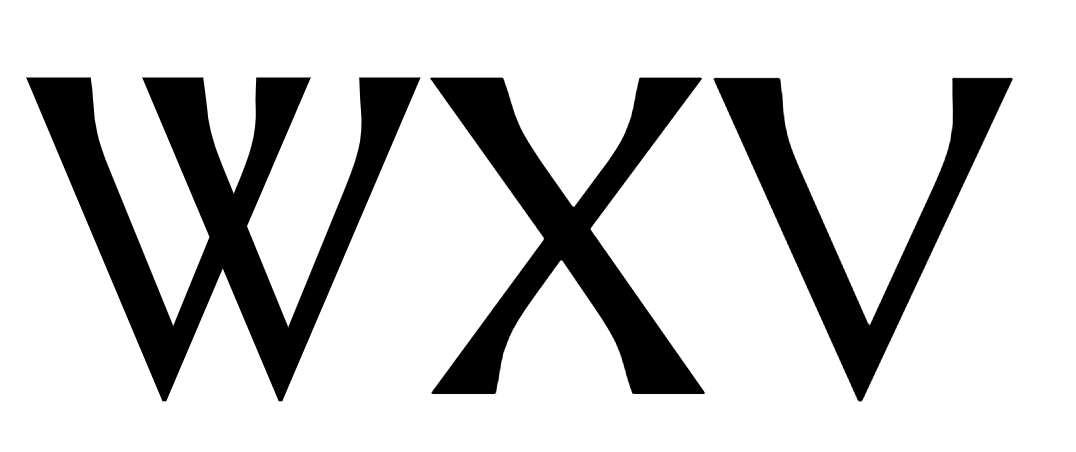
What happens if you export static TrueType instances?
ttf look fine, albeit slightly different from the otfs
My test file works fine. Can you send me the .glyphs file?
1 Like
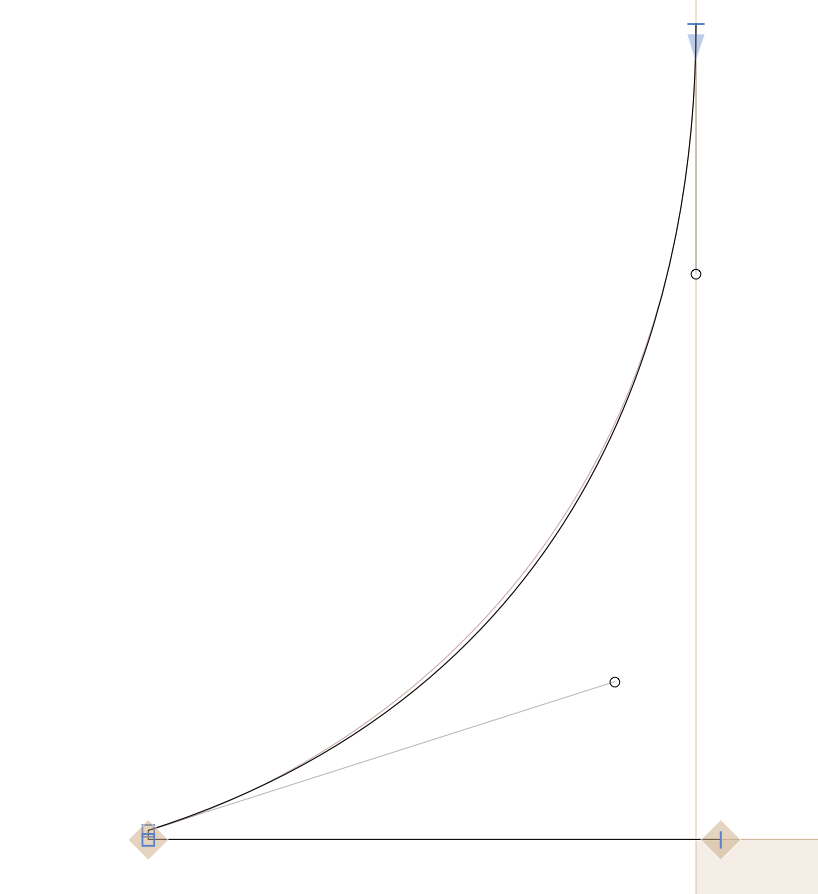
Yeah see, that’s how I would normally draw it, but since the straight segment doesn’t work properly without having a 0-handle, I also had to retract the handle in the serif version. The reason for this is the difference in the interpolations. Here goes an example:
- Desired interpolation (achievable without corner components)
- Bad interpolation (corners are too pointy in the first 2 steps)
It may seem irrelevant but it makes all the difference in this design.