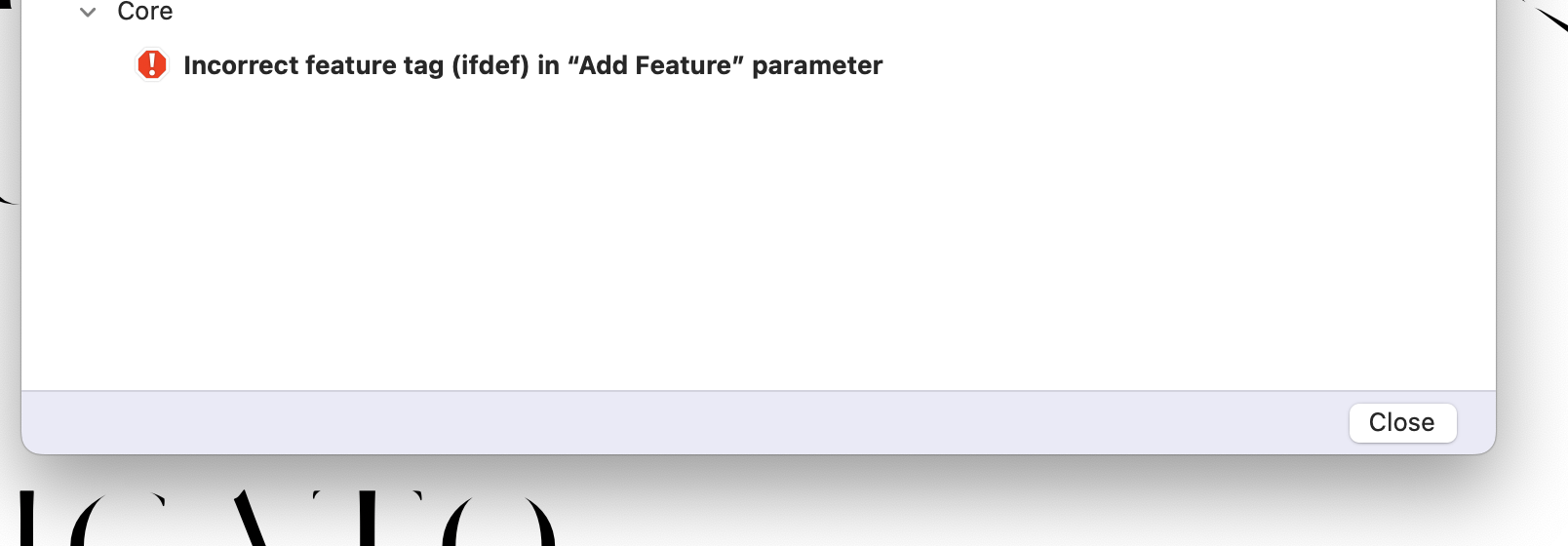
Hi, I’m having problems exporting my variable font with alternate layers that I want to substitute at a certain weight range. I’m using the #ifdef tag at exports, and since the update glyphs gives me an error message when trying to export. It used to work fine before updating to 3.2.
Can you shoe the code you use?
It’s #ifdef, not ifdef.
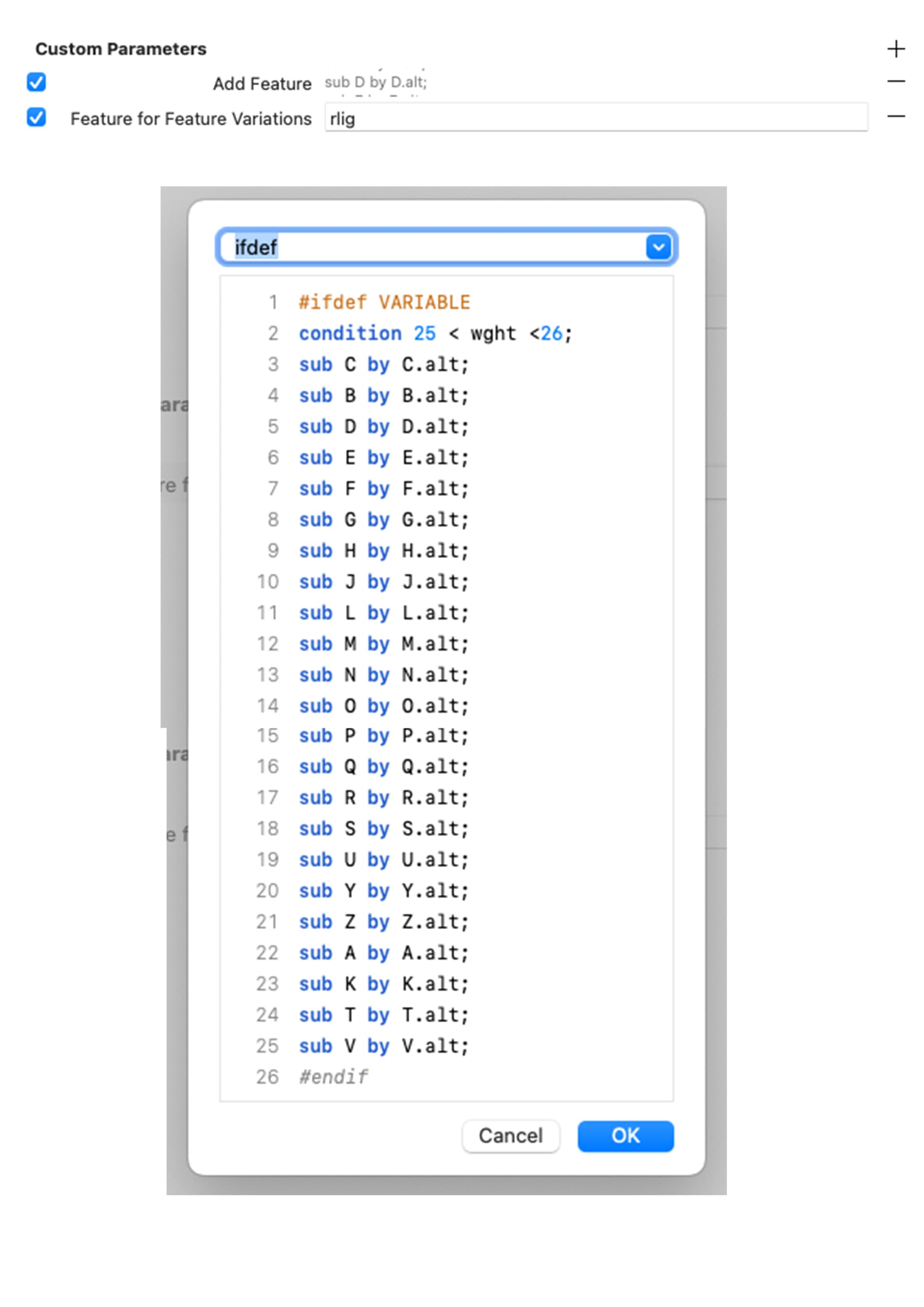
The “Add Feature” parameter needs a “rlig” in the text field. And you don’t need to the “#ifdef” in the code. And you don’t need the “Feature for Feature Variations” parameter if you don’t have any bracket (alternate) layers.
Or you add the “rlig” feature to the features in Font Info > Features. There you would need to the “#ifdef” in the code.
So like this? Somehow it doesn’t recognize the alternate layers, and gives an error message saying:
Unknown glyph “A.alt”
Found in: feature ‘rlig’, line 3.
I have the alternate layers set up properly and like I said everything used to work fine before.
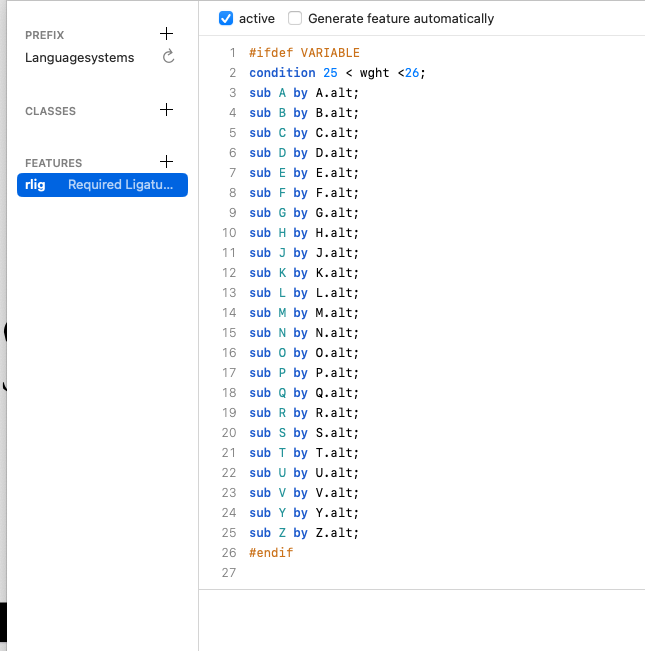
Do you have an A.alt in your font? Why are you writing this feature?
The feature will be automatically written based on the alternate layers you have in your project.
1 Like
OK now I got it to work again! Thank you everyone and sorry for the trouble, I’m a real beginner at this stuff.
Hello,
I am having a similar problem.
This is the code I used:
#ifdef VARIABLE
condition 25 < HSTH < 500;
sub dammatan-ar by dammatan-ar.ss05;
sub kasratan-ar by kasratan-ar.ss05;
sub fatha-ar.aalt by fatha-ar.aalt.ss05;
sub fatha-ar by fatha-ar.ss05;
sub damma-ar by damma-ar.ss05;
sub kasra-ar by kasra-ar.ss05;
sub shadda-ar by shadda-ar.ss05;
sub shaddaFathatan-ar by shaddaFathatan-ar.ss05;
sub shaddaDammatan-ar by shaddaDammatan-ar.ss05;
sub shaddaKasratan-ar by shaddaKasratan-ar.ss05;
sub shaddaFatha-ar by shaddaFatha-ar.ss05;
sub shaddaDamma-ar by shaddaDamma-ar.ss05;
sub shaddaKasra-ar by shaddaKasra-ar.ss05;
sub sukun-ar by sukun-ar.ss05;
#endif
What problem are you facing?
When exporting, I don’t see the result I want. It doesn’t change to the stylistic set.
Where did you put this code? In rlig? Do you have any other altenate layers in your font?
I placed this code in rlig. It worked last year, but after reopening the file, the variable font no longer exports this feature. I’ve added screenshots. Any idea what might be causing this?
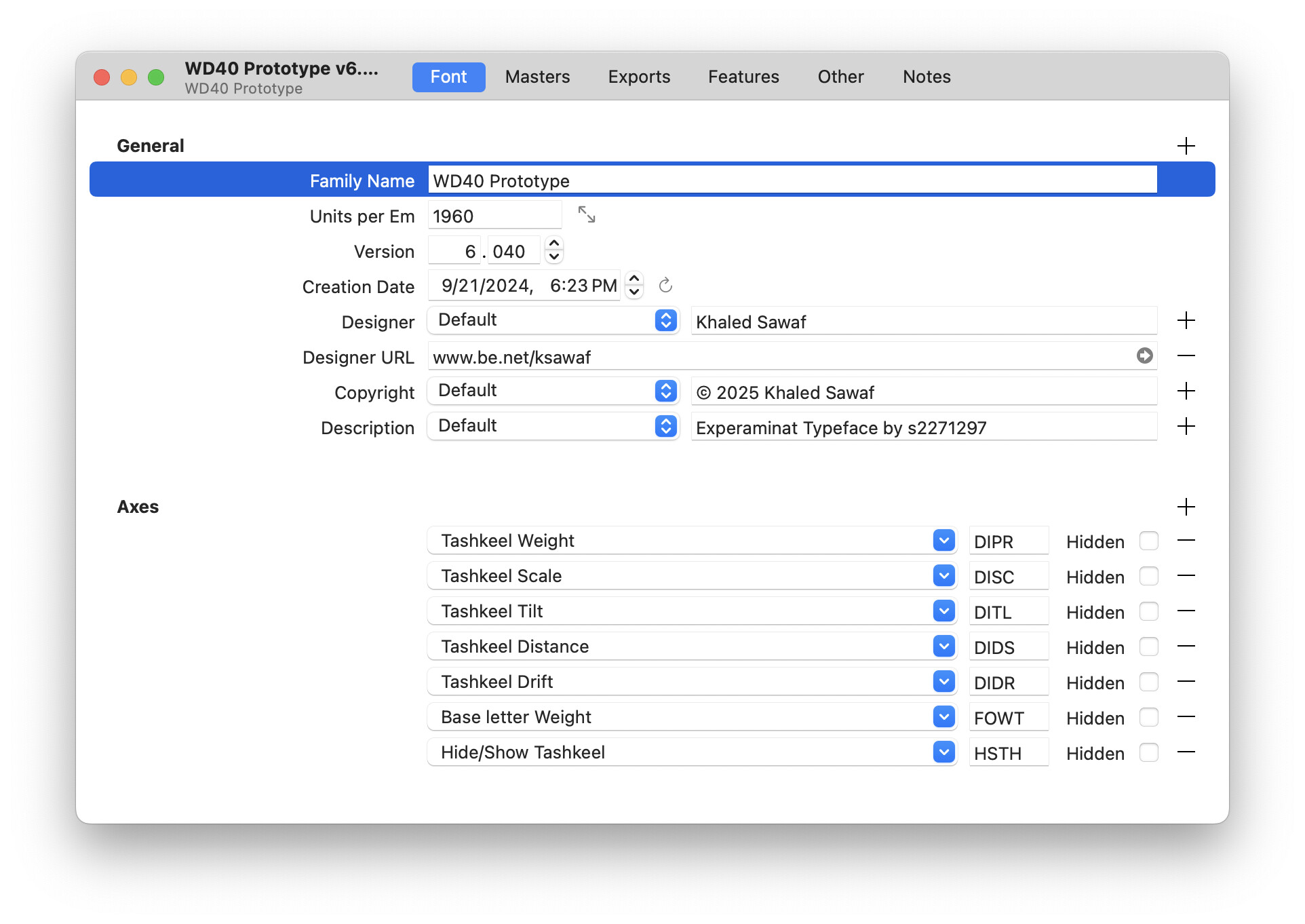
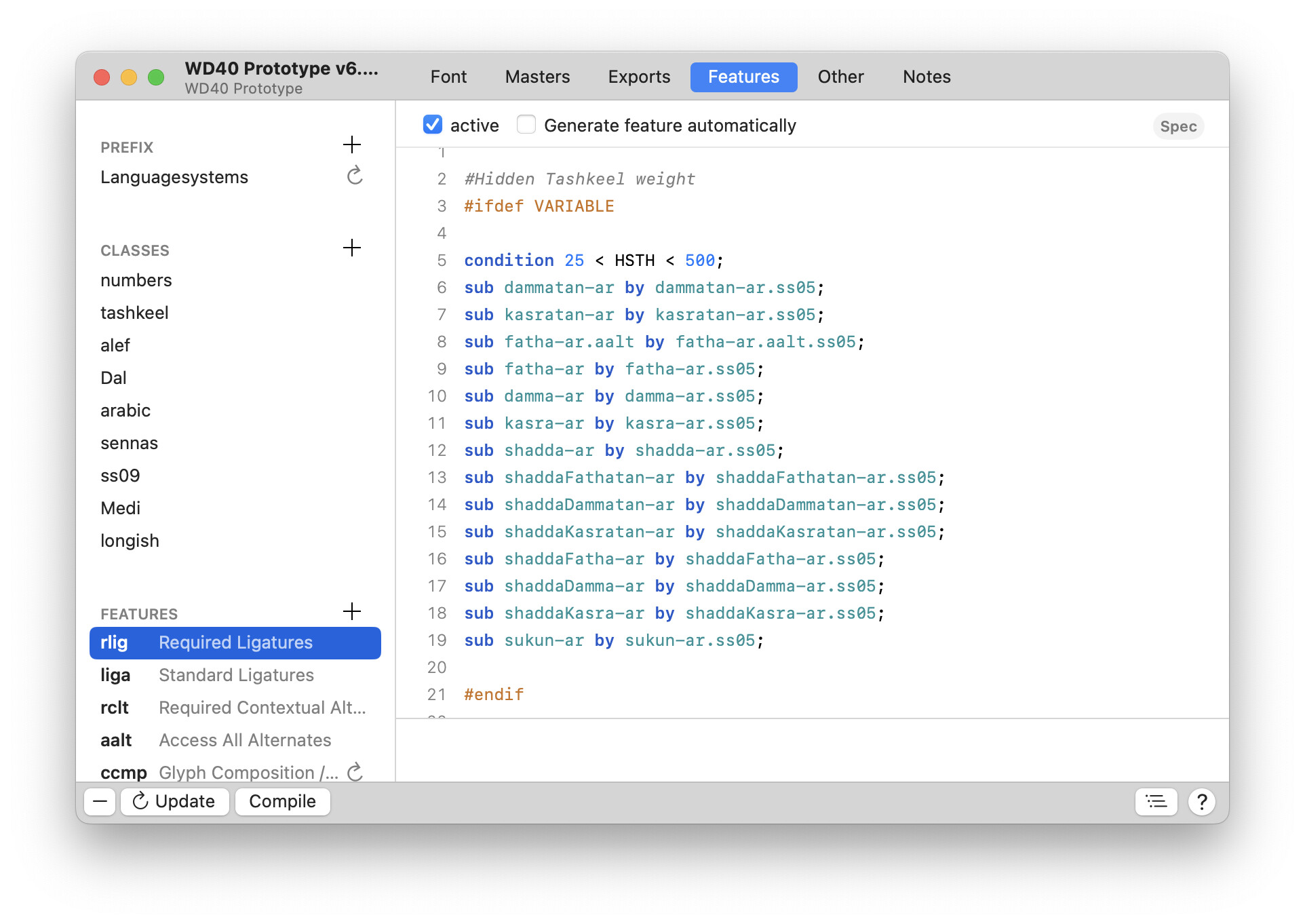

Probably collides with other rlig code. Can you try another required feature?
Ah it worked! I used rclt this time.
Thanks Erich!
1 Like
That’s why I asked whether you had any glyphs in your font that have alternate layers. Glyphs generates rlig code for those, which might block the usage of your custom feature code.