Hello! How can I install the SuperTool Plugin in GlyphsApp 4?
I cannot do it from “manager of plugins”: The Supertool package could not be loaded.
Addon Python: 3.14.6 (Glyphs), MacOs Version: 12.7.6
Some plug-ins need to be updated to work in Glyphs 4, too. SuperTool is on our radar. Please report any other plug-in that does not work as expected, either to the plug-in developer directly or here on the forum.
Thanks, Florian. The other plugins I use are working correctly. For now, Super Tool is the only one I’m unable to install. I’ll keep an eye out for that update. Many thanks again.
I am having the same issue with the Reporter Toggler plugin. I second that Super Tool is unable to be installed with Glyphs 4 for me as well.
Hi everyone, I forked the plugin’s repo and fixed it to work with Glyphs 4. Submitted a pull request which is pending, but feel free to install the fork for now, it works!
Thanks for the Pull request.
But the code is already updated in the glyphs4-source branch. We are only waiting for Simon to rebuild the plugin for Glyphs 4.
Anything new with this? Thanks
Which functionality of Super Tool do you need?
How do you use it? For balanced batch editing you can use a Fit Curve too, right?
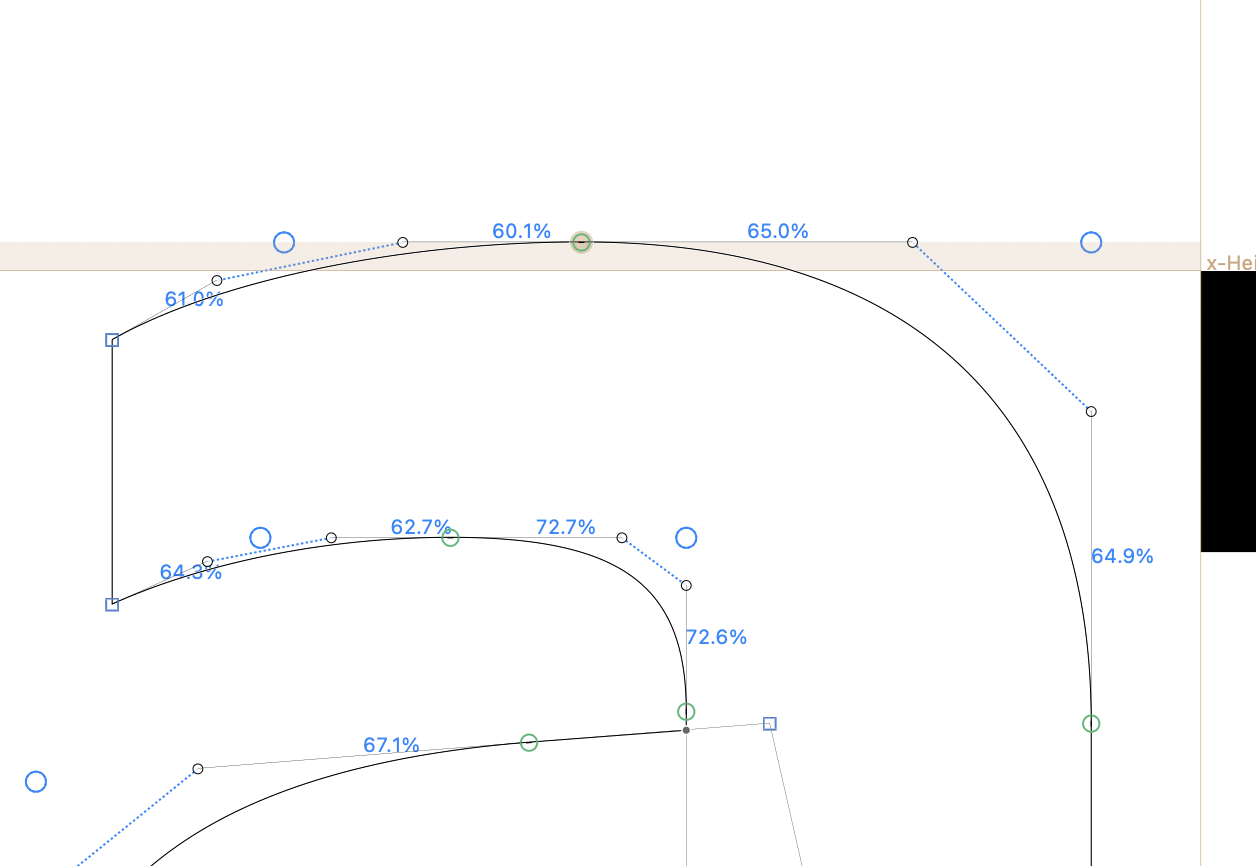
Simon has a separate reporter plug-in Show Tunni Lines in his repo. But I believe it only displays, and does not let you drag the lines. Hence my question.
Update: try the Tunni Bars plug-in in Window > Plugin Manager. After a restart, activate it with View > Show Tunni Bars.
You can drag a Tunni bar to move both handles in sync, or double click it to balance the handles.