Hello,
Happened 3410 build, still happens when updated to 3524.
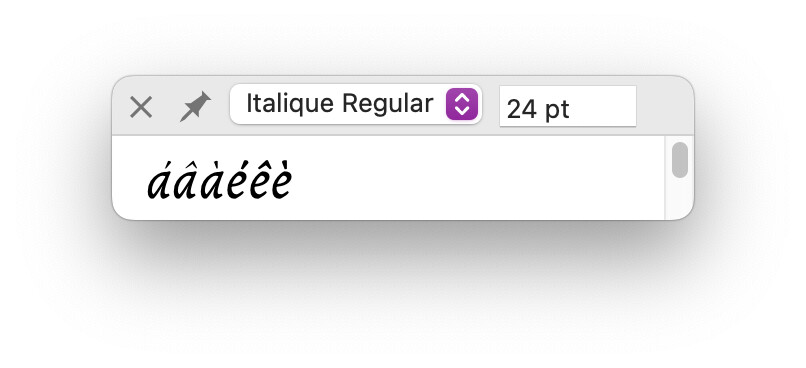
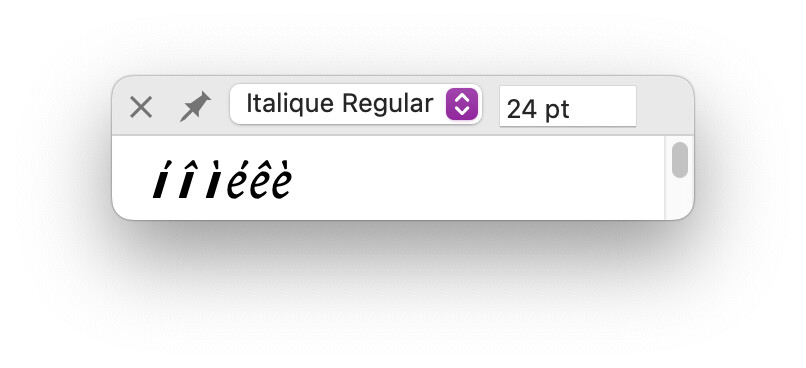
The Text Preview tool displays shrunk diacritics on my lowercase “a”.
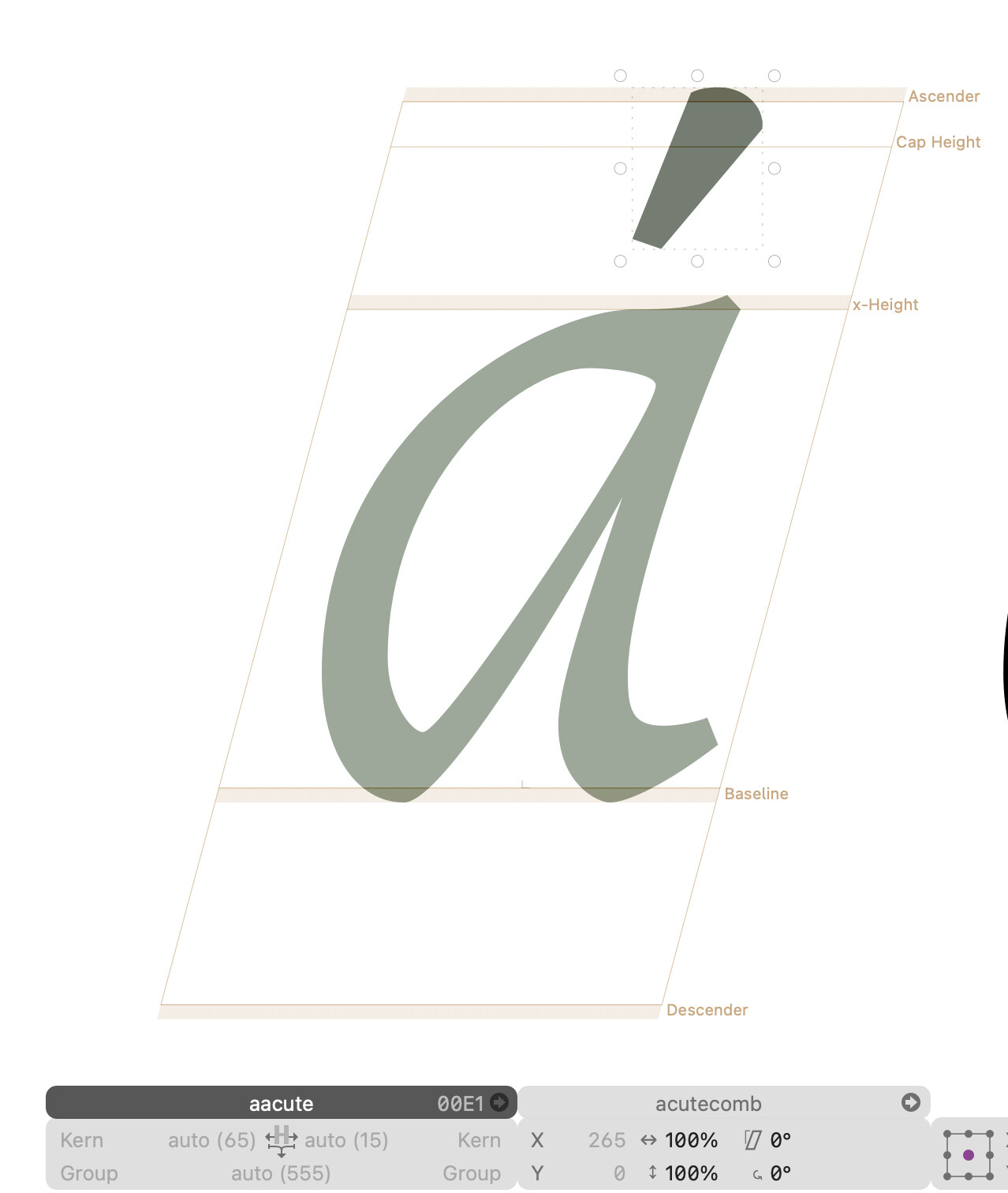
Each accentuated “a” is built using their respective components, and the diacritics go back to their original size if I remove the component “a” or remove the original “a” design, and do not seem to affect the other letters. The diacritics components are always 100% size.
I would assume this is a design issue on my end, but it only affects the Preview window.
I noticed this while displaying my glyphs as 24pt, which made it very clear that “a” diacritics were slimmer, see screenshot 01 and 02. This also happens at any size, but the rastering makes it very noticeable.
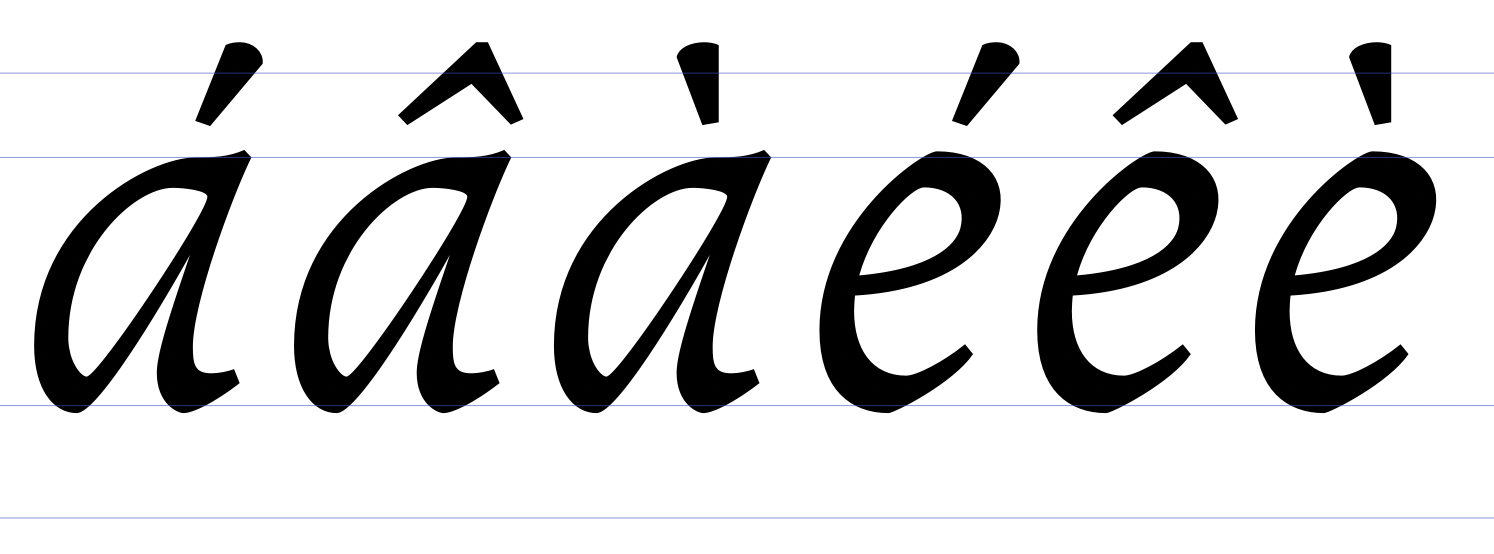
I attached proof of unaltered diacritics from the design panel as well, see 03 and 04.
On the topic (my inexperience is probably showing), is it common practice to use the Preview window on the side of your glyph design panel? Is its rendering fidelity different from exported instances results?
I apologise if this issue was actually mentioned before.