Is it (or will it be in the future) possible, to use tokens in Custom Parameter values?
Specifically I would LOVE to do something like this in the “Keep Glyphs” CP, especially usefull for w.i.p. files, when I want to export Variable Fonts with the currently compatible glyphs only.
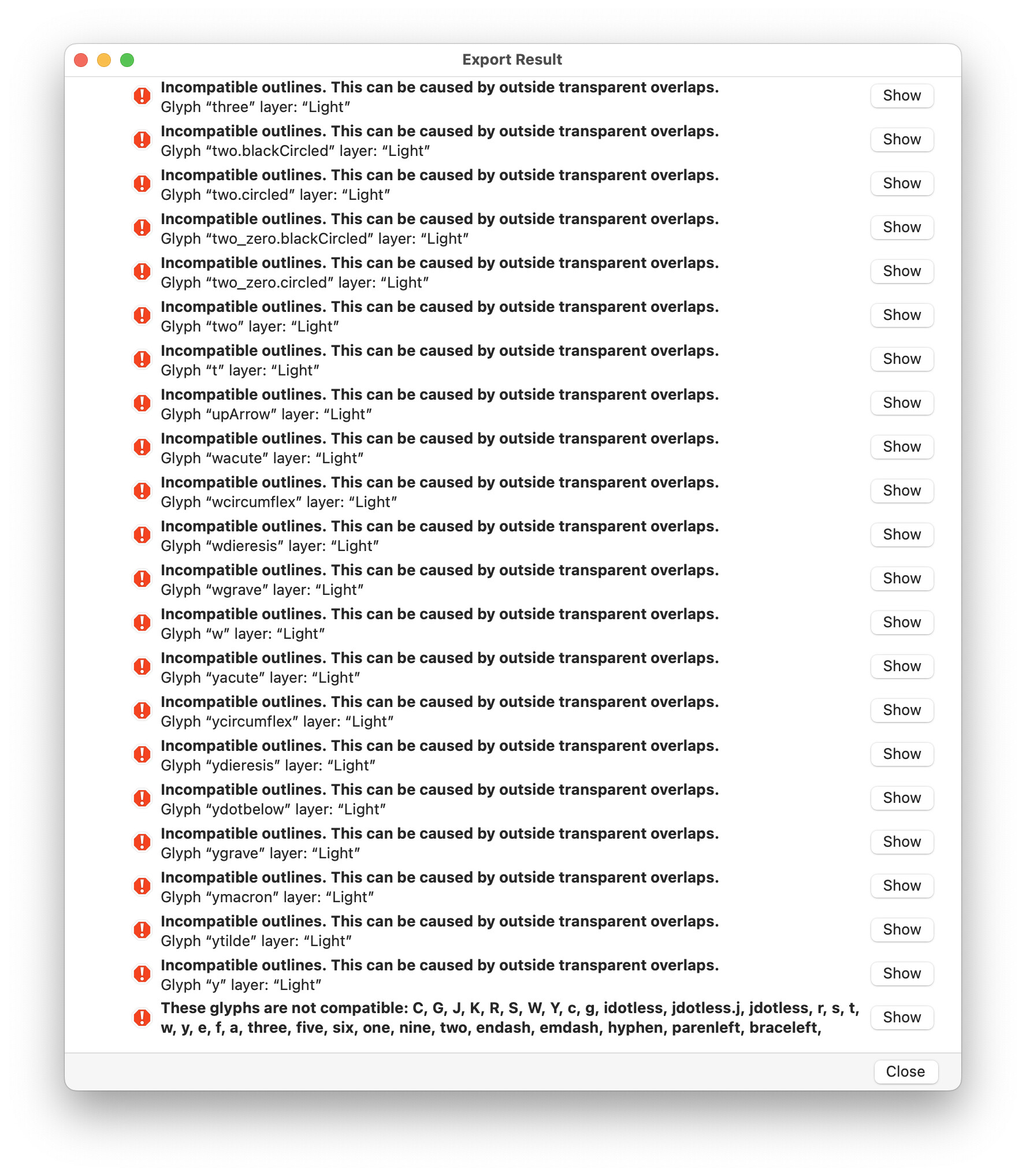
Hmmm, now I tried it and it seems to not work. When I export a variable font with this in the Keep Glyphs CP, the Export Result window pops up showing errors and no font is made:
Not sure if I understand the difference, but random sampling some glyphnames from the error log, those are not exactly the same as what the Glyphs Smart Filter “Master Compatible → No” offers.
I was expecting to just be able to export a variable font with this setup, where it just picks the glyphs that can export.
The masterCompatibilty is computed on the original (cubic) outlines. The error message means that while converting to TrueType it found some problems. That can be inflections or open corers. Could you send me the file for testing?
The problem seems to be composite glyphs that point to incompatible base glyphs (e.g. the Cacute > C where C is not compatible). The mastersCompatible doesn’t check the components. One could add a custom method to GSGlyph with this functionality. I made a small example: MasterCompatibleComponents.glyphsPlugin.zip (17.2 KB)
Sometimes I cannot export a font still, mostly when it has problems with components.
For example when I have a number in /two.blackCircled with another component for the circle.
The /two is compatible and exports, but in the two.blackCircled it is scaled and Glyphs has troubles with that.
Since I still want to export, but cannot get it to, even when setting that glyph to nonexport or adding it to a CP Remove Glyphs → Those non-exporting-settings are ignored, it still tries to export, fails and hence does not export the w.i.p. font.
So I hacked your plugin (hack because it is clearly not the right location for this fix)
def masterCompatibleComponents(self):
    result = self.mastersCompatible
    if not result:
        return False
    if not self.layers[0].parent.export: # 👈 ADDED
        return False                     # 👈 ADDED
    for shape in self.layers[0].shapes:
        if not isinstance(shape, GSComponent):
But at least I can export.
Is it possible to fix this issue that it does not respect the non-export state of glyphs? And or the CP “Remove Glyphs”.
The “Rename Glyphs” parameter is handles by a different code path (I’ll see if I can fix that). It needs a plain pedicure string as you can find in the “CustomFilter.plist” (e.g. it doesn’t support upper, you need to use the underlying int constant, in this case case == 1). The easiest is to build a filter in the sidebar (where you get a good preview of the result) and then copy the string from the .plist file.